Add LINE
TimTech
Book a consultation
Book a consultation
  1. Home
  2. /News
  3. /Five features a product site needs if you want more inquiries

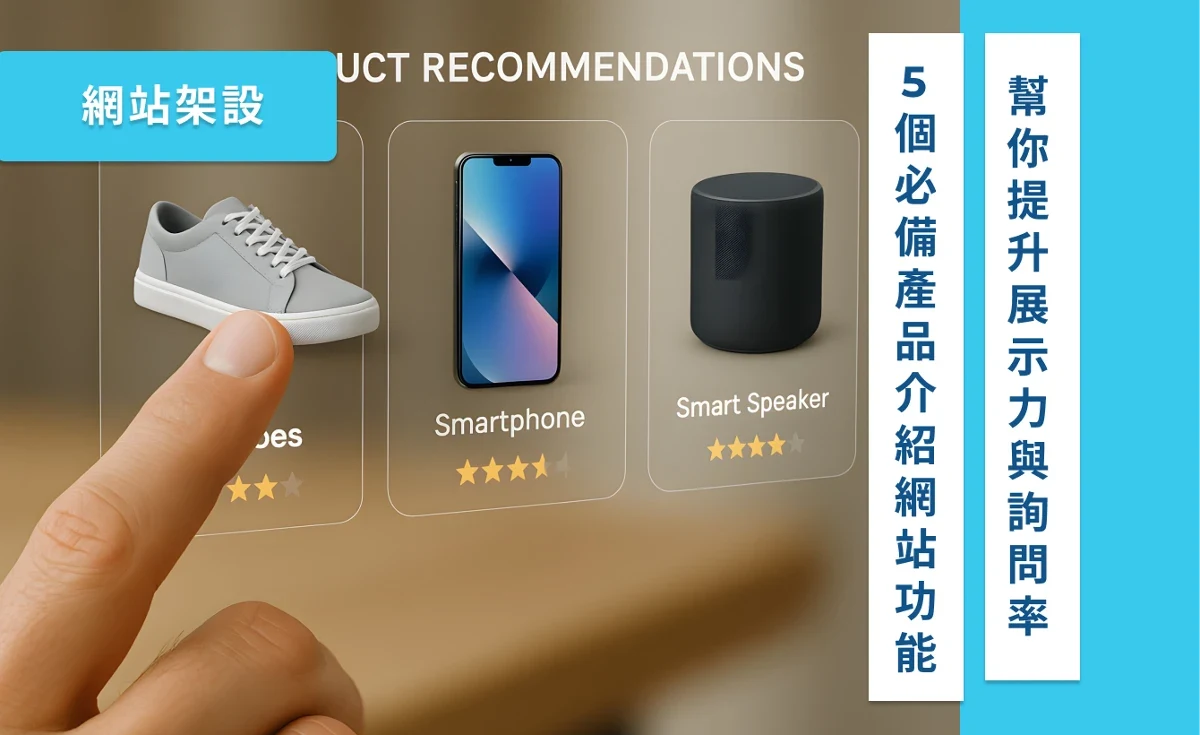
Five features a product site needs if you want more inquiries

圖片預留
2026.04.26Updated 2026.10.06
  • Business websites

Summary

What a product site can do beyond a gallery of photos: group the range clearly, show the detail, and keep the catalog manageable.

As your product range grows without a clear, easy way to present it, the longer customers look, the more likely they are to give up. Many businesses have long been aware of this problem: whether it's a website, a catalog, or a presentation, poor organization seriously undermines the value of your products.

In this article, we'll share what a “product showcase website” can do. It's not just about putting product photos online; it helps you categorize clearly, show details, and manage everything easily. Most importantly, it makes it easier for customers to understand, compare, and even reach out to inquire on their own.

You don't need a technical background, and you don't need to rebuild your entire website. Once you understand these key features, your product pages can go from “overlooked” to a tool that genuinely helps you sell. Let's look at practical, easy-to-implement ways to make your product presentation more complete and more appealing.

What is a product showcase website, and why should every brand have one now?

What is a product showcase website, and why should every brand have one now?

What is a product showcase website, and what is it mainly used for?

Simply put, a product showcase website is a platform where customers can clearly browse all of your product information. Unlike a typical company website with just a few images or a PDF catalog, it introduces each product individually, organizes them into categories, and clearly explains their features. It can even include usage scenarios, downloadable materials, comparison tables, and more.

Share

On this page

  • What is a product showcase website, and why should every brand have one now?
  • What is a product showcase website, and what is it mainly used for?
  • Does your website have these problems?
  • 5 essential product showcase website features to boost presentation and inquiry rates
  • 1. A product management structure with custom categories
  • 2. Product pages with dedicated fields (such as specifications, applications, and download links)
  • 3. Dynamic filtering and search: quickly find the products you want
  • 4. A manageable admin system for easily adding and editing product information
  • 5. Product pages integrated with inquiry or ordering flows
  • Frequently asked questions: you may be wondering about these too
  • “I don't have many products. Do I still need a website?”
  • “I already have a printed catalog. Do I still need product pages on a website?”
  • “Won't a website like this be expensive and hard to build?”
  • Conclusion: your website is the first step to building trust in your brand
  • 🔍 Further reading: how do companies abroad build product showcase websites?
  • 📩 Want to know how to build a clear, attractive showcase website for your products?

TimTech

Ideas, made real.

We help B2B companies turn the website into a long-term asset: a clearer position, search that compounds, and inquiries that actually get handled.

Explore

  • Home
  • News
  • FAQ
  • Cases
  • Contact

Services

  • Website Development
  • Search growth
  • From inquiry to close

Industries

  • Print shops
  • Court-auction leads

Contact

  • Email:service@timtech.tw
  • Address:10F.-2, No. 118, Dazhong S. St., West Dist., Taichung City 403533 , Taiwan
  • LINE:Message us on LINE

© 2026 TimTech. All rights reserved. | Power By TimTech

  • Privacy
  • Terms

The most important purpose of this kind of website is to let potential customers find the right products, understand their advantages, and even leave an inquiry on their own, without help from a sales rep.

Does your website have these problems?

If your website currently has any of the following issues, you may need a good product showcase structure:

  • All products are crammed onto one page, making them hard to find
  • Every product's information looks the same, so it's hard to tell them apart
  • You want customers to download spec sheets and PDFs but have nowhere to put them
  • New products often aren't updated, and image information gets messed up

None of these problems are hard to solve. With a product showcase structure that's manageable, scalable, and supports filtering and categories, your website can go from a “product warehouse” to a “showroom.” Next, let's look at the key features that can help you build this kind of website.

5 essential product showcase website features to boost presentation and inquiry rates

1. A product management structure with custom categories

A product management structure with custom categories

A good website can't just pile all your products together. Especially as your range grows, customers need a more intuitive way to “quickly find the right thing.”

With a custom category structure, you can organize products by series, function, use, target audience, and more. For example:

  • Product series: Classic series, Advanced series, Limited editions
  • Function categories: Waterproof, High-strength, Adjustable
  • Usage scenarios: Outdoor use, Office spaces, Food processing

This kind of categorization not only helps customers browse quickly but also makes your website more logical, so it looks like a well-organized brand rather than a warehouse page with products scattered everywhere. With this approach, you can also easily publish, unpublish, or recategorize products in the admin panel, without things getting messier as your information grows.

2. Product pages with dedicated fields (such as specifications, applications, and download links)

Product pages with dedicated fields (such as specifications, applications, and download links)

Traditional website posts or pages can usually only hold images and a few paragraphs of text, which can't meet the many needs of product presentation. A good product page, however, should let you set up dedicated information fields for each product, such as:

  • Technical specifications (dimensions, materials, voltage…)
  • Key features (highlight functions, comparative advantages)
  • Suitable scenarios (for example: food processing, interior decoration…)
  • File downloads (PDF catalogs, user manuals, 3D models)
  • Prices or a quote request link (they don't have to be public, but should be easy to find)

This structure not only makes information clearer but also greatly reduces back-and-forth questions from customers. Internally, it also makes it easier to standardize specifications and manage data. The key point: the clearer and more complete your product information, the more confident customers will be about contacting you.

3. Dynamic filtering and search: quickly find the products you want

Dynamic filtering and search: quickly find the products you want

When there are many products and no filtering, users can only “scroll slowly,” and they easily lose patience. Dynamic filtering lets users freely combine conditions based on their needs to quickly find suitable products.

Example conditions can include:

  • Material (aluminum alloy, stainless steel, plastic)
  • Size (length, width, height, weight)
  • Price range
  • Feature tags (stackable, waterproof, antibacterial)

This kind of interactive filtering means your website doesn't just display products; it helps customers make decisions. For businesses with complex product lines, this feature is crucial and an important driver of more inquiries.

4. A manageable admin system for easily adding and editing product information

A manageable admin system for easily adding and editing product information

For many companies, the biggest pain point in website maintenance is that content updates require an engineer, and the process is slow. But a good website should let you manage content easily yourself.

With custom fields and structure settings in the admin panel, you can add a product simply by filling out a form. Like this:

  • Enter the product name and description
  • Upload images
  • Select product categories and tags
  • Attach file download links

This approach can greatly reduce maintenance costs, so you don't need a designer or engineer every time you change a specification. Even marketing or office staff without a technical background can quickly publish new products, keeping your website content up to date and complete.

5. Product pages integrated with inquiry or ordering flows

Product pages integrated with inquiry or ordering flows

Making sure customers understand your products is only the first step; getting them to reach out to you is the most important measure of success. That's why a complete product page should include an inquiry or purchase action to truly improve conversions.

You can design it like this:

  • Add an “Inquire now” button below each product
  • Integrate an inquiry cart (similar to a shopping cart, but it collects product inquiries)
  • Connect forms, LINE, WhatsApp, Messenger, and more, so customers can contact you the way they prefer

This not only lowers the barrier to inquiring but also lets potential customers easily get information before deciding whether to work with you. For sales teams, inquiries like these are also easier to track and categorize, improving overall follow-up efficiency.

Frequently asked questions: you may be wondering about these too

“I don't have many products. Do I still need a website?”

Actually, having fewer products makes it even more important to show what sets them apart and what they're worth. Even if you only have three to five products, if each has a different use, specification, or application, they're still worth presenting well.

A product page isn't about showing quantity; it's about helping you explain each product clearly. That way, potential customers know that although you don't offer many products, each one is worth getting in touch about.

“I already have a printed catalog. Do I still need product pages on a website?”

A printed catalog still has its uses, but an online product page can be updated instantly, filtered and categorized, and lets customers inquire with a single click, which print can't do.

What's more, most customers now start getting to know a brand by searching online. If you only have a PDF catalog, your information will seem incomplete and out of date, and you'll miss many chances for people to leave an inquiry.

“Won't a website like this be expensive and hard to build?”

If you develop it yourself, the cost and time are indeed high. But there are now many modular website technologies that can deliver product showcase features more efficiently.

You don't need to write code from scratch or design and adjust layouts page by page. With a clear structure and field plan, you can build a product website that's easy to manage, visually clear, and drives action, giving even a small company the professional feel of a big brand.

Conclusion: your website is the first step to building trust in your brand

Whether you're a manufacturer, a brand owner, or a distributor, if you have products to show, it's worth having a clear, well-organized, easy-to-manage website. It's not just a place to display images and text; it's an important tool that helps customers understand and compare, and then makes them want to inquire and work with you.

A well-designed product showcase structure not only helps users quickly find what they're looking for but also makes your brand look more trustworthy, more organized, and more valuable. That's exactly why more and more businesses are willing to invest time and resources in building a website that explains the value of their products, instead of just posting a PDF catalog and calling it a day.

If you want your products to be seen, understood, and even inquired about, building a website with a clear structure and complete features will be the strongest bridge between your marketing and sales.

🔍 Further reading: how do companies abroad build product showcase websites?

If you're also thinking about how to present your products more effectively and increase inquiry rates, take a look at the following high-quality articles from abroad to see how they plan the structure and features of product pages:

  • 📘 15 Best Features Page Examples to Be Inspired By A selection of 15 product feature page designs, with detailed breakdowns of structure, copy, and visuals. Ideal if you're thinking about how to structure your pages.
  • 📦 Your Complete Guide to Ecommerce Product Catalogs (ShipBob) An in-depth look at the features and advantages of online catalogs, such as product categories, search, and how updates work. Very close to the practical needs of manufacturers and distributors.
  • 🧭 How to Create an Awesome Online Product Catalog (FlippingBook) Explores how to present a product catalog interactively, so users don't just look but can also interact, filter, and get in touch.

📩 Want to know how to build a clear, attractive showcase website for your products?

We can help you:

  • Organize your product categories and attributes
  • Plan your product page structure and presentation logic
  • Build a website content system you can manage yourself
  • Design user journeys and buttons that increase inquiry rates

👉 Click here to book a free consultation

👉 Or view related work now

Make your website more than just present: let it truly help you explain your products clearly and sell them.

Previous

Redesign case study: three practices that drew higher-value clients to a law firm

Next

Should you hire an ads agency? Five questions that settle it

Related articles

  • Redesigning a company website: fifteen things to get right
    Business websites

    2026.08.16

    Redesigning a company website: fifteen things to get right

    When a company site needs a redesign, how to judge that first, and what to watch…

  • 企業網站需要哪些功能?14種基本功能與進階功能全方位整理
    Business websites

    2026.08.16

    What belongs on a company website? Fourteen features, basic and advanced

    Common pieces of a company site: content management, product pages, SEO, more th…

  • 企業網站設計完整指南:從網站規劃、架構到設計重點一次搞懂。
    Business websites

    2026.08.15

    Company website design: planning, structure, and what to design for

    How to design a company site around its goal: information architecture, how peop…