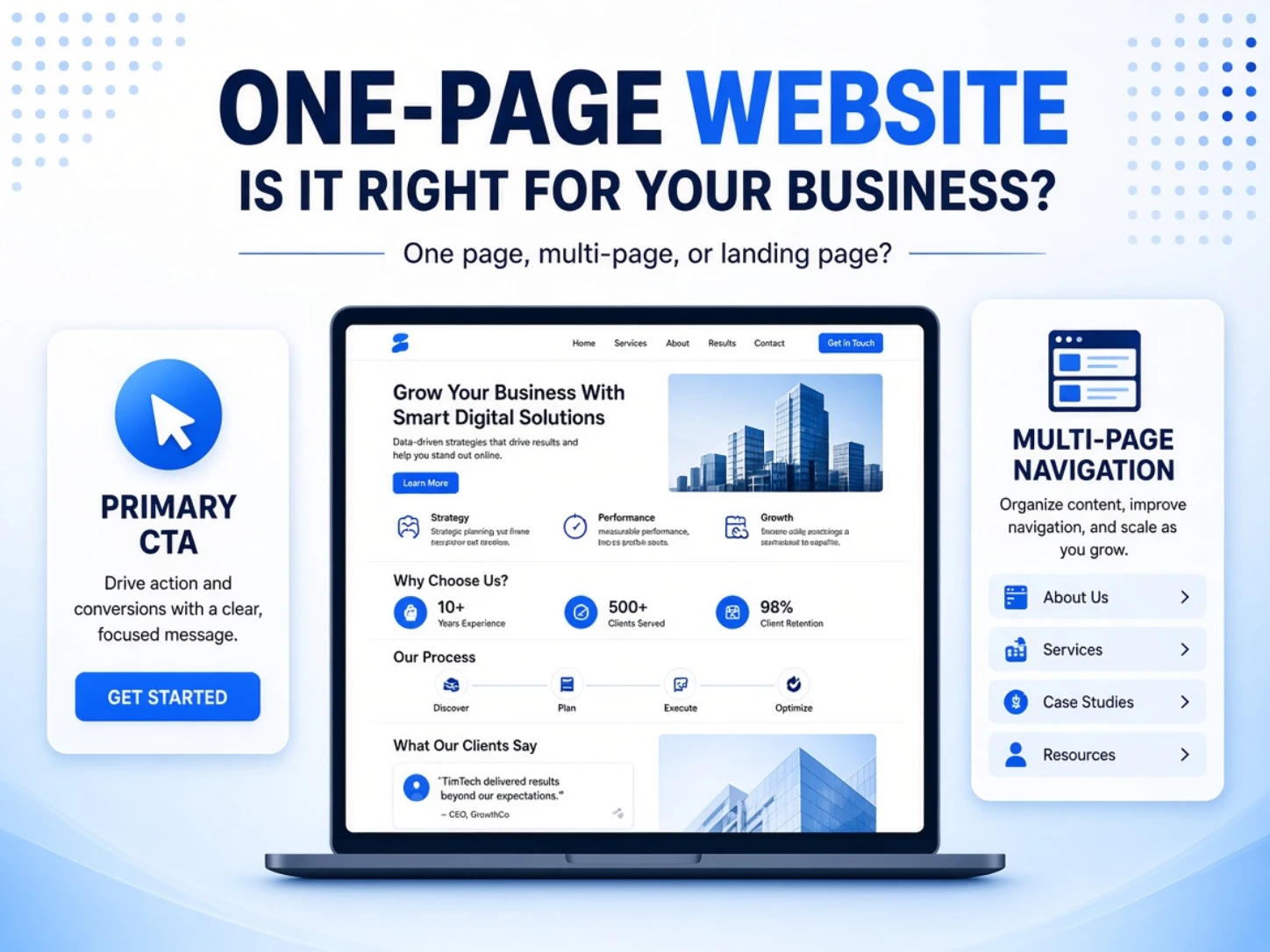
When a company only has one main service, a common question is whether a one-page website will be enough. One-page websites, landing pages, and sales pages are also often treated as the same thing.
Page count is only the visible difference. The better choice depends on who the site serves, how much it needs to explain, and what visitors should do next.
This guide compares one-page and multi-page sites across use cases, cost, SEO, and future growth. It also uses two real projects to show how different goals change the page structure.
Related reading: A Complete Guide to Company Website Design
Key takeaways
- One audience, one promise, and one CTA are a good fit for one page.
- Multiple services, long-term SEO, and expansion usually need multiple pages.
- A one-page site can support SEO, but not many unrelated search intents well.
- One page should still use real text, fast assets, and a working form.
- Page count does not determine cost; scope, design, and features do.
What is a one-page website, and how is it different from a landing page?

A one-page website places its main content on a single URL. Visitors read by scrolling down the page or using anchor links to jump between sections.
This describes a content format. It does not automatically mean an online shop or ad page, and it does not guarantee better conversion.
If you need a short answer to “what is a one-page website,” it is a site where visitors can understand the main offer and take the intended action without moving to another page.
One-page website: a format
Common sections include the offer, benefits, proof, process, FAQs, and a contact or signup form.
They share one page and can be arranged in a deliberate reading order.
Landing page: where traffic arrives
A landing page is the page someone reaches after clicking an ad, search result, email, social post, or QR code.
It can be a one-page experience, but it may also be a product or service page inside a larger website.
Sales page: a job the content performs
A sales page answers questions, establishes trust, and moves a visitor toward a purchase, booking, signup, or inquiry.
It may be long or divided into several pages. Its effectiveness depends on the claim, evidence, and flow—not on length or the number of buttons.
One page is a format, a landing page is a destination, and a sales page is a content objective. They may overlap, but they are not synonyms.
One-page website vs. multi-page website

Neither structure is universally better. Start with the business objective and the complexity of the content, then decide how many pages are needed.
| Factor | One-page website | Multi-page website |
|---|---|---|
| Main objective | Focus on one offer or action | Present a full brand and several entry points |
| Audience | One group with similar needs | Several audiences or buying stages |
| Navigation | A guided reading sequence | Visitors explore through navigation and links |
| SEO entry points | One primary topic | Separate pages for separate search intents |
| Features | Best for a clearly bounded scope | Better for multiple services, content, and integrations |
| Typical traffic |
One page works well for one clear task
Examples include course registration, event signup, a single-service inquiry, or a focused product campaign.
When most visitors need similar information, a guided page reduces unnecessary navigation.
Multiple pages support a long-term digital asset
Companies with several services, case studies, articles, languages, or product categories usually need clearer information layers.
Separate pages can answer different search needs and connect through internal links.
Related reading: Website Building Platforms: How to Choose the Right Approach
When is a one-page website a good fit?
To assess fit, check whether the audience, promise, action, and content can all be narrowed to one task.
1. You have one main audience and promise
When the page serves one group with similar needs, the message can remain focused.
A single course, consulting service, or campaign does not require visitors to choose among unrelated offers.
2. You need one primary CTA
One-page sites work well when the main action is a signup, booking, purchase, or LINE inquiry.
Alternative contact methods can remain available, but several equally prominent actions will compete with one another.
3. You are supporting a specific campaign
When an ad already defines the audience and topic, the destination can respond directly to that promise.
Events, launches, and time-limited campaigns are also common one-page use cases.
4. The content follows one clear sequence
If visitor questions follow a predictable order, the page can move through problem, solution, proof, process, FAQs, and action.
When different visitors need completely different information, forcing everything into one scroll becomes less useful.
5. The current scope is small, but the platform can grow
A company may begin with a focused page, then add case studies, articles, bookings, or ecommerce as needs develop.
The platform and URL structure must support that growth without forcing a complete rebuild.
TimTech’s company website development solution uses a modular structure so content and functions can be added over time.
When should you avoid using only one page?
The main constraint is rarely the physical length of the page. It is whether all the information still serves the same task.
1. You serve very different audiences
A company may sell to procurement teams, consumers, and business partners. Each group needs different information, proof, and next steps.
Putting everything on one page makes every visitor skip a large amount of irrelevant content.
2. Each product or service needs its own explanation
Services with different processes, cases, pricing factors, and FAQs are usually easier to understand on separate pages.
Dedicated URLs are also easier to share with a specific prospect.
3. You want to build SEO across several topics
One URL is best focused on one primary search intent.
If a company wants visibility for different services, industries, locations, and customer questions, separate pages create a clearer content structure.
4. You need many cases, articles, languages, or complex features
As content grows, categories, navigation, and internal links become more important.
Membership, ecommerce, documentation, and multi-role systems should not be compressed merely to preserve a one-page format.
5. The website will grow, but there is no upgrade path
A low-cost one-page tool may not support new pages, content migration, or stable URLs. Expansion can then require rebuilding the site.
Ask about ownership, content management, and upgrade options—not only the initial deliverables.
Pros and cons of a one-page website
The same characteristics can create both benefits and limitations. A fixed reading path keeps the message focused, but gives visitors less freedom to explore.
| Area | Potential benefit | Limitation to plan for |
|---|---|---|
| Reading flow | Guides visitors through a set order | Long content can be hard to scan |
| CTA design | Keeps attention on one action | Several actions compete for attention |
| Launch time | A clear scope can move quickly | Copy, design, and integrations still take time |
| SEO | Focuses on one primary intent | Cannot support many unrelated topics well |
| Maintenance | Initial content is in one place | Growth may require splitting the page |
| Performance |
A one-page website does not automatically increase conversion. A weak promise, insufficient proof, or a difficult form will remain a problem on one page.
A well-planned single page can also live inside a larger company website as a dedicated campaign landing page.
How much does a one-page website cost?
Our one-page website projects cost NT$10,000–50,000 and take 2–4 weeks to complete.
The final quote varies with the delivery scope; page count is only one factor affecting cost and schedule.
| Work area | What affects cost and schedule |
|---|---|
| Strategy and copy | Interviews, audience, positioning, structure, review rounds |
| Visuals and assets | Custom design, images, video, photography, licensing |
| Responsive design | Mobile layouts, interaction states, accessibility |
| Features and integrations | Booking, payment, LINE, CRM, email notifications |
| Analytics | GA4, ad events, form completion, conversion testing |
| Launch and maintenance | Domain, hosting, deployment, warranty, updates |
“Only one page” does not mean “only one design screen.” A project with full copywriting, custom visuals, registration, and automated notifications can still have substantial scope.
Related reading: Website Development Costs: Budgeting and Comparing Options
Related reading: The Website Development Process: From Planning to Launch
Does a one-page website hurt SEO?
A one-page site can be indexed and optimized for one clear topic. Its main limitation is the amount of content and the number of distinct search entry points it can support.
One page can still have sound SEO foundations
The page can use a clear title, meta description, heading structure, image alt text, internal links, and readable HTML text.
It should also load well on mobile, use HTTPS, and avoid oversized media.
The limitation is the number of search intents
Suppose a company offers website development, SEO, and ecommerce systems. Visitors searching for each service need different answers.
When all three are placed on one URL, both visitors and search engines have a harder time identifying the full scope of each service.
Google’s SEO Starter Guide recommends organizing a website logically so people and search engines can understand the relationships between its pages. That is one reason multi-topic sites benefit from separate pages.
Further reading: Google SEO Starter Guide (source checked October 22, 2026)
Do not make the entire page one tall image
A one-page design can be visually rich, but important copy should remain actual web text.
One large image hides the words from search systems and can create a slow download.
有垢淨工程行 previously used a single tall image as its ad landing page. The rebuild separated text and visuals, then reorganized the service benefits, before-and-after work, customer proof, and booking CTA.
The case shows that “visually one page” and “technically one image” are very different implementations.
How do you plan a one-page site for conversion?
Start by defining where visitors come from, what they need to understand, and the one action they should take.
Traffic source → opening promise → problem and solution → proof → process and terms → FAQs → primary CTA
1. Define the source, audience, and action
Visitors from organic search, Google Ads, social media, and QR codes may know very different amounts about the brand.
Knowing the entry point helps determine whether the page begins with basic context or a specific offer.
2. Confirm relevance above the fold
The first screen should quickly identify who the offer is for, the problem it addresses, and the next action.
Vague slogans or animations that obscure the message increase the effort required to understand the page.
3. Arrange content around visitor questions
Help visitors recognize their situation, then explain the solution, scope, proof, process, and limitations.
The sequence should follow the buying decision instead of a generic template.
4. Use evidence people can verify
Case studies, work samples, processes, team credentials, specifications, and genuine reviews are more useful than broad performance promises.
Any cost, timing, or performance claim should include its conditions and measurement period.
5. Test mobile, speed, forms, and tracking
Test the opening section, buttons, form validation, errors, and confirmation on a real phone before launch.
Track successful form submissions separately from LINE and phone clicks. A button click alone is not a qualified inquiry.
Google Ads recommends matching a landing page to the ad and keyword, making it mobile-friendly and easy to navigate, and providing useful original content.
Further reading: Google Ads: Optimize your ads and landing pages (source checked October 22, 2026)
One-page website examples: two different conversion paths
The same one-page format can serve different commercial tasks. The evidence, CTA, and back-office flow must match the actual objective.
森林象知識: from course value to registration

The 森林象知識 project had to turn property and finance material into a case that first-home buyers and people moving home could understand.
The page starts with the audience’s concerns, then introduces the course, participant proof, and instructor credibility before asking for registration.
The registration form also sends a LINE notification so the team can receive the information without another manual step.
有垢淨工程行: from an ad click to a booking

The job of the 有垢淨 page is to receive paid traffic for in-home air-conditioner and washing-machine cleaning.
Service benefits, before-and-after work, and customer feedback provide proof, while booking CTAs appear at relevant decision points.
The rebuild also separated copy from images and addressed page performance, supporting both ad traffic and search readability.
One-page website FAQ
Can a one-page website serve as a company website?▼
Yes, if the company has one primary service, limited content, and an inquiry-focused objective. A multi-page site is usually more suitable when the company needs ongoing articles, several services, case studies, or multiple SEO topics.
Can a one-page website rank in search?▼
Yes. It can establish sound SEO foundations around one clear topic. If the company needs visibility for several services, locations, or questions, separate pages usually provide clearer entry points.
What is the typical one-page website cost?▼
Start with the job the website must do
A one-page website works when one audience, one promise, and one primary action can form a clear path. It can support an event, course, focused service, or ad campaign, and it can also be a dedicated landing page inside a larger company website.
If the company needs to build several services, case studies, content, and SEO over time, begin with an expandable multi-page structure and add focused landing pages where needed.
Before choosing, define the audience, promise, CTA, content scope, search needs, and future features. TimTech can help assess the structure that fits the job; book a free consultation to discuss your requirements.