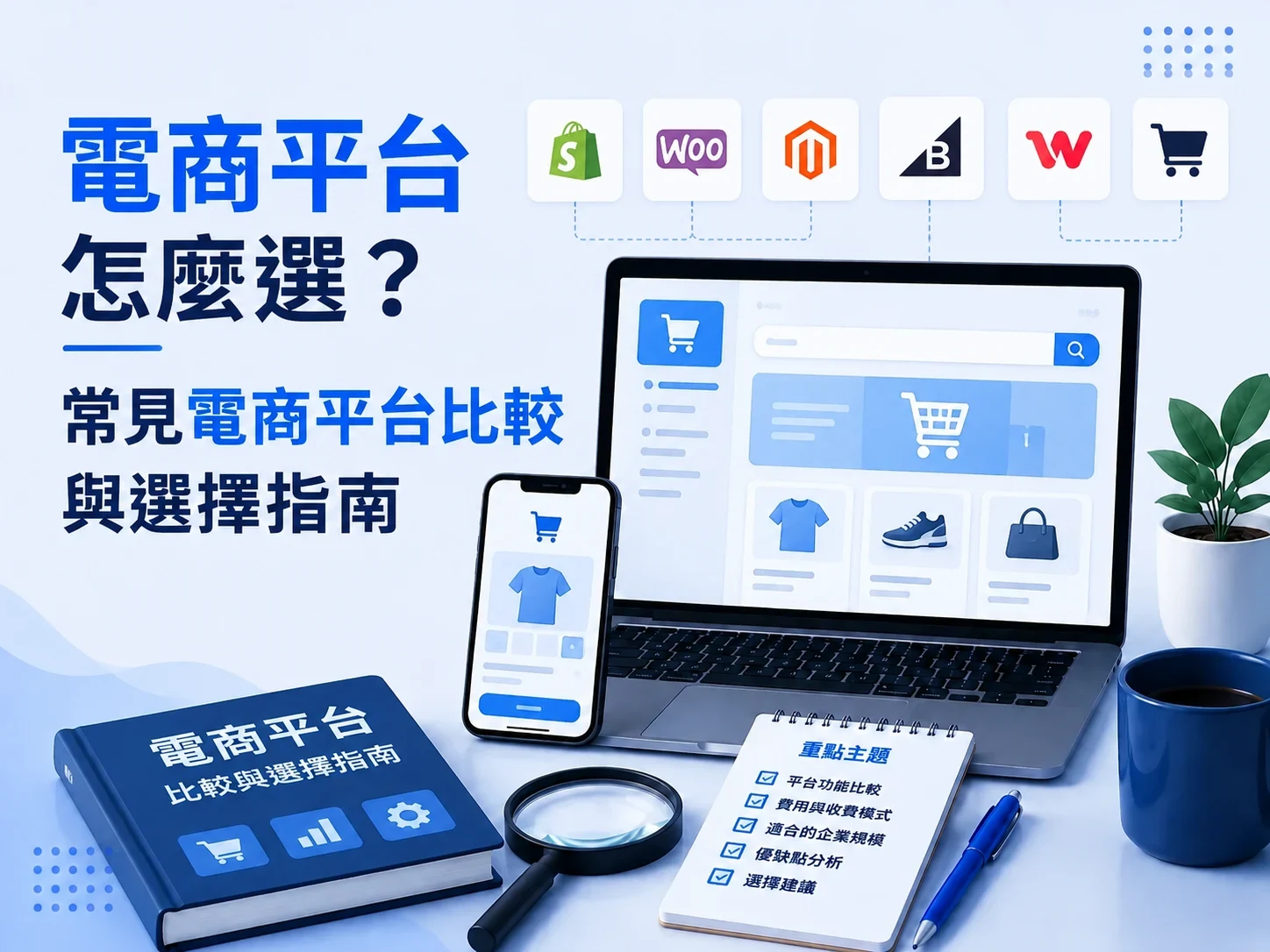
There are many ecommerce platforms. What a business actually has to decide is not “which platform is the most popular,” but which kind of platform fits its products, how orders work, and what it will need later.
Some businesses only need to list products, add a cart, and take online payment. Others need a large catalog, many variants, member tiers, and store integration. Some also involve B2B, quote requests, special pricing, or an ERP connection, which a standard store platform may not fully support.
This article does not rank ecommerce platforms. It starts from what a business actually needs, and sorts out the types of platforms, common choices, differences in fees and features, and what to assess when choosing, so the business can find an ecommerce setup it can run for the long term.
Further reading: A complete guide to building an ecommerce website
The main points
- Ecommerce platforms fall mainly into SaaS, self-hosted systems, and enterprise ecommerce.
- For standard products and a standard checkout, a mature SaaS platform is usually the first thing to assess.
- Do not compare the monthly fee alone. Also count transaction fees, modules, third-party services, and the long-term cost.
- Product variants, B2B, quote requests, and system integration are important tests when a business chooses a platform.
- A business with physical stores should also assess POS, members, inventory, and OMO integration.
- More features do not mean a better fit. What matters is whether the core needs can actually be done.
- Do not over-customize for needs that may never arrive, but leave reasonable room to grow.
- Before deciding, test the platform with the company’s real products and real order flow.
What is an ecommerce platform, and what types are there?

An ecommerce platform is the system that supports a company’s online sales. It usually includes product management, a cart, members, orders, payment, and an admin.
“Ecommerce platform” is not only store builders such as SHOPLINE, CYBERBIZ, or Shopify. By how a company sets one up, there are roughly three types:
Further reading: What website-building platforms are there?
SaaS ecommerce platforms
A SaaS (Software as a Service) ecommerce platform is a complete system from the provider. The company usually pays a monthly or yearly fee and does not build the underlying ecommerce system itself.
Common examples include SHOPLINE, CYBERBIZ, WACA, and Shopify.
These platforms usually already include:
- Product and category management
- Cart and checkout
- A member system
- Order management
- Payments and shipping
- Marketing tools
- Site templates
- Basic analytics
The main trait is a fast start, with most technical maintenance handled by the platform.
If the company sells standard products and the checkout is close to ordinary B2C ecommerce, SaaS is usually worth assessing first.
The company still has to work inside the platform’s existing structure. If special pricing, B2B permissions, a special order flow, or system integration appears later, check whether the platform can support it, and what the extra cost is.
Self-hosted ecommerce systems
The second way is to build and run the ecommerce site yourself, for example with WordPress and WooCommerce.
Unlike SaaS, a self-hosted setup usually gives the company more control of the site. It can choose the host, the theme, plugins, and how development is done, and it is easier to adjust for special needs.
The company also has to handle more technical work, for example:
- Hosting and site performance
- System updates
- Plugin compatibility
- Site security
- Backup and restore
- Connections to third-party services
- Technical maintenance
So a self-hosted system is not automatically cheaper.
What to assess is whether the company needs that flexibility, and whether it can maintain the system over time.
If the only reason to self-host is to avoid a platform fee, but the technical maintenance later is heavy, the total cost is not necessarily lower.
Further reading: A complete guide to business website design
Enterprise ecommerce
The third case is when the company’s needs are already beyond what a standard store platform can handle directly.
For example:
- Many variants and complex pricing
- Quote requests and quotes
- B2B customer tiers
- Distributor ordering
- A special order flow
- ERP, CRM, and POS integration
- Multiple sites or a special data flow
These needs usually mean a specialist team first maps the company’s order flow, then decides which parts can use existing modules and which parts need a separate plan.
So the difference from ordinary SaaS is not only “more customization.” The starting point of the build changes from:
I want to open an online store
to:
I want to build an ecommerce system that fits how this company actually sells.
That is an important line when a company chooses an ecommerce platform.
If products and checkout are highly standard, a mature SaaS platform can usually cover most of the need. If the company needs more control of the site, look at self-hosting. If the site has to follow a special business process, assess the enterprise ecommerce structure and the system requirements, rather than only comparing which store platform has the most features.
So, before comparing SHOPLINE, CYBERBIZ, Shopify, and the rest, the next question should be: what does this company actually need?
Further reading: A complete guide to building an ecommerce website
What should a company confirm before choosing an ecommerce platform?

Before comparing platforms, the company should first write down what it actually needs.
If you start by comparing features, it is easy to end up with “which platform has more features, and which is cheaper.” What later shapes the experience is whether the platform can support the company’s products and how it sells.
Start with the points below.
How complex the products and variants are
First confirm what the company sells, and how a product is put together.
Ordinary clothing may only have size and color. Manufacturing, print, custom products, or B2B products may involve size, material, processing, quantity, and other options.
What to confirm includes:
- How many products are there?
- Are the categories complicated?
- Are there products with many variants?
- Do different variants change the price?
- Are there limits on which variants can be chosen together?
- Do you need to import or update a large number of products?
If the product structure is unusual, confirm that the platform supports it natively before you choose. Do not wait until the site is being built and then discover that it needs a large rewrite.
Pricing and the order flow
Next, confirm how a customer actually completes a purchase.
The most standard ecommerce flow is usually:
Choose a product → add it to the cart → checkout → pay → the order is placed
A company’s real flow may instead be:
Choose the variants → the system prices it → submit a quote request → sales sends a quote → the customer confirms → pay → the order is placed
The price may also change with who the customer is, how many they buy, or the terms of the relationship.
So, before choosing a platform, confirm:
- Does the product have a fixed selling price?
- Does the price depend on the variant or the quantity?
- Do you need quote requests and quotes?
- Does an order need a person to review it?
- Do you need a special payment flow?
If the way you sell is very different from ordinary retail, you need a closer look at whether a standard store platform is a fit.
B2C, B2B, or a mix
Who the company sells to also changes which platform fits.
Ordinary B2C ecommerce usually emphasizes product display, promotions, the cart, payment, and member marketing.
B2B ecommerce may also need:
- Customer tiers
- Distributor accounts
- Products reserved for certain customers
- Prices reserved for certain customers
- A minimum order quantity
- Different payment terms
- Quote requests and quotes
- A sales review
Some companies run B2C and B2B at the same time, so one site may have to handle different customers and different rules.
In that case, it is not enough that the platform “has a member feature.” The member’s identity has to be able to change the products, the prices, and the order flow.
Payments, shipping, and e-invoices
If the company needs to complete the sale online, confirm which payment, shipping, and e-invoice services the platform supports.
For example:
- Credit cards
- ATM or a virtual account
- Mobile payment
- Home delivery
- Convenience-store pickup
- E-invoices
Besides “can it connect,” also look at the application terms, transaction fees, extra platform fees, and how the admin is operated.
If the company already works with fixed providers, confirm that the platform supports them first. Do not finish the build and then have to change how the work is done.
Physical stores and other channels
If the company has physical stores, showrooms, or other sales channels besides the ecommerce site, consider whether the data should be joined together.
For example:
- Do online members and store members share one record?
- Is inventory kept in sync?
- Can a coupon be used across channels?
- Are orders managed in one place?
- Do you need a POS?
- Does it support in-store pickup?
For an online-only brand, these may not be required. For a company that already runs physical operations, OMO or POS integration can matter more than how many site templates there are.
ERP, CRM, and other system integration
If the company already uses an ERP, CRM, POS, inventory system, or another internal system, confirm the integration need at the start of choosing a platform.
Data that often has to move includes:
- Products
- Prices
- Inventory
- Members
- Orders
- Payment status
- Shipping status
At that point, confirming that the platform has an API is not enough. You also need to know which data the API can open, and whether the real integration has limits.
So “it has an API” does not mean “every system integration can be done.”
Room to grow later
Finally, do not choose a platform only for what you need today.
The company may only need basic shopping now, but in two or three years it may add:
- B2B sales
- Overseas markets
- Multiple languages
- Multiple currencies
- Member tiers
- Subscriptions
- Physical stores
- ERP integration
- New marketing and data tools
You do not need to build every future feature now. You should at least confirm that the platform you choose leaves reasonable room to grow.
So, before comparing platforms, the company can put it in one sentence:
What do we sell, how do customers buy, how does the company handle orders, and where might this go later?
Once those four questions are clear, comparing ecommerce platforms is more likely to find a real fit, rather than simply the platform with the most features or the lowest price.
What ecommerce platforms are commonly used?
After the products, the order flow, and how the business runs are clear, it makes sense to compare actual platforms.
The notes below are not a ranking. They sort out a few choices companies often consider, and what is worth watching in each. Plans and features keep changing. Before you adopt one, use the latest official information.
SHOPLINE
SHOPLINE is one of the SaaS ecommerce platforms often used in Taiwan. Besides a basic online store, it also covers social commerce, POS, member programs, marketing, and OMO.
The official plans currently run from a basic store toward social commerce, POS, and omnichannel, and some advanced plans also offer an Open API. SHOPLINE
Situations where it is worth assessing include:
- You want to launch a branded shopping site quickly
- You need the payment and shipping methods common in Taiwan
- LINE, social, and live selling matter
- You have physical stores and need a POS
- You want to grow toward OMO over time
One caution: besides the base plan fee, some advanced features are billed as extra modules, and the official pricing also includes a system-traffic maintenance fee based on GMV. Do not compare the yearly fee alone. SHOPLINE
CYBERBIZ
CYBERBIZ is another ecommerce platform often used in Taiwan. It covers building a site, product management, payments, shipping, marketing, members, orders, operations analytics, and online-offline integration. CYBERBIZ
The official site currently offers multi-variant products, batch product import, inventory management, and front-end adjustments with HTML, CSS, and JavaScript. CYBERBIZ
So if the company cares about product and inventory management, site adjustments, and later retail operations, as well as opening a basic store, CYBERBIZ belongs in the comparison.
When you actually choose, still confirm which plan the features you need sit in, and whether advanced features have to be bought separately.
WACA
WACA is another store platform often used in Taiwan. It mainly serves merchants who want to build a branded shopping site through SaaS.
Like SHOPLINE and CYBERBIZ, it is the type where the company does not maintain the underlying ecommerce system itself, and can use the existing product, order, and checkout features.
So if the need is mainly standard B2C ecommerce, compare WACA with the other Taiwan SaaS platforms.
What you still have to compare is not “whether there is a cart.” It is whether payments, shipping, promotions, members, product variants, third-party services, and room to grow later match the need.
Shopify
Shopify is a global commerce platform. Besides building an online store, it supports physical and multichannel selling, and it has a large app ecosystem.
Shopify currently says the App Store has more than 21,000 commerce apps, so site features can be extended through third-party apps. The platform itself also offers an API and advanced development tools. Shopify
Shopify is especially worth assessing for companies that:
- Need cross-border or overseas markets
- Want to use an international ecommerce ecosystem
- Need a large number of third-party apps
- May later do more advanced front-end or system development
A company in Taiwan should also confirm local payments, shipping, invoices, app fees, and how the store will actually be run. Do not choose it only because the platform is well known internationally.
91APP
91APP is positioned more toward brand retail and omnichannel operations.
The official plans currently cover a brand ecommerce site, an app, LINE members, payments and shipping, cross-border, and OMO capabilities such as online-offline members, inventory, and store integration. 91APP
So if the company already has a real physical retail scale, and the core question is not “how do we open an online store quickly,” but:
How do we join the site, the app, members, stores, and the different sales channels?
then 91APP is a direction worth assessing.
A feature table alone cannot decide between platforms
If you look only at basic features, many platforms offer products, members, a cart, orders, payments, and shipping, so it is easy to feel that “they all look the same.”
What usually separates them is:
How deep the features the company needs go, the fee structure, local service, the third-party ecosystem, omnichannel capability, and room to extend the system later.
An online-only B2C brand, a retailer with several physical stores, and a B2B company that needs a special quoting flow may all want an “ecommerce site,” and still fit completely different platforms.
So after comparing the common platforms, the next step is not to pick one immediately. It is to set a shared standard: what should an ecommerce platform actually be compared on?
What should you compare when choosing an ecommerce platform?

If you compare platforms only by plan price or the number of features, it is easy to pick one that “looks full of features” and later find that it does not fit how you operate.
A more practical way is to compare every platform against the same standard, and especially to check the points below.
1. Fee structure
The first comparison is not the monthly or yearly fee alone. It is the whole cost of using the platform.
Common fees can include:
- A monthly or yearly fee
- Setup and onboarding fees
- Fees tied to transactions
- Paid features or modules
- App or plugin fees
- Payment and other third-party service fees
- Maintenance and technical service fees
Some entry plans look cheaper, but the features the company needs sit in a higher plan. Others need extra apps or modules to finish the job.
So what to compare is:
To meet the same need, what does it actually cost for a year?
Do not compare only the lowest price on the plan page.
Further reading: How much does an ecommerce website cost?
2. Product and checkout features
Most mature platforms already have basic products, a cart, and orders.
What you need to confirm is whether the company’s own products and way of selling can be supported, for example:
- Multi-variant products
- Variant combinations
- Quantity and price settings
- Inventory management
- Offers and promotions
- Preorders
- Subscriptions
- Quote requests
- A special order flow
If the products are unusual, test them with real products and a real sale. Do not stop at whether the feature list says “supports multiple variants.”
3. Payments, shipping, and e-invoices
對台灣企業而言,在地服務支援是平台選擇的重要條件。
應該確認平台目前可以整合哪些:
- 金流服務
- 信用卡與其他付款方式
- 宅配與超商物流
- 電子發票
- 門市取貨
同時也要確認這些服務是否包含在目前方案中,以及是否另外產生串接費、使用費或交易手續費。
尤其評估海外平台時,更需要確認台灣實際營運需要的服務是否能順利整合。
4. 網站設計與品牌彈性
如果電商網站同時也是企業主要官網,網站設計的自由度就會變得重要。
可以比較:
- 可使用哪些版型
- 首頁與內容頁能調整到什麼程度
- 商品頁是否可以客製
- 是否能修改 HTML/CSS
- 是否支援自行開發前端
- 品牌內容與 SEO 頁面是否容易建立
對只需要快速開店的商家而言,既有版型可能已經足夠;但如果企業重視品牌形象、內容行銷與網站體驗,就需要進一步確認平台的設計限制。
5. SEO 與內容經營能力
電商網站不只是交易工具,也可能是企業長期取得自然搜尋流量的重要資產。
因此,可以確認平台是否方便管理:
- SEO Title
- Meta Description
- URL
- Canonical
- Sitemap
- Redirect
- 商品結構化資料
- 圖片 Alt
- 部落格與內容頁面
不代表功能越多 SEO 就一定越好,但至少不能因為平台限制,讓企業無法完成基本的搜尋最佳化工作。
6. 行銷與會員經營能力
如果企業未來會持續經營既有客戶,也應該比較平台的會員與行銷能力。
例如:
- 會員分級
- 優惠券
- 點數
- 會員標籤
- EDM
- LINE
- 再行銷
- 自動化行銷
- 顧客資料分析
這些功能對高回購率的零售品牌尤其重要。
但企業也不一定需要所有功能都由電商平台提供,可以進一步評估是否能與既有 CRM 或行銷工具整合。
7. POS 與 OMO 能力
如果企業同時經營實體門市,就要確認線上與線下能整合到什麼程度。
例如:
- 會員是否共用
- 庫存是否同步
- 訂單是否集中管理
- 優惠是否跨通路使用
- 是否支援 POS
- 是否支援門市取貨
- 顧客資料是否能整合
這時選擇電商平台已經不只是網站問題,而是企業整體零售架構的一部分。
8. API 與系統整合能力
如果企業已經有 ERP、CRM、POS 或其他內部系統,API 與資料整合能力就非常重要。
除了確認「有沒有 API」,還應該確認:
- 哪些資料可以讀取?
- 哪些資料可以寫入?
- API 是否有使用限制?
- 是否支援 Webhook?
- 是否需要更高階方案?
- 是否允許第三方開發團隊串接?
企業如果未來確定會進行系統整合,最好在選擇平台階段就完成技術確認。
9. 資料權限與平台移轉
最後一個容易被忽略的是資料。
企業應該確認商品、會員、訂單與其他營運資料是否可以匯出,以及未來如果更換平台,可以帶走哪些資料。
因為平台可能只使用幾年,但企業累積的:
商品資料、客戶資料、訂單資料與內容資產
可能需要使用更長時間。
因此,資料可攜性與移轉能力也應該納入長期評估。
綜合來看,企業比較電商平台時,可以把問題從:
「哪個平台功能最多?」
改成:
「哪個平台可以用合理的成本,支援我們現在的交易流程,而且未來不會太快遇到成長限制?」
建立這套比較標準後,下一個問題就會更清楚:SaaS、自架型系統與企業電商方案,分別適合什麼情況?
SaaS、自架與企業電商方案怎麼選?
了解電商平台的比較項目後,企業最後還是要回到一個核心問題:自己的需求究竟適合哪一種建置方式?
這三種方式沒有絕對的好壞,主要差異在於標準化程度、控制權、維護責任與特殊需求的處理能力。
交易流程標準:優先評估 SaaS 電商平台
如果企業主要需求是一般商品銷售,而且交易流程接近:
商品 → 購物車 → 結帳 → 付款 → 出貨
通常可以優先評估 SaaS 電商平台。
例如企業需要的是:
- 標準商品與規格
- 購物車與結帳
- 會員
- 金流與物流
- 優惠活動
- 訂單管理
- 基本會員行銷
這些需求目前都有成熟的平台可以處理,沒有必要為了取得更高自由度,就從頭建立自己的電商系統。
SaaS 最大的價值,就是讓企業把資源放在商品、品牌與營運,而不是底層系統維護。
因此,如果標準平台已經能完成大部分需求,優先使用成熟方案通常會比客製開發更有效率。
重視控制權與擴充彈性:可以評估自架型系統
如果企業希望對網站架構、內容、設計與功能擁有更高控制權,可以進一步評估 WooCommerce 等自架型方案。
例如:
- 官網與電商內容需要高度整合
- 對網站設計自由度要求較高
- 有大量內容與 SEO 需求
- 需要安裝特定外掛或服務
- 有自己的技術團隊或長期維護合作夥伴
自架方案最大的差異,是企業擁有更多技術選擇。
但自由度提高的同時,也代表企業需要承擔更多維護責任。
因此,選擇自架方案的理由應該是:
我們確實需要這些控制權與擴充能力。
而不是單純因為不想支付 SaaS 平台費用。
特殊交易流程:評估企業電商方案
如果企業的核心需求已經無法直接套用標準購物流程,就應該從企業電商方案的角度評估。
例如:
- 多規格與複雜計價
- 詢價與報價
- B2B 客戶分級
- 經銷商訂購
- 特殊訂單審核
- ERP/CRM/POS 整合
- 特殊資料交換流程
這類專案的核心問題已經不是:
「SHOPLINE 還是 Shopify 比較好?」
而是:
「我們的交易流程應該如何被系統化?」
此時比較重要的是需求分析、系統架構、資料流程與未來維護,而不是單純比較平台功能表。
可以用三個問題快速判斷
企業如果還不確定,可以先問三個問題:
第一,標準電商平台能不能完成大部分需求?
如果可以,優先使用成熟 SaaS,通常是最簡單的做法。
第二,我們真正缺的是平台功能,還是網站控制權?
如果主要問題是設計、內容、SEO 或技術控制權,自架方案可能更值得評估。
第三,我們是否存在平台無法合理處理的核心交易流程?
如果特殊規格、計價、報價、B2B 或系統整合本身就是企業營運的重要部分,就應該進一步評估企業電商方案。
簡單整理:
| 需求情境 | 優先評估 |
|---|---|
| 標準商品、標準購物流程 | SaaS 電商平台 |
| 高度重視網站控制權與技術彈性 | 自架型電商系統 |
| 特殊交易流程與企業系統整合 | 企業電商方案 |
真正需要避免的,是明明標準平台已經能解決問題,卻投入大量成本重新開發;或反過來,企業具有大量特殊流程,卻為了降低初期成本硬塞進不適合的平台。
因此,選擇電商平台的原則可以濃縮成一句話:
標準需求盡量使用成熟平台,真正形成企業差異的特殊流程,再投入客製化與系統整合。
哪些情況不適合只使用標準電商平台?
標準電商平台可以滿足大多數商品銷售需求,因此企業不需要因為有少量特殊功能,就直接選擇客製化系統。
真正需要重新評估平台的情況,是企業核心交易流程長期受到標準平台限制,而且這些限制已經影響成交效率、內部作業或未來發展。
以下幾種情況比較常見。
商品規格與計價邏輯過於複雜
標準電商平台通常可以處理尺寸、顏色等常見商品規格。
但部分企業的價格可能同時受到:
- 尺寸
- 材質
- 數量
- 加工方式
- 客製選項
- 客戶身份
等多項條件影響。
例如客戶選擇不同尺寸、材質與加工方式後,系統需要即時計算不同價格,而且部分規格之間還存在選擇限制。
這時問題已經不只是「平台支不支援多規格」,而是能否處理企業真正的規格與計價邏輯。
如果必須大量依靠人工報價或外部工具補足平台限制,就值得重新評估架構。
交易需要經過詢價與報價
不是所有企業都適合:
加入購物車 → 付款 → 成立訂單
製造、加工、印刷或其他 B2B 交易,可能需要客戶先提交需求,再由業務確認規格、數量與價格。
流程可能是:
選擇產品 → 填寫規格 → 提交詢價 → 業務報價 → 客戶確認 → 成立訂單
如果詢價與報價本身就是主要成交流程,單純在標準電商平台增加「聯絡我們」表單,通常無法真正改善作業效率。
這時就需要評估是否建立更完整的詢價、報價與訂單流程。
B2B 客戶有不同交易條件
一般 B2C 電商通常以統一價格與交易方式服務消費者,但 B2B 交易可能依客戶身份而不同。
例如:
- 經銷商與一般客戶價格不同
- 不同客戶具有不同折扣
- 特定客戶才能購買特定商品
- 不同客戶有不同付款條件
- 需要最低訂購量
- 訂單需要業務審核
如果這些規則只是少數例外,仍可能透過平台既有功能或外部工具處理。
但如果客戶身份本身就是交易邏輯的重要組成部分,就應該確認平台是否真的能支援,而不是只確認「有沒有會員分級」。
訂單成立前後有特殊流程
部分企業收到訂單後,並不是直接出貨。
例如可能需要:
客戶提交訂單 → 上傳檔案 → 人員審核 → 確認內容 → 修改金額 → 客戶再次確認 → 付款 → 生產
這種情況涉及的不只是購物車,而是訂單狀態、審核、通知與內部作業流程。
如果大量工作仍需要透過 LINE、Email、Excel 或人工重新輸入資料完成,就代表網站與實際營運流程之間仍存在斷點。
需要與既有企業系統深度整合
如果電商網站只是獨立運作,標準平台通常比較容易滿足需求。
但當網站需要與 ERP、CRM、POS、庫存或其他內部系統持續交換資料時,就要進一步確認平台的 API 與整合限制。
例如:
ERP 商品資料 → 電商網站 → 客戶下單 → 訂單回傳 ERP → 庫存與出貨狀態再次同步
這時電商網站已經成為企業資訊系統的一部分。
如果平台無法提供必要資料或整合方式,未來可能需要大量人工補足,甚至重新移轉平台。
不要因為「可能會需要」就直接客製化
即使存在以上需求,也不代表企業一定要建立客製電商系統。
判斷的關鍵應該是:
這個特殊流程是不是企業目前重要而且持續發生的核心需求?
如果一年只發生幾次,可以保留人工處理;如果每天大量訂單都需要人工補資料、重新報價或跨系統輸入,就更值得系統化。
因此,企業真正需要避開的不是標準平台,而是:
明明核心營運流程已經超出平台能力,卻持續用大量人工工作繞過平台限制。
當這種情況開始影響成交、營運效率或未來擴充時,才是評估企業電商方案或進一步系統整合的合理時機。
企業選擇電商平台最常見的錯誤

電商平台通常會使用數年,一旦累積大量商品、會員、訂單與內容後,再更換平台的成本也會提高。
因此,選擇平台時不只要確認「現在能不能用」,也要避免一些容易在營運後才發現的問題。
只比較平台月費
月費或年費是最容易比較的數字,但不代表企業實際需要負擔的全部成本。
除了基本方案之外,還可能包含:
- 交易相關費用
- 進階功能或模組
- App/外掛
- 金流與第三方服務
- 網站設計與導入
- 系統整合
- 後續維護
例如某個平台基本方案較便宜,但企業需要的會員、POS 或 API 功能必須升級方案才能使用,最後的實際成本可能完全不同。
因此,應該以完成企業實際需求後的總成本來比較,而不是只看最低方案價格。
只比較功能數量
平台功能很多,不代表每個功能都對企業有價值。
如果企業根本沒有實體門市,那麼再完整的 POS 功能也不會成為選擇平台的主要理由;反過來,如果企業最重要的是複雜商品規格,即使平台提供數百項其他功能,卻無法處理核心商品邏輯,仍然不適合。
因此,與其比較:
A 平台有 100 個功能,B 平台有 80 個功能。
更應該比較:
我們最重要的 10 個需求,哪些平台可以真正完成?
只看現在,不考慮未來發展
企業剛開始做電商時,需求通常比較單純。
但隨著營運發展,可能逐漸增加會員分級、海外市場、實體門市、B2B、系統整合等需求。
不需要一開始就為所有未來功能付費,但至少應該確認平台是否保留合理的擴充能力。
否則當業務發展到下一個階段時,可能面臨大量人工處理,甚至必須重新移轉平台。
為了未來需求過度建置
另一個相反的錯誤,是因為擔心未來限制,一開始就選擇最複雜的方案。
例如目前只有標準商品與一般線上交易,卻因為「未來可能會串 ERP」、「以後可能做 B2B」,就直接投入大量預算建立高度客製系統。
這會讓企業在需求尚未被驗證之前,就承擔不必要的開發與維護成本。
比較合理的原則仍然是:
滿足目前核心需求,同時保留合理的未來擴充空間。
忽略資料權限與移轉問題
平台使用久了之後,真正重要的資產往往不是網站版型,而是累積下來的資料。
例如:
- 商品資料
- 會員資料
- 訂單資料
- 網站內容
- SEO 資料
- 分析與追蹤資料
因此,在選擇平台時就應該確認哪些資料可以匯出,以及未來更換平台時能否順利移轉。
如果等到真正準備換平台時才確認,可能會增加資料整理與重新建置的成本。
沒有用實際交易流程測試平台
功能表上的「支援會員」、「支援多規格」、「支援 API」,不一定代表可以完成企業真正需要的流程。
因此,在正式決定平台之前,最好直接拿一個真實交易情境測試。
例如:
某個經銷商登入 → 查看自己的價格 → 選擇商品規格 → 達到最低訂購量 → 下單 → 使用指定付款方式 → 訂單進入公司後台
再逐步確認平台能否完成,這比單純比較功能表,更容易提前發現限制。
企業應該如何選擇適合自己的電商平台?
整理到最後,企業其實不需要把所有平台的每一項功能都比較一次。
可以按照以下順序做決策:
第一步:整理實際交易流程
先確認商品怎麼賣、客戶怎麼買、價格怎麼決定、訂單如何處理。
第二步:列出真正必要的需求
把需求區分成「現在一定要有」與「未來可能需要」,避免把所有想法都當成第一階段必要功能。
第三步:決定適合的平台類型
標準交易流程可以優先評估 SaaS;需要較高網站控制權,可以評估自架方案;涉及特殊商業流程,則進一步評估企業電商方案。
第四步:再比較實際平台
確認候選平台的費用、商品功能、金物流、會員、SEO、POS、API、資料權限與擴充能力。
第五步:用真實情境驗證
不要只看平台介紹,直接拿企業實際商品與訂單流程測試,確認核心需求真的能完成。
最後再比較價格。
這個順序很重要,因為企業真正要選的不是「市場上功能最多的電商平台」,而是:
能以合理成本支援目前核心交易流程,同時保留未來發展空間的平台。
做到這一步後,平台選擇通常就會從十幾個選項,逐漸縮小到真正值得評估的少數方案。
電商平台常見問題
電商平台一定要選台灣的平台嗎?▼
不一定。
台灣電商平台通常在本地金流、物流、電子發票、LINE 與客服支援方面較方便;國際平台則可能在跨境市場、第三方 App、生態系與開發彈性上具有不同優勢。
因此,企業不需要先用「台灣平台或國際平台」做選擇,而應該確認主要市場、金物流需求、系統整合與未來發展方向。
SHOPLINE、CYBERBIZ、WACA、Shopify 哪個比較好?▼
沒有一個平台適合所有企業。
如果主要經營台灣市場,可以優先比較在地金物流、會員、行銷與門市整合;如果有跨境需求,則可以進一步評估 Shopify 等國際平台。
真正的判斷方式仍然是: 先列出企業必要需求,再確認各平台能否完成,而不是直接按照平台知名度選擇。
沒有最好的電商平台,只有適合企業需求的平台
選擇電商平台時,很容易陷入比較價格、功能數量或平台知名度,但真正重要的是企業自己的商品、交易流程與未來發展需求。
如果企業販售標準商品,而且交易流程接近一般線上購物,成熟 SaaS 平台通常已經能滿足大部分需求。
如果更重視網站控制權、內容與技術彈性,可以評估自架型電商系統;如果涉及複雜計價、B2B、詢價報價或企業系統整合,就需要從企業電商架構的角度重新評估。
因此,選擇平台前最重要的不是先問:
「哪個電商平台最好?」
而是先回答:
「我們的商品怎麼賣、客戶怎麼買,以及未來希望這套電商系統支援哪些營運需求?」
需求清楚之後,平台選擇自然會簡單許多。