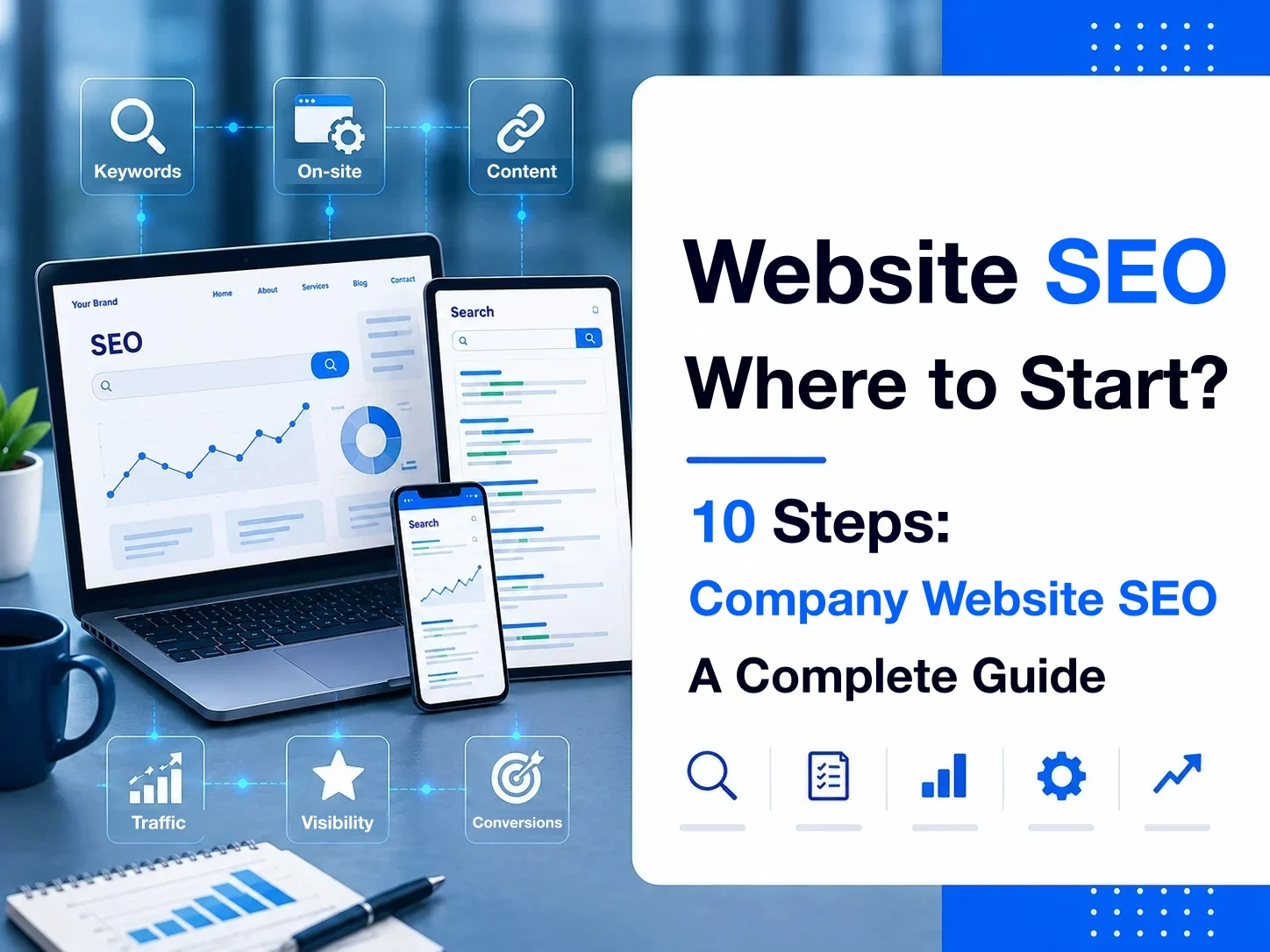
After a business launches its website, the next question it often runs into is: “The site is live, so why can’t we find it on Google?”
Or the site gets some organic search traffic, but the team doesn’t know what it should actually do next for SEO.
Launching a company website doesn’t mean it will naturally start getting traffic from Google search.
When many businesses start SEO, the first things they think of are setting keywords, editing SEO titles, writing articles, or improving site speed. These are all part of SEO, but truly effective website SEO needs complete planning that covers search demand, site structure, content, and technical SEO through to performance tracking.
More importantly, the purpose of SEO isn’t just to push up keyword rankings. It’s to help potential customers who genuinely need what you offer find your website through search, and go on to request a quote, make a booking, or produce other business results.
Looking at it from the perspective of a company website, this article walks you through how to do website SEO, what to do first, and how to build an SEO foundation that keeps accumulating search traffic over the long term.
Further reading: How to choose an SEO company
Key takeaways
- Website SEO should start from business goals, not from chasing keyword rankings and traffic alone.
- Keyword research needs to weigh search intent, business value, relevance to the business, and level of competition together.
- Site structure should give each search need a clear matching page; don’t concentrate every keyword on the homepage.
- The core of on-page SEO is matching search intent and building a clear content structure, not stuffing keywords.
- SEO content should be built continuously around real search demand, and topic clusters should be used to build topical depth.
- Technical SEO makes sure search engines can correctly discover, access, understand, and index important content.
- Internal links should reflect the real relationships between pieces of content and connect pillar pages, cluster pages, and commercial pages.
- Off-page SEO should focus on valuable content, brand exposure, and natural backlinks, not simply on the number of external links.
- SEO results should be measured end to end, from visibility and traffic to conversions and business results.
- SEO is a long-term process of ongoing research, publishing, measurement, and optimization, not a one-time website setup.
What is website SEO?
Website SEO means optimizing a website for search engines so that its important content is easier for search engines to:
discover, understand, and index, and to surface for the right search needs.
But website SEO isn’t simply “adding keywords to the website.”
Complete website SEO usually involves all of the following at once:
- Keyword research
- Search intent
- Site structure
- On-page SEO
- SEO content
- Internal links
- Technical SEO
- Off-page SEO
- Performance tracking
So a more complete way to understand it is:
Website SEO means planning a site’s structure and content around users’ search needs, while building a technical foundation that search engines can process correctly, so the site keeps accumulating organic search visibility and business value.
Website SEO isn’t the same as writing SEO articles
This is a very important idea.
When many businesses hear “SEO,” the first thing they think is: “So should we start writing articles?”
SEO articles certainly matter, but they’re only one part of website SEO.
For example, for a business that offers CNC precision machining services, the pages with real business value might include:
Homepage
↓
CNC precision machining
↓
5-axis machining
↓
Semiconductor parts machining
↓
Aerospace parts machining
Each of these pages may itself match a different search need.
Articles can then answer questions such as:
- What is CNC machining?
- What are the advantages of 5-axis machining?
- How precise can CNC machining be?
- How do you choose a CNC machining shop?
gradually expanding the range of search needs the website can cover.
So service pages / product pages
usually handle searches that are closer to commercial needs,
while SEO articles
can cover the other search needs that come up while people research, compare, learn, and make decisions.
Together, the two should form the website’s SEO content structure.
Website SEO isn’t just technical SEO either
The opposite extreme is to understand website SEO as:
- Sitemap
- robots.txt
- Canonical
- Structured Data
- PageSpeed
- Core Web Vitals
These are indeed important technical SEO foundations.
But technical SEO solves the question of whether search engines can process the website correctly.
It doesn’t decide for the business which search needs to target, which pages to build, or what content those pages should provide.
So even a website whose technical setup is completely sound, if it has:
- No keyword strategy
- No pages that match search intent
- Content that isn’t competitive
- A site structure that doesn’t cover important search needs
still won’t naturally get search traffic.
If you want to dig deeper into this part, see our complete guide to technical SEO.
Website SEO can be divided into three main layers
If you want to simplify the whole of website SEO, you can start by dividing it into:
Layer 1: Website and content
Decide which search needs we want to lead to which pages.
This includes:
- Keyword research
- Search intent
- Site structure
- Content
- On-page SEO
Layer 2: Search engine technical foundation
Make sure search engines can correctly fetch and process this content.
This includes:
- Crawling
- Rendering
- Indexing
- Sitemap
- Canonical
- Redirect
- Structured Data
Layer 3: Authority and results
Keep checking whether the website is actually gaining search visibility and business results.
This includes:
- Internal / external signals
- Backlinks
- Brand authority
- Rankings
- Organic traffic
- Potential customers
- Conversions
These three layers need to work together.
- Content without a technical foundation → search engines may not be able to process it correctly.
- Technical SEO without search demand and content → the website doesn’t have enough search value.
- Rankings without conversions → SEO may not be producing real business results.
So what a business really needs to build isn’t a single SEO technique, but a website SEO system that can keep running.
How to do website SEO: the complete SEO optimization process

Website SEO shouldn’t start with “Which keywords do I want to put on the website?”
A more complete approach is to first confirm what results the business wants from search, then work backward from search demand to decide which pages and content the site should build, and finally keep tracking actual results.
The overall process can be organized into the following 10 steps:
- Confirm your SEO goals
- Do SEO keyword research
- Plan an SEO-friendly site structure
- Build pages that match search intent
- Get on-page SEO right
- Keep building SEO content
- Build a technical SEO foundation
- Plan internal linking
- Build off-page SEO and site authority
- Track SEO results and keep optimizing
These 10 steps aren’t completely separate tasks; together they form an SEO process that keeps cycling.
For example:
Keyword research may lead the business to discover new search needs.
↓
So it needs to add new service pages or articles.
↓
After new content is published, build internal links.
↓
Next, use Google Search Console and GA4 to observe search impressions, traffic, and conversions.
↓
Finally, based on actual data, update content, adjust the site structure, or create new search content.
So website SEO isn’t:
Setup complete → SEO is over.
It’s closer to:
Research → Plan → Build → Publish → Measure → Optimize
in a continuous cycle.
Step 1: Confirm your website SEO goals first
Before a business starts SEO, the first question shouldn’t be: “Which keyword should we target?”
It should first ask: “What business results do we want organic search to bring us?”
Because different businesses may do SEO for completely different reasons.
For example:
B2B manufacturers
may want to:
→ Increase visibility for their products and machining capabilities → Get quote-request leads
Professional services firms
may want to:
→ Help potential customers find specific services → Get consultation bookings
E-commerce sites
may want to:
→ Increase product visibility in search → Generate orders
Brand-focused businesses
may want to:
→ Increase branded search visibility → Build industry expertise and trust
These goals directly shape the later keywords, site structure, content strategy, and how results are measured.
Don’t make “more website traffic” your only SEO goal
Suppose there are two keywords:
- Keyword A: brings in 5,000 organic visits a month, but almost no inquiries at all.
- Keyword B: brings in only 300 organic visits a month, but keeps producing potential customers who fit the business’s needs.
For the business, B isn’t necessarily worse than A.
So SEO shouldn’t only chase:
- Organic traffic
- Keyword rankings
- Impressions
It also needs to track further down to:
- Potential customers
- Bookings
- Quote requests
- Purchases
- Conversion rate
- Revenue
Only then can you finally answer: is SEO really creating business value?
SEO goals should be broken down from business goals
For example, suppose a business wants to increase the B2B quote requests its website brings in.
It can break this down into:
Business goal: more qualified quote requests
↓
SEO goal: more organic traffic with commercial intent
↓
Search strategy: target product, service, industry, and problem-based search needs
↓
Content: build service pages, product pages, case studies, and SEO articles
↓
Evaluation: watch impressions, clicks, organic traffic, quote requests, and conversions
That way the SEO team isn’t left with just “How many more articles should we write this month?”
Instead, it knows why it’s creating this content and what results it should produce.
SEO KPIs shouldn’t be rankings alone
Keyword rankings are still an important SEO metric, but they can’t judge results on their own.
For example:
- Rankings rise, but search volume is very low: this may not bring much real traffic.
- Organic traffic grows, but all of it comes from low-commercial-value content: this may not bring in quote requests.
- Potential customers increase, but they’re all leads that don’t fit your target customers: this doesn’t necessarily mean the SEO strategy is working either.
So a business should look at SEO results by moving through:
Visibility → Traffic → Conversions → Business results
one layer at a time.
We’ll touch on this briefly in the “Tracking SEO results” section later, and cover it fully in the next article, “How do you measure SEO rankings and results?”
Step 2: Do SEO keyword research
Once your SEO goals are confirmed, the next step is to find out:
what your target customers actually search for.
The purpose of keyword research isn’t just to find “high-volume keywords.” It’s to understand:
- How do users describe their own needs?
- What do they search for at different stages of their decision?
- Which search needs relate to the business’s products or services?
- Which keywords deserve their own dedicated page?
- Which are better answered with articles?
So keyword research is really about building:
the mapping between search demand and website content.
Don’t look at search volume alone
Suppose a business offers “5-axis CNC machining.”
Keyword research might turn up “CNC,” which has very high search volume.
But it might also turn up “5-axis machining shop,” which has relatively low search volume.
If what the business really offers is 5-axis machining, the latter may have lower search volume but higher commercial relevance.
So when judging a keyword, you shouldn’t only ask: “What’s the search volume?”
You also need to consider together:
Search intent × Business value × Relevance to the business × Level of competition
and only then decide whether it’s worth investing in.
Understand search intent first
Keywords that all contain “SEO” can have completely different needs behind them.
For example:
- What is SEO → the user is learning about SEO.
- How to do SEO → the user wants to learn practical methods.
- SEO cost → the user may already be evaluating a budget.
- SEO company → the user may be looking for a service provider.
These four keywords can’t all lead to the same SEO service page.
Because the information users actually want is different.
So after keyword research, you also need to judge: what is the person behind this keyword actually trying to get done?
That’s search intent.
Further resources: Google Search Central: Creating helpful, reliable, people-first content
Distinguish informational from commercial search needs
It’s easy for business SEO to end up as nothing but lots of informational articles.
For example:
- What is SEO?
- What is a sitemap?
- What is a canonical tag?
- What is structured data?
This kind of content can build search visibility and expertise.
But if the business wants SEO to ultimately produce business results, it also needs to target search needs closer to the decision stage.
For example:
- SEO cost
- SEO company
- SEO services
- SEO consultant
- SEO vs Google Ads
So a complete SEO keyword strategy usually can’t consist only of informational keywords;
it also needs to include commercial / transactional search intent.
That way the website can follow users through
Recognizing the problem → Researching options → Comparing choices → Taking action
covering their search needs at every stage.
One keyword doesn’t necessarily need one page
Another common mistake is:
Finding 100 keywords and building 100 pages.
For example:
- How to do SEO
- How do you do SEO
- How to do SEO optimization
- How to do website SEO
- SEO website optimization
These keywords may be highly related, with similar search intent.
If you write a very similar article for each keyword, it’s easy to end up with duplicate content and keyword cannibalization.
A more sensible approach is to first work out which keywords actually belong to the same search need,
and then have one complete page cover all the related search phrasing.
So keyword research is usually followed by:
Keyword clustering + keyword mapping.
Keyword map: decide which page handles which search need
A keyword map can be understood simply as assigning keywords to pages on the website.
For example:
| Search need | Matching page |
|---|---|
| What is SEO | Complete guide to SEO |
| How to do SEO / website SEO | Website SEO optimization guide |
| SEO keywords | SEO keyword research guide |
| How to write SEO articles | SEO article writing guide |
| Technical SEO | Complete guide to technical SEO |
| SEO cost | SEO cost guide |
| SEO company | Guide to choosing an SEO company |
Once you do this, the website’s SEO content structure starts to take shape.
It also keeps different articles from being unclear about which one is actually responsible for which keyword.
Keyword research isn’t a one-time task
A business’s:
- Products
- Services
- Market
- Customer needs
- Search behavior
- Search results
can all keep changing.
And once the website publishes content, it will also get new search data from Google Search Console.
For example, you might originally target “company website SEO,”
but after publishing, discover that many users are actually searching “how to do website SEO”
to find this page.
These real search queries can in turn help the business update content, discover new topics, and even create new pages.
So keyword research isn’t a single Excel sheet made at the start of an SEO project; it should keep being adjusted based on actual search data.
If you want to dig into the complete process, including:
keywords, search volume, search intent, level of competition, keyword clusters, and keyword maps
Step 3: Plan an SEO-friendly site structure
After keyword research, the next step isn’t to start writing articles right away, but to think first about:
How should these search needs be arranged on the website?
That’s the question SEO site structure (site architecture) has to address.
A good site structure doesn’t just make the menu look tidy; it makes content easy for users to find,
while also making it easy for search engines to discover the site’s important pages and understand how different pieces of content relate to each other.
Work backward from search demand to decide which pages the site needs
Suppose a B2B manufacturer does keyword research and finds that the market has demand for:
- CNC machining
- 5-axis machining
- Precision parts machining
- Semiconductor parts machining
- Aerospace parts machining
At this point, you shouldn’t just stuff all of these keywords into the homepage.
Instead, go further and judge which search needs deserve their own dedicated page.
In the end, the website might look like this:
Homepage
↓
Machining services
→ CNC machining → 5-axis machining → Precision parts machining
↓
Industry applications
→ Semiconductors → Aerospace
↓
Resource center
→ CNC machining knowledge → 5-axis machining guide → Materials and machining technology
That way, each search need has a relatively clear landing page.
Don’t make the homepage responsible for every keyword
The most common SEO structure problem on company websites is that every important service exists only on the homepage.
For example, the homepage tries to rank for all of these at once:
- Website building
- SEO
- AI search
- E-commerce websites
- System development
- Website maintenance
As a result, each topic gets only a short paragraph of introduction.
When a user searches for “business SEO,”
what they really want is to understand a complete SEO solution, not to land on the homepage and hunt for the answer among a dozen or so services themselves.
So a more sensible structure is usually:
- Homepage → explains the business’s overall value
- Solution / service pages → handle clear commercial search needs
- Industry pages → answer needs specific to an industry
- Articles / resource content → cover research and learning-oriented search needs
Different pages handle different jobs.
Further reading: What are AEO and GEO?
Site structure should reflect the hierarchy between pieces of content
For example, the SEO content cluster we’re building can take this shape:
SEO
↓
Complete guide to SEO
↓
- SEO keyword research
- How to do website SEO
- SEO article writing
- Technical SEO
- Measuring SEO results
- SEO cost
- Choosing an SEO company
These aren’t standalone articles.
Together they revolve around SEO,
the core topic, and answer different search needs.
That’s the basic idea of a topic cluster.
With sensible site categories and internal links, users can move from a broader topic step by step into more specific content.
Don’t make your site structure overly complex
An SEO site structure isn’t more professional just because it has more levels.
For example:
Homepage → Resource center → SEO → Technical SEO → Crawling → Robots.txt → Article
If you create lots of intermediate levels just for the sake of categorizing, you may instead end up with:
- More complicated navigation for users
- Longer URL structures
- Internal links that are hard to maintain
- Important content buried too deep
Google also recommends that websites have a sensible organizational structure and use site navigation and internal links to help users and search engines understand how pages relate to each other.
So the real principle should be: a site structure should be clear, not complicated.
Further resources: Google Search Central: SEO Starter Guide
URL structure should be stable and easy to understand
Site structure is also reflected in URLs.
For example:
/solutions/seo
/resources/seo/technical-seo
usually show where the content sits more clearly than
/page?id=8372&type=4
does.
But SEO doesn’t mean you have to create very deep URLs.
For example:
/resources/seo/technical-seo/google/robots/crawling-guide
may well be unnecessary.
What matters more for URLs is that they are:
- Clear
- Stable
- Easy to manage
- Not generating lots of unnecessary versions
- Backed by a proper redirect strategy when changed
So don’t keep changing existing URLs just to stuff in keywords.
Don’t let important pages become orphan pages
An orphan page is a page that exists on the website, but that almost no other pages on the site link to.
For example, a business creates an important SEO service page,
but it:
- Isn’t in the navigation
- Isn’t on related solution pages
- Has no articles linking to it
- Has no entry point in the footer either
It can only be found by typing the URL directly.
Even if a sitemap may let search engines know the URL exists, this still isn’t an ideal site structure.
Important pages should be connected to the rest of the site’s content through sensible navigation + contextual internal links,
building relationships with other content.
Site structure needs to consider both SEO and conversions
This is especially important for company websites.
If you plan your site purely by search volume, it can easily turn into one giant SEO knowledge base.
But the real purpose of a company website usually also includes producing business results.
For example:
SEO article
↓
Complete guide to SEO
↓
SEO solutions
↓
Case studies
↓
Book a consultation
That way content doesn’t just bring users from Google to the website.
You also need to think about where they go next once they arrive.
So site structure should consider all of these together:
Search journey + user journey + conversion journey.
That’s also why we don’t recommend planning SEO strategy and website information architecture completely separately.
Step 4: Build pages that match search intent
Once keyword research and site structure are done, the next step is to actually build the page content.
At this point, the most important question isn’t “How many times should this keyword appear?”
It’s “What content do people who search for this keyword really want to see?”
That’s search intent.
If a page doesn’t meet searchers’ real needs, even if the SEO title, headings, keywords, and technical SEO are all set up well, it’s hard to achieve stable search performance on those settings alone.
The same topic can have completely different search intents
For example, all around SEO:
“What is SEO”
The user may be:
→ Getting to know SEO → Learning the basic concepts
So it suits a complete guide / tutorial article.
“SEO cost”
The user may be:
→ Evaluating a budget → Comparing different pricing models → Judging whether SEO is worth investing in
So the page should answer price ranges, pricing models, factors that affect price, and how to choose.
“SEO company”
The searcher may already have moved on to:
→ Looking for a service provider → Comparing SEO companies → Getting ready for a consultation
If the page still spends a lot of space explaining “What is SEO?” at this point,
it may not meet what matters most to them right now.
So similar keywords don’t mean the same search intent.
Search intent determines the page type
When building a keyword map, you’re not just deciding which keyword goes to which page.
You also need to decide what type of page should handle this search need.
For example:
| Search need | Suitable page type |
|---|---|
| What is SEO | Guide article |
| How to do SEO | Guide article |
| SEO cost | Cost / decision guide |
| SEO company | Commercial comparison / service page |
| Website building | Solution / service page |
| Website building case studies | Case studies |
| CNC machining | Service page |
| What is CNC machining | Knowledge article |
That’s also why SEO isn’t the same as blog SEO.
Many search needs with high commercial value should naturally be handled by service pages, product pages, category pages, and case study pages,
rather than all being written as blog posts.
Each page should have one clear primary search need
A common problem on company websites is wanting one page to rank for everything.
For example, the homepage tries to handle all of these at once:
- Website building
- SEO
- AI search
- E-commerce
- System development
- Website maintenance
In the end, each topic can only be introduced briefly.
A more sensible approach is:
The homepage handles the brand and overall value
↓
Separate solution pages handle the main service needs
↓
Articles and resource content handle more detailed informational search needs
This doesn’t mean a page can only contain one keyword.
A complete page can usually cover the primary keyword + related keywords + semantic topics naturally.
What you really need to avoid is one page trying to answer several completely different search intents at once.
Look at the search results first, then decide how to build the content
One very practical way to judge search intent is to look directly at the current Google search results.
For example, after searching for a keyword, see whether the ranking pages are mainly:
- Tutorial articles
- Product pages
- Category pages
- Comparison articles
- Tools
- Videos
- Local results
If the search results for a keyword are almost all “complete tutorial guides,”
but the business builds a page with only a service introduction + contact form, it needs to rethink whether that page matches current search demand.
But don’t fall into “The top result has 5,000 words, so we’ll write 6,000.”
The purpose of search results analysis isn’t to copy competitors, but to understand:
what Google currently thinks users of this query mainly need.
Then think about whether we can provide more complete, clearer, or more practically useful content.
Don’t create lots of similar pages for SEO
Suppose your keyword research turns up:
- Website SEO
- SEO website optimization
- Website SEO optimization
- How to do website SEO
- How to do SEO
If the search intent is almost identical, there’s no need to create 5 articles with nearly the same content.
This can cause keyword cannibalization,
where several pages on your own site compete for similar search needs.
A more sensible approach is to combine closely related search needs into one complete page.
For example, this article, “How to Do Website SEO? A Complete Guide to SEO for Company Websites,”
can naturally cover closely related meanings such as website SEO, website SEO optimization, and how to do SEO,
rather than creating a separate article for every keyword.
Page content should fully answer the search need
Only after you confirm the page type should you start designing the content.
For example, for the search “SEO cost,”
the page may need to answer:
- How is SEO priced?
- What pricing models are common in the market?
- Why do SEO costs vary so much between companies?
- What factors affect the price?
- What’s the difference between monthly retainers and project-based pricing?
- How should a business evaluate its budget?
- What risks can come with SEO that’s too cheap?
All of this is worked backward from what users really need to know when making a decision.
So what matters most in SEO content isn’t keyword density,
but whether the page truly accomplishes what the searcher came here to do.
Further resources: Google Search Central: Creating helpful, reliable, people-first content
Step 5: Get on-page SEO right
Once the site structure, keywords, and search intent are confirmed, the next step is optimizing each actual page.
This is on-page SEO.
The goal of on-page SEO isn’t “putting keywords into the page as much as possible.”
It’s making sure both search engines and users can clearly understand:
what the page is about, what need it mainly addresses, and how its content is structured.
Common on-page SEO items include:
- SEO Title
- Meta Description
- H1
- Heading Structure
- URL
- Body content
- Images and Alt Text
- Internal links
The SEO title should clearly describe the page topic
The SEO title is one of the most important pieces of page information in search results.
For example, this article’s SEO title, How to Do Website SEO? A Complete Guide to SEO for Company Websites,
lets users quickly understand that this is a complete guide to how website SEO is actually done.
When writing an SEO title, what matters most is:
- Clearly describing the page content
- Giving each important page a specific title
- Naturally covering the main search topic
- Avoiding the same title across many pages
- Not stuffing keywords repeatedly for SEO
For example: SEO | SEO optimization | SEO company | SEO marketing | SEO ranking
Even though this includes many keywords, it doesn’t mean better search performance.
Further resources: Google Search Central: Influencing your title links in search results
The purpose of a meta description is to help users understand the page
A meta description can briefly describe:
what users will get after visiting the page.
For example: How do you do website SEO? Get a complete picture of keyword research, site structure, on-page SEO, content, technical SEO, internal linking, and performance tracking.
This is more meaningful than simply stacking website SEO, SEO optimization, SEO tutorial, SEO ranking, SEO marketing.
Also note that Google doesn’t necessarily use the meta description set on your site.
The snippet in search results may be generated with different text based on the user’s query and the page content.
So a meta description should be treated as important information that provides a clear page summary,
not as a field that fully controls what appears in search results.
Further resources: Google Search Central: Control your snippets in search results
Every page should have a clear H1 and content hierarchy
Headings are there to build content structure.
For example:
H1: How to do website SEO?
↓
H2: SEO keyword research
↓
H3: How do you judge search intent?
↓
H3: How do you plan a keyword map?
This not only makes reading easier for users but also gives the page a clearer information hierarchy.
But headings don’t need to cram the full keyword into every H2 for SEO.
Headings should first and foremost clearly describe the content that follows.
URLs should be simple, stable, and easy to understand
For example:
/website-seo is usually easier to understand than /blog/article?id=9283&category=4.
But the most important principle for URLs isn’t the more keywords, the better.
It’s that they should be:
- Simple
- Clear
- Stable
- Easy to maintain over the long term
In particular, a URL that already gets search traffic shouldn’t be changed casually just because “the new slug looks more SEO-friendly.”
If a change is really necessary, set up an appropriate permanent redirect.
Body content should naturally cover the search topic
Google no longer understands a page just by how many times a keyword appears.
So there’s no need to chase fixed formulas like “2% keyword density.”
For example, an article that thoroughly covers website SEO may naturally discuss:
- Keyword research
- Search intent
- On-page SEO
- Technical SEO
- Internal links
- Backlinks
- Google Search Console
Together, these concepts help build complete topical content.
What really matters is whether the content fully answers the user’s search need,
not repeating the same words unnaturally to hit a certain keyword density.
Images need basic SEO optimization too
Image SEO isn’t just compressing image file sizes.
You can also pay attention to:
- Using images relevant to the content
- Giving files sensible names
- Using appropriate image formats
- Controlling image dimensions and loading performance
- Providing alt text for images that carry meaning
One of the main purposes of alt text is to describe the image and improve accessibility, while also helping search engines understand the image.
For example, for a photo of five-axis CNC machining equipment:
Reasonable: alt="5-axis CNC machining equipment"
Rather than: alt="CNC machining 5-axis CNC machining CNC machine shop precision machining SEO"
Alt text shouldn’t become a place to stuff keywords either.
Internal links are also part of on-page SEO
If the page content mentions another topic that’s already explained in depth, you can add an internal link.
For example, when this article mentions SEO keyword research,
it can link to “How to Find SEO Keywords? A Complete Guide to Keyword Research for Businesses.”
When it mentions technical SEO,
it can link to “What Is Technical SEO? A Complete Guide to Technical SEO for Company Websites.”
This isn’t just for SEO.
Users can also go straight to more complete content when they want to dig deeper into a topic.
So internal links should be placed where the content genuinely has a semantic relationship, rather than routinely cramming a long list of “further reading” at the end of every article.
On-page SEO isn’t finished once you complete a checklist
Even if:
- The SEO title has the keyword
- The H1 has the keyword
- The URL has the keyword
- Images have alt text
- The meta description is filled in
that doesn’t mean it’s a good SEO page.
If the content doesn’t truly answer the search intent,
it may still not be competitive even with every field checked.
So a more sensible order for on-page SEO is:
Search intent
↓
Content
↓
Content structure
↓
Title / Heading / URL / Metadata
rather than filling in the SEO fields first and then trying to squeeze the content in.
Step 6: Keep building SEO content
Once a company website has its basic service pages, product pages, and site structure in place, it usually still can’t cover all the search needs of its target customers.
That’s because before users actually contact a business, they may go through:
Discovering a problem → Searching for information → Understanding options → Comparing choices → Making a decision
At different stages, they search for different questions.
So one role of SEO content is to keep expanding the search needs your site can answer.
Don’t only write introductions directly tied to your company’s services
Suppose a business offers SEO services.
If the site only has an SEO services
page, that single page can only cover a limited range of search needs.
But potential customers may also search for:
- What is SEO?
- How do you do SEO?
- How do you find SEO keywords?
- How do you write SEO articles?
- What is technical SEO?
- How much does SEO cost?
- How do you choose an SEO company?
- How is SEO different from Google Ads?
These searchers aren’t necessarily ready to buy SEO services right now.
But they may be understanding the problem, researching options, or comparing different choices.
So through content, a business can start building the following before potential customers actually contact it:
Search visibility + professional recognition + brand trust.
SEO content should be built around real search needs
SEO articles shouldn’t just be:
“We don’t know what to write this month, so let’s pick a topic and post something.”
The keyword research done earlier should already have told us:
- What search needs exist in the market?
- Which questions relate to the company’s services?
- Which topics have commercial value?
- Which content the site doesn’t cover yet?
Only then do you decide which topics are worth turning into SEO content.
So a more sensible process is:
Keyword research
↓
Search intent
↓
Content gaps
↓
Content planning
↓
Content production
Rather than deciding to write 8 articles a month first and then scrambling to find 8 topics.
Use topic clusters to build topical depth
Once a site starts accumulating content, it can go a step further and build:
Topic clusters.
For example, with
SEO as the core topic, you could build:
Complete guide to SEO
↓
- SEO keyword research
- How to do website SEO
- SEO article writing
- Technical SEO
- Measuring SEO results
- SEO cost
- How to choose an SEO company
- SEO vs Google Ads
Each article answers a different search need, and internal links build the relationships between them.
Compared with writing about SEO today, AI tomorrow, company events the day after, and completely unrelated industry news next week,
this makes it much easier to form a clear content theme.
Pillar content and cluster content each have different jobs
A topic cluster can be simply divided into
Pillar content
handles a broader, comprehensive core topic.
For example: “What Is SEO? A Complete Guide to Search Engine Optimization for Businesses”
Cluster content
goes deeper into more specific search needs within it.
For example:
- How do you find SEO keywords?
- How do you write SEO articles?
- What is technical SEO?
- How much does SEO cost?
Then, through internal links: pillar → cluster
and cluster → pillar / related clusters,
users can keep reading deeper into related content.
But the purpose of a topic cluster isn’t to build a fixed SEO template; it’s to:
systematically cover the important search needs related to the business.
Content quality matters more than article count
An SEO content strategy can easily end up as how many articles must we publish each month?
But article count itself isn’t the end goal.
If a business publishes lots of:
- Duplicate content
- Content for needs outside the target audience
- Content with very low search value
- Articles stitched together for keywords
- Content without real experience or value
even if the number of articles on the site grows quickly, it doesn’t mean SEO will keep growing.
So rather than “We’re going to write 100 articles this year,”
a better question is: “Which important search needs do we still not have good enough content for?”
AI can help with content production, but it can’t replace content value
Generative AI can already greatly speed up:
- Research
- Outline
- Draft
- Rewrite
- Content organization
But that doesn’t mean businesses should:
Generate articles in bulk → Publish automatically → Wait for SEO traffic.
What really matters is whether the content itself has:
- Accurate information
- Original perspectives
- Hands-on experience
- Clear structure
- A real answer to the search need
- A connection to the company’s expertise
Google’s core stance on AI content also isn’t “AI content can’t rank.”
It’s whether the content mainly provides value to users, rather than being mass-produced to manipulate search rankings.
So AI is better suited as a content production tool
than as the content strategy itself.
Further resources: Google Search Central: Google Search's guidance about AI-generated content
Published SEO articles need ongoing updates too
SEO content isn’t permanently finished once it’s published.
Over time, you may see:
- Outdated information
- Changing search intent
- New questions emerging
- Changes to products or services
- Internal links that could be strengthened
- New queries in Search Console
- Rankings that have dropped
So businesses can regularly check:
- Which articles still get search visibility?
- Which articles are starting to decline?
- Which content can be updated?
- Which similar pieces should be merged?
This is also where SEO is very different from ordinary “news posting.”
A piece of evergreen content with real search value may keep bringing in search traffic for years, so:
content updates are themselves part of an SEO content strategy.
If you want to learn more about SEO article structure, search intent, content writing, headings, internal links, and AI SEO content,
further reading: “How to Write SEO Articles? A Complete Guide to SEO Writing and Content Optimization”
Step 7: Get technical SEO right
The keyword research, site structure, and content covered earlier mainly address:
What content should the site provide?
Technical SEO deals with a different, foundational question:
Can search engines correctly discover, access, understand, and index this content?
Even if a business has built lots of high-quality content, if important pages can’t be crawled or indexed properly because of technical misconfigurations, it’s hard for that content to gain search visibility no matter how good it is.
So technical SEO can be understood as “giving the site the technical foundation to run SEO over the long term.”
First confirm that search engines can crawl and index properly
The most basic technical SEO is confirming that important public pages aren’t being blocked by the site itself.
Common items to check include:
- robots.txt
- Meta Robots
noindex- HTTP Status Code
- XML Sitemap
- Canonical
- Redirect
For example, an important service page with perfectly normal content might accidentally have:
Users can still browse the page normally, but search engines receive a signal not to add this page to the search index.
So the first layer of technical SEO isn’t about advanced techniques; it’s first making sure truly important pages don’t lose search opportunities because of technical settings.
Keep your sitemap, canonical, and redirects consistent
Sites usually use different technical signals to tell search engines which URLs are the official versions.
For example:
XML Sitemap → Lists the important URLs the site wants search engines to discover.
Canonical → Indicates the main version of a page.
Redirect → Handles URLs that have permanently moved.
Internal links→ The URLs the site itself actually links to.
Ideally, these signals should be as consistent as possible.
For example, if the official page is: https://example.com/seo
you shouldn’t have:
- Sitemap →
/seo - Canonical →
/seo-service - Internal Link →
/old-seo
and then /old-seo redirecting to /seo.
Even if search engines may eventually still figure it out, there’s no reason for the site to create contradictory signals itself.
Site speed and Core Web Vitals are also part of technical SEO
Site performance needs attention too.
Common items include:
- LCP
- INP
- CLS
- Image size
- JavaScript
- Font loading
- Server Response
- Lazy Loading
But performance optimization shouldn’t turn into “We must get a 100 on PageSpeed Insights.”
What really deserves attention is: when users actually visit the site, is the page fast, stable, and easy to use?
So Core Web Vitals should be seen as part of the overall site experience, not just chasing a tool score.
JavaScript sites also need to confirm search engines can get the main content
Modern websites make heavy use of:
- React
- Next.js
- Vue
- JavaScript Framework
This in itself isn’t an SEO problem.
What really needs checking is whether important content can be reliably retrieved by search engines.
For example:
- H1
- Main body content
- Product information
- Internal links
- Metadata
- Structured data
If important search content relies entirely on client-side JavaScript and something goes wrong with rendering, it may affect how search engines process the page.
So SEO shouldn’t be judged by:
“Is it WordPress?” or “Is it Next.js?”
as a direct verdict on whether a site’s SEO is good.
What really needs checking is whether the site that’s ultimately produced has the right technical foundation for search engines.
Structured data helps search engines understand page information
Structured data can use a standard format to describe:
what the information on a page represents.
For example:
- Organization
- Article
- Product
- BreadcrumbList
- WebSite
But structured data doesn’t mean adding schema will improve rankings.
Nor does it mean you’ll definitely get rich results.
What matters more is:
Structured data must accurately describe content that actually exists on the page.
For example, if a product has no actual price, you shouldn’t invent one just to make the schema complete.
Technical SEO works best as a built-in capability of the site itself
A lot of technical SEO work actually follows fixed rules.
For example:
- The sitemap updates automatically based on official content
- Canonicals use the official public URL
- Redirects are created after a slug changes
- Structured data is generated from CMS data
- Multilingual pages have correct hreflang
- HTTP correctly redirects to HTTPS
If site administrators have to handle these manually every time content is published, mistakes become likely as the site grows.
So a more mature site architecture should turn the technical SEO that can be standardized into built-in capabilities of the site or CMS as much as possible.
What truly requires SEO strategy judgment —
which pages are worth indexing, how to plan site structure, how to migrate URLs —
is then left to people to decide.
If you want to learn more about:
Crawling, indexing, robots.txt, sitemaps, canonicals, redirects, JavaScript SEO, structured data, and Core Web Vitals,
Step 8: Build internal links
Once a site starts accumulating service pages, product pages, and SEO articles, the next step is linking related content together.
This is internal linking.
Internal links don’t just let users jump from one article to another; they also help search engines:
- Discover other pages on the site
- Understand how pages relate to each other
- Understand the site’s information architecture
- Find the site’s important content
So internal links should be seen as:
part of the site’s content architecture, not an SEO task casually added after an article is published.
Internal links should connect genuinely related content
The most basic principle is: when users see this link and click it, will they really get more in-depth information?
For example, when this article discusses SEO keyword research,
When it discusses technical SEO,
These links have a clear content relationship.
Conversely, if you add lots of unrelated links just to meet “at least 10 internal links per article,”
internal links lose the value they’re meant to have.
Pillar content and cluster content should link to each other
The topic clusters mentioned earlier also need internal links to truly establish relationships between content.
For example:
Complete guide to SEO
↓
- SEO keyword research
- How to do website SEO
- How to write SEO articles
- Technical SEO
- Measuring SEO results
- SEO cost
- How to choose an SEO company
Pillar content can link to each important piece of cluster content.
Cluster content can also link back to the pillar content
and to other genuinely related cluster content.
For example:
SEO keyword research → How to write SEO articles
Because after keyword research, the next step is likely turning search needs into actual content.
Internal links like these reflect users’ real reading paths and topic relationships.
Anchor text should tell people what they’ll see when they click
The anchor text of internal links should also be descriptive.
For example:
Recommended: To learn the full process, read our SEO keyword research guide.
Rather than relying heavily on:
- Click here
- Learn more
- Read the article
These words on their own don’t say much about the target page.
But anchor text doesn’t need to be stuffed with keywords either.
For example: SEO keyword research SEO keyword analysis keyword research complete guide
is unnecessary.
The best principle is still to naturally describe the content at the link’s destination.
Important pages should receive a reasonable number of internal links
Not every page on a site is equally important.
For example, a company’s most important:
- Core service pages
- Main product categories
- Pillar content
- High commercial value pages
should usually receive reasonable internal links from other related content on the site.
Suppose a company has written 30 SEO articles, but none of them link to its SEO service page.
Then the whole body of content may bring in plenty of informational traffic without properly connecting content → commercial page.
So internal links don’t just build SEO content clusters; they can also help build the user path of:
Search content → Solution → Case studies → Conversion
— a path users can actually follow.
Further resources: Google Search Central: Links best practices for Google
Avoid orphan pages
If a page exists on the site but no other page links to it, it may become:
an orphan page.
For example:
The site has a thorough SEO cost guide,
but:
- The category page has no entry point to it
- The complete SEO guide doesn’t link to it
- Other related articles don’t mention it
- It can’t be found through navigation either
Even if the sitemap may let search engines discover this URL, it’s still not an ideal content architecture.
So after publishing content, you can check:
Which existing content should this page be discovered from?
And also confirm the reverse:
Which existing content should this new page link to?
This is also why we currently need to review internal links again every time we finish an SEO article.
When publishing new articles, go back and update older ones too
Internal links shouldn’t only go new article → old article.
For example, we first completed:
- Complete guide to SEO
and only later published, one after another:
- SEO keyword research
- SEO article writing
- Technical SEO
At that point, you should go back to the original complete SEO guide and add old article → new article links in suitable places.
Otherwise the topic cluster will only ever have one-way relationships.
So a more complete content publishing process should include:
Publish new content
↓
Add existing internal links to the new content
↓
Review which older content should link to the new content
↓
Update the related older articles
This makes the content architecture much easier to maintain over time than “never touching an article once it’s published.”
Internal links don’t need to be over-optimized
Internal links are important, but that doesn’t mean the more links, the better.
If a link appears every few sentences in a passage, it may instead:
- Interrupt reading
- Blur the links that truly matter
- Make the content look deliberately designed for SEO
So the criterion for internal links should still come back to:
Does this link actually help the person currently reading this passage?
If it does, add it.
If it doesn’t, there’s no need to force it in just to boost SEO numbers.
Step 9: Build off-page SEO and site authority
Most of the SEO work so far happens on your own site.
But when search engines evaluate a site, they also consider signals from outside it.
This is off-page SEO.
The most discussed part of it is backlinks.
That is: other websites creating links that point to your site.
But off-page SEO shouldn’t be reduced to:
“Get as many backlinks as possible.”
What really matters about these links is:
where they come from, why they exist, and whether they have a sensible relationship with your site.
Why do backlinks matter for SEO?
Suppose a precision machining company publishes a very thorough technical guide to precision machining for semiconductors,
and this content is then
- Industry media
- Supply chain partners
- Professional associations
- Technical articles
- University research units
cited and linked to by sources like these.
These links help search engines discover the content, and they’re also one of the signals of the relationships a site has built with other sites.
So the value of a backlink isn’t just “one more link.”
It also includes why that site was willing to cite your content.
Backlink quality matters more than sheer quantity
Suppose:
Site A: has 10,000 links from lots of low-quality, completely unrelated sites.
Site B: has only 100 links, but they mainly come from:
- Industry media
- Customers
- Partners
- Professional organizations
- Sites that genuinely cite its content
You can’t conclude that Site A’s off-page SEO is better simply because 10,000 > 100.
Google has clear policies on link spam, so businesses shouldn’t build their SEO strategy on buying, exchanging, or artificially creating links in bulk.
Good backlinks usually come from content genuinely worth citing
Rather than thinking every day about “Where can I post my site’s link?”,
a more sustainable approach is to create content that others genuinely have reason to cite.
For example:
- Original industry research
- Statistics
- In-depth technical guides
- Real case studies
- Tools
- Templates
- Checklists
- Professional charts
- Market surveys
Suppose a company publishes: “2026 Survey of Website Digitalization in Taiwan’s Manufacturing Industry”
and it includes genuine original survey data.
When media outlets or other articles cite this data, they may naturally link back to the original source.
Backlinks like these are fundamentally different from paying to place SEO links on lots of unrelated sites.
Digital PR can also be part of off-page SEO
Off-page SEO doesn’t have to become a standalone “SEO link building task.”
Things a business is already doing, such as:
- Public relations
- Media exposure
- Industry partnerships
- Contributed professional articles
- Research releases
- Events
- Participation in trade associations
can all naturally generate brand mentions + referral traffic + backlinks.
For example, a company gives an interview to industry media, and the media article naturally cites the company’s website.
That in itself is legitimate off-site exposure.
So mature off-page SEO often gradually merges with content marketing + PR + branding, rather than existing completely on its own.
Customers and partners can also generate natural links
B2B companies often already have many real business relationships.
For example:
- Customer case studies
- Technical partnerships
- Distributors
- Agents
- Suppliers
- Industry associations
- Event partnerships
If both sides’ websites introduce the partnership in a sensible context, site links may naturally result.
The key is still that the links exist because of real content and business relationships,
not deliberately building a large “you link to me, I link to you” link exchange network for SEO.
Don’t make buying backlinks the core of your SEO strategy
In the market, it’s easy to come across:
- DA 80 backlinks
- 100 backlinks a month
- High-authority backlink packages
- PBN
- Mass guest posts
You can’t judge these services just by the number of links or third-party SEO tool scores.
Especially if the main purpose of the links is to manipulate search rankings, they may fall under Google’s link spam policies.
So a more sensible direction for businesses is: first build a site and content genuinely worth citing, then expand the chances of that content being discovered through content promotion, PR, partnerships, and brand exposure.
This usually creates long-term value more easily than simply chasing backlink counts.
Further resources: Google Search Central: Spam policies for Google web search
Off-page SEO ultimately comes back to the site itself
If the site itself:
- Has thin content
- Has unclear service descriptions
- Has no professional resources
- Has no case studies
- Has no information worth citing
but pours lots of resources into link building, it may be putting the cart before the horse.
A more sensible order is usually:
Build a good site and content
↓
Make the content worth citing
↓
Do content promotion, PR, and partnerships
↓
Gradually earn brand exposure and natural backlinks
So off-page SEO isn’t “buying some backlinks once the website SEO is done.”
It’s the process of your overall brand and content gradually building influence outside your site.
Step 10: Track SEO results and keep optimizing
SEO isn’t over once your SEO content is published, technical SEO is done, and you’ve started building internal links and site authority.
Next, you need to answer:
Is all this SEO work actually producing results?
If a business just keeps publishing content but never checks search visibility, traffic, and conversions, it’s hard to know:
which strategies work, which content needs improvement, and where to put resources next.
SEO results can’t be judged by keyword rankings alone
Keyword rankings are certainly worth tracking, but rankings are only part of SEO performance.
For example, a keyword moves from #20 → #5.
That looks like big progress.
But if the keyword:
- Has very low search volume
- Is only weakly related to the company’s services
- Doesn’t bring any meaningful traffic
- Doesn’t produce conversions
its business value may still be limited.
So when businesses evaluate SEO, they shouldn’t just ask “How many keywords do we rank #1 for?”
They should look at the entire search funnel together.
Layer 1: Search visibility
First, you can look at:
- Impressions
- Average position
- Indexed pages
- Search queries
- Landing Pages
This layer mainly answers:
Is Google starting to show the site in relevant search results?
For example, after a new article is published, it may not have many clicks yet, but impressions are gradually increasing.
This means Google has started testing or showing the page for different search queries.
This data can mainly be viewed in Google Search Console.
Layer 2: Search clicks
Next, look at:
- Clicks
- CTR
- Organic Landing Pages
For example, a page has high impressions but a low CTR.
At this point, you can dig further into:
- Is the SEO title clear?
- Does it match the search intent?
- What are the competing results in the search results?
- What is the page’s average position?
Rather than seeing low traffic and immediately concluding “This article is useless.”
The value of SEO data lies in helping us find at which stage the problem is actually happening.
Layer 3: Site traffic and user behavior
Once users actually enter the site, you can use Google Analytics 4 (GA4)
to observe the on-site behavior driven by organic search.
For example:
- Users
- Sessions
- Landing Pages
- Engagement
- Events
- Conversions
This can further answer what search traffic does after entering the site.
Because Search Console leans more toward Google Search → Site,
while GA4 lets you further observe Site → User behavior / Conversions.
The two should be used together, not as replacements for each other.
Layer 4: Conversions and business results
For businesses, this is usually the most important layer.
For example:
B2B companies
→ Quote requests → Form submissions → Consultation bookings
E-commerce sites
→ Add to cart → Purchase → Revenue
SaaS
→ Sign up → Trial → Subscription
So ultimately, you need to know:
Is organic search bringing in the conversions the business actually needs?
If SEO traffic keeps growing but qualified inquiries haven’t increased at all,
you need to re-examine:
- Do the keywords have commercial value?
- Is the search intent right?
- Does the landing page meet the need?
- Is the CTA clear?
- Is the conversion journey sensible?
This is also why SEO strategy can’t be completely separated from site conversion.
SEO results should be viewed across the full funnel
Businesses can simplify SEO performance into:
Visibility
↓
Clicks
↓
Organic traffic
↓
Engagement
↓
Conversions
↓
Business results
Each stage points to a different problem.
For example:
- No impressions → You may need to check indexing, content, and search demand.
- Impressions but no clicks → You may need to check rankings, the title, the snippet, or search intent.
- Traffic but no conversions → You may need to check keyword intent, the landing page, and the conversion journey.
This makes it much easier to find what really needs improving than simply saying: “Rankings dropped, so SEO failed.”
It points you to the specific stage that needs work.
SEO data should feed back into your content strategy
The most important use of SEO tracking isn’t producing a nice-looking report every month.
It’s using the data to decide what to do next.
For example, Search Console shows that an article has started appearing for many search queries you never planned for.
You can then decide:
- Should you add related content?
- Should you create new cluster content?
Or perhaps an article:
ranked well at first, but started declining steadily a year later.
You can then check:
- Is the content outdated?
- Has the search intent changed?
- Has competing content become stronger?
- Does it need a content refresh?
So SEO should form a continuous cycle:
Research → Publish → Measure → Learn → Optimize
Don’t keep changing your SEO strategy because of short-term fluctuations
SEO rankings naturally fluctuate.
Search results are affected by factors such as:
- Competing content
- Google system updates
- Search demand
- Changes to the site
- New content
- Seasonality
and more.
So we don’t recommend editing an article right away just because it went from #5 today → #8 tomorrow.
It’s more sensible to look at the overall trend over a period of time.
Business SEO in particular should focus on whether visibility, organic traffic, and conversions for important search topics keep building up,
rather than tracking tiny daily changes in a single keyword.
How long does website SEO take to work?
This is one of the most common questions businesses ask when they start SEO: “After we start SEO, how long until we see results?”
There’s no fixed answer that applies to every site.
SEO usually isn’t optimize today → rankings rise tomorrow → lots of inquiries next week.
Search engines need time to re-crawl, index, and evaluate content, and each site has a different foundation, competitive landscape, and way of executing.
So rather than asking “How many months until SEO is guaranteed to work?”,
a more sensible question is:
“What factors affect how quickly SEO produces results?”
New sites and established sites start from different places
A newly launched site may:
- Have almost no existing search data
- Have no backlinks
- Have limited content
- Still be in the process of being discovered by Google
- Have a brand with low search visibility
Whereas a site that has been running for years, with lots of content and search traffic, may see changes in search performance faster after updating important pages.
So SEO for a new site and SEO optimization for an existing site can’t be held to the same timeline expectations.
Keyword competition also affects the timeline
Suppose a business wants to compete for:
“SEO”
It has to face a large number of:
- SEO agencies
- Marketing agencies
- Tutorial sites
- Professional media
- Long-running content sites
But if the target is something more specific, like:
a specific industry + a specific service + a specific need
the competitive landscape may be completely different.
So high-volume keywords aren’t necessarily the best targets for a business to start with.
SEO strategy usually needs to cover both:
search demand where you have a better chance of results in the short term and core topics with important commercial value in the long term.
The site’s current SEO foundation also matters
If the site itself has:
- Important pages that can’t be indexed
- A messy site structure
- Lots of duplicate content
- Inconsistent search intent
- Incomplete internal linking
- Insufficient content quality
- Many redirect / 404 issues after a redesign
then even if you keep publishing articles, it may be hard to get good results.
Conversely, if the site already has a solid technical foundation + a clear site structure + valuable existing content,
further SEO work can more easily build on that foundation and keep accumulating.
After publishing content, don’t just wait for rankings
After a piece of content is published, you can first watch:
Has Google indexed it?
↓
Is it starting to get impressions?
↓
Which search queries are starting to trigger the page?
↓
Are rankings gradually improving?
↓
Is it starting to get clicks?
↓
Is organic traffic bringing in conversions?
So SEO results usually don’t jump suddenly from “no effect at all” to “ranked #1.”
Instead, search data lets you gradually see the site going through the process of:
Indexing → Visibility → Traffic → Conversions.
Don’t trust guarantees of #1 rankings within a fixed time
If an SEO service promises:
“Page one guaranteed in three months.” or “#1 ranking guaranteed in six months.”
businesses should be especially cautious.
Google states clearly that no one can guarantee a #1 ranking in Google search results.
SEO can use:
- Search demand research
- Site architecture
- Content
- Technical SEO
- Internal linking
- Off-page SEO
- Ongoing optimization
to increase a site’s chances of earning search visibility.
But it can’t control where Google ultimately ranks a particular page.
Further resources: Google Search Central: Do you need an SEO?
Can you do website SEO yourself?
Yes, but it depends on the business’s current site size, SEO goals, in-house capabilities, and level of competition.
Not every part of SEO requires a professional SEO agency.
Businesses can handle a lot of the groundwork themselves, for example:
- Understanding what target customers search for
- Planning article topics
- Writing expert content
- Optimizing SEO titles and meta descriptions
- Building internal links
- Checking search performance in Google Search Console
- Regularly updating existing content
After all, a business usually knows its products, services, industry, and the questions customers really care about better than anyone.
This first-hand expertise is itself a very important source of SEO content.
Further reading: How to choose an SEO agency
You can create the content yourself, but strategy still needs planning
The most common problem when businesses do SEO themselves isn’t necessarily “poorly written articles.”
It may be the lack of an overall structure.
For example, a business keeps writing lots of articles, but has:
- No keyword research
- No search intent analysis
- No keyword map
- No topic clusters
- No internal linking
- No commercial-intent content
- No idea which articles actually drive conversions
In the end, it easily becomes a site with lots of articles but no complete SEO strategy.
So even when content is produced in-house, you should first establish SEO strategy → content plan → production → evaluation,
rather than simply requiring: “Publish a fixed number of articles every month.”
Technical SEO usually requires web development skills
Another fairly clear dividing line is technical SEO.
For example:
- Rendering
- HTTP Status
- Canonical
- Sitemap
- Redirect
- Structured Data
- hreflang
- Core Web Vitals
- JavaScript SEO
Some of these issues already involve site architecture and code implementation.
If a business uses a mature CMS or website platform, much of this technical SEO groundwork can be handled automatically by the system.
But if the site itself has technical problems, it may take SEO + developers working together.
So when choosing a website platform, businesses should also consider:
Is technical SEO already a built-in capability of the site that’s easy to maintain?
Rather than needing to hire an engineer to change every SEO technical setting after the site is finished.
When does it make sense to do SEO yourself?
If the business:
- Has a fairly small site
- Isn’t in a particularly competitive space
- Has someone in-house who can commit to it over time
- Knows its industry and customers very well
- Is willing to learn basic SEO
- Has a site with sound technical SEO foundations
then it can absolutely start with: keyword research → optimizing existing pages → SEO content → tracking performance in Search Console.
You don’t necessarily need to outsource everything from the start.
When might you need professional SEO help?
If you’re dealing with:
- A very large site
- A clear drop in organic search traffic
- A major site redesign in the works
- A domain / CMS migration
- Complex technical SEO issues
- Highly competitive keywords
- Not knowing how to build an SEO strategy
- Lots of content with no results
- Not enough in-house time to keep it going
In these cases, the value of professional SEO usually isn’t just:
“Writing articles for the business.”
It’s helping the business figure out where its real SEO problems are right now, and what limited resources should go to first.
Further resources: Google Search Central: Do you need an SEO?
Doing it yourself vs. outsourcing isn’t necessarily either-or
In practice, business SEO is well suited to a collaborative model.
For example:
In-house team
Responsible for:
- Industry knowledge
- Expert perspectives
- Customer questions
- Case studies
- Product and service information
SEO / web team
Responsible for:
- Keyword research
- SEO strategy
- Site architecture
- Technical SEO
- Content planning
- Tracking
- Optimization
This usually makes it easier to create content with genuine business expertise than handing all the content to an outside team that doesn’t understand the industry.
What are common website SEO mistakes?

After a business starts doing SEO, even having done keyword research and published articles doesn’t mean the direction is necessarily right.
Many SEO problems aren’t: “Not doing any SEO at all.”
They’re investing a lot of time but putting resources in the wrong places.
Here are the most common SEO mistakes on business websites.
1. Focusing on keywords, not search intent
Finding a high-volume keyword and writing an article straight away is a very common approach.
But if you don’t understand what searchers actually need, an article full of the target keyword still won’t necessarily meet the search need.
For example:
SEO agency vs. what is SEO
Both contain “SEO,” but the searchers are at completely different stages of decision-making.
So after keyword research, you still need to determine search intent → page type → content,
rather than going from keyword → article.
2. Writing articles without planning site architecture
Another common problem is treating SEO as nothing more than content marketing.
A business may have built up dozens or even hundreds of articles, yet:
- Its service pages are thin
- Its product categories are messy
- It has no topic clusters
- Its internal linking isn’t planned
- Commercial search demand has no matching pages
As a result, the site has lots of content but no clear SEO content architecture.
So SEO should plan site architecture + commercial pages + SEO content together,
not just the blog.
3. Trying to rank the homepage for every keyword
The homepage should usually carry the brand and the company’s overall value.
If a business offers several services but wants the homepage to compete for all of them at once:
- Website building
- SEO
- E-commerce sites
- Systems development
- AI search
each topic often ends up with only very limited content.
It makes more sense to create dedicated, complete landing pages for different search needs,
so that each important page has a clear search topic and business purpose.
4. Creating lots of highly similar content
The opposite extreme is creating a new page for every keyword you find.
For example:
- How to do website SEO
- SEO website optimization
- Website SEO optimization methods
- How to do SEO
- How to do SEO optimization
If the search intent behind these queries is very similar, creating lots of near-identical pages may actually cause duplicate content and keyword cannibalization.
So after keyword research, you should first do keyword clustering,
then decide which search needs can be covered by a single complete page.
5. Ignoring technical SEO
Some businesses pour resources into writing content without checking whether the site itself has a sound technical SEO foundation.
For example:
- Important pages set to
noindex - Incorrect canonical settings
- Wrong URLs in the sitemap
- No redirect after changing a slug
- Important JavaScript content that can’t be retrieved properly
- A redesign that causes lots of 404s
These problems can limit the search value of the content itself.
So SEO can’t be only about content; you also need to make sure technical SEO
doesn’t become an obstacle to how search engines process the site.
6. Not building internal linking
Publishing an article without connecting it to any other content is also a very common problem.
For example, a business already has:
A complete SEO guide
as well as:
But none of these articles link to each other.
For users, it’s hard to keep exploring related content.
For site architecture, there’s no clear pillar → cluster content relationship.
So every time you publish new content, you should also think about:
Which existing content should the new article link to? and Which older articles should link back to this new content?
7. Chasing rankings, ignoring conversions
If a keyword ranks #1 and brings in lots of traffic every month, but produces no:
- Inquiries
- Bookings
- Orders
- Qualified leads
the business needs to rethink the commercial value of that search demand.
SEO rankings are an important process metric, but what a business really needs is:
Search visibility → Traffic → Conversions → Business results
So SEO KPIs can’t be reduced to “How many keywords are in the top three?”
8. Never updating articles after publishing
SEO content isn’t permanently finished once it’s published.
Over time, things may happen such as:
- Information becomes outdated
- Search intent changes
- Competing content gets stronger
- New questions emerge
- Internal links could be strengthened
- Search rankings start to decline
So businesses should regularly check Search Console and the actual search results to decide which important content needs a content update.
Sometimes updating an article that has already built up search value is a better investment than writing a new article with no search demand.
9. Mass-producing low-quality AI content for SEO
AI can make content production more efficient, but lower content production costs ≠ you should increase the number of articles without limit.
If a business mass-produces:
- Highly similar content
- Articles with no real value
- Unverified information
- Content that simply rewrites other search results
- Pages created mainly to manipulate search rankings
then even publishing dozens of articles a day doesn’t make the SEO strategy any more complete.
AI should help businesses become more efficient at research, drafting, editing, and content production, not replace content strategy and professional value.
10. Treating buying backlinks as off-page SEO
The last common mistake is understanding off-page SEO simply as “buying backlinks.”
Businesses see:
- High-DA backlinks
- 100 backlinks a month
- Mass guest posts
- PBN
and assume that as long as the number of links goes up, rankings will improve.
But Google has clear policies on link spam aimed at manipulating search rankings.
The longer-term direction should still be expert content + original data + brand exposure + digital PR + real industry relationships,
gradually building content and brand authority that other sites will want to cite.
Website SEO checklist: what should business websites check?
We’ve covered the full website SEO process. If you want to start putting it into practice, you can organize website SEO into the following main checklist items.
The purpose of this checklist isn’t: “Once every item is ticked, the site is guaranteed to rank.”
It’s to help businesses confirm:
Whether the site already has a basic SEO strategy, content, and technical foundation.
SEO strategy and keywords
First, confirm whether the site already knows:
what it wants to achieve through search.
You can check:
- Have you defined business goals for SEO?
- Have you done keyword research?
- Do you understand your target customers’ search intent?
- Are you covering both informational and commercial search demand?
- Have you done keyword clustering?
- Have you built a keyword map?
- Does every important search need have a matching page?
If even “Which page is responsible for which search need?”
is still unclear, we usually don’t recommend jumping straight into writing lots of articles.
Site architecture
Next, check:
- Does each important service have its own page?
- Are product or service categories clear?
- Is the site hierarchy overly complex?
- Can important content be found through the navigation?
- Is the URL structure clear and stable?
- Are there important orphan pages?
- Does your SEO content form sensible topic clusters?
Site architecture should let users, search engines, and site managers all understand how the content relates.
On-page SEO
For each important page, you can confirm:
- Does the SEO title clearly describe the page?
- Is the meta description filled in?
- Is there a clear H1?
- Do H2 / H3 headings create a sensible information hierarchy?
- Is the URL simple and stable?
- Does the content match the search intent?
- Do images have appropriate alt text?
- Are relevant internal links in place?
- Are you avoiding deliberate keyword stuffing?
These settings should be built on pages that genuinely have good content, rather than turning SEO into simply filling in fields.
SEO content
For content, you can check:
- Does it cover your target customers’ important search questions?
- Do you have both pillar content and cluster content?
- Are there lots of highly similar articles?
- Is any content competing for the same search intent?
- Does it include the company’s own expertise and experience?
- Has AI-generated content been fact-checked and edited?
- Are older articles updated regularly?
- Do new articles get internal links added back from older articles?
The goal of SEO content isn’t piling up articles.
It’s steadily increasing the search needs the site can answer well.
Technical SEO
On the technical side, you should at least confirm:
- Can important pages be crawled normally?
- Are there any incorrect
noindextags? - Are HTTP status codes correct?
- Is the XML sitemap working properly?
- Do canonicals point to the correct URLs?
- Are redirects correct?
- Are there lots of broken links?
- Can important JavaScript content be retrieved properly?
- Does structured data match the actual page content?
- Are there obvious Core Web Vitals issues?
- Is the mobile experience working properly?
If the site has ever been redesigned, changed its URLs, moved, or switched domains, you’ll also need to check SEO migration specifically.
Internal linking
You can confirm:
- Do important pages receive internal links from other related pages?
- Do pillar and cluster content link to each other?
- Is the anchor text clear?
- Are there orphan pages?
- Are related older articles updated after a new article is published?
- Can commercial pages be found from related SEO content?
Internal linking should reflect your real content architecture + user journey.
Off-page SEO
For off-page SEO, you can check:
- Does the site have content worth citing?
- Are you earning genuinely relevant backlinks?
- Do you have exposure in industry media or professional sites?
- Can you build brand exposure through digital PR?
- Are you making good use of real customers, partners, and industry relationships?
- Are you avoiding buying low-quality backlinks in bulk?
The core of off-page SEO isn’t the number of links.
It’s whether the site is gradually building brand, content, and external authority.
SEO performance tracking
Finally, confirm:
- Have you set up Google Search Console?
- Have you set up GA4?
- Are you tracking impressions?
- Are you tracking clicks and CTR?
- Are you watching important search queries?
- Are you tracking organic landing pages?
- Have you set up important conversion events?
- Do you know how many leads / orders organic search brings in?
- Do you regularly update your SEO strategy based on the data?
In the end, don’t stop at keyword rankings.
You should gradually track Visibility → Traffic → Conversions → Business results.
Only then does this checklist become a complete website SEO management process.
Website SEO FAQ
Will a site definitely rank if it does SEO well?▼
Not necessarily. SEO can help search engines understand a site more easily, and keyword research, content, and site architecture can increase your chances of earning search visibility, but final rankings are still affected by:
- Search intent
- Content quality
- Site authority
- Level of competition
- Technical SEO
- External signals
and many other factors.
So there’s no such guarantee as: “Once SEO is set up, you’re sure to rank #1.”
Can a new site do SEO?▼
Conclusion: website SEO is a growth process that keeps building up
Website SEO isn’t done once you’ve set a few keywords, written some articles, or installed an SEO tool.
Truly complete website SEO needs to be built and optimized continuously from:
Business goals → Keyword research → Site architecture → Search intent → On-page SEO → SEO content → Technical SEO → Internal linking → Off-page SEO → Performance tracking
on an ongoing basis.
Most important of all is bringing every piece of SEO work back to the same purpose:
helping users with real needs find the business through search, and going on to create business value.
So businesses don’t need to finish all their SEO work at once, nor blindly chase lots of articles, keyword rankings, or backlinks.
A more sensible approach is to first build the right site and SEO foundation, then keep adjusting content, architecture, and strategy based on actual search data.
The value of SEO also isn’t a one-time ranking; it’s gradually turning the site into a search traffic and digital content asset that keeps building over the long term.