After doing SEO for a while, the question businesses ask most often is:
“Is SEO actually working?”
Many people look at keyword rankings first, but rankings don’t fully represent SEO results. Even if some keywords reach the top of the search results, that doesn’t necessarily mean the SEO strategy is succeeding if they don’t bring in qualified traffic, inquiries, or other business results.
So when a business measures SEO, it should look at the whole picture:
Search impressions → clicks → organic search traffic → conversions → business results
rather than tracking rankings for a single keyword.
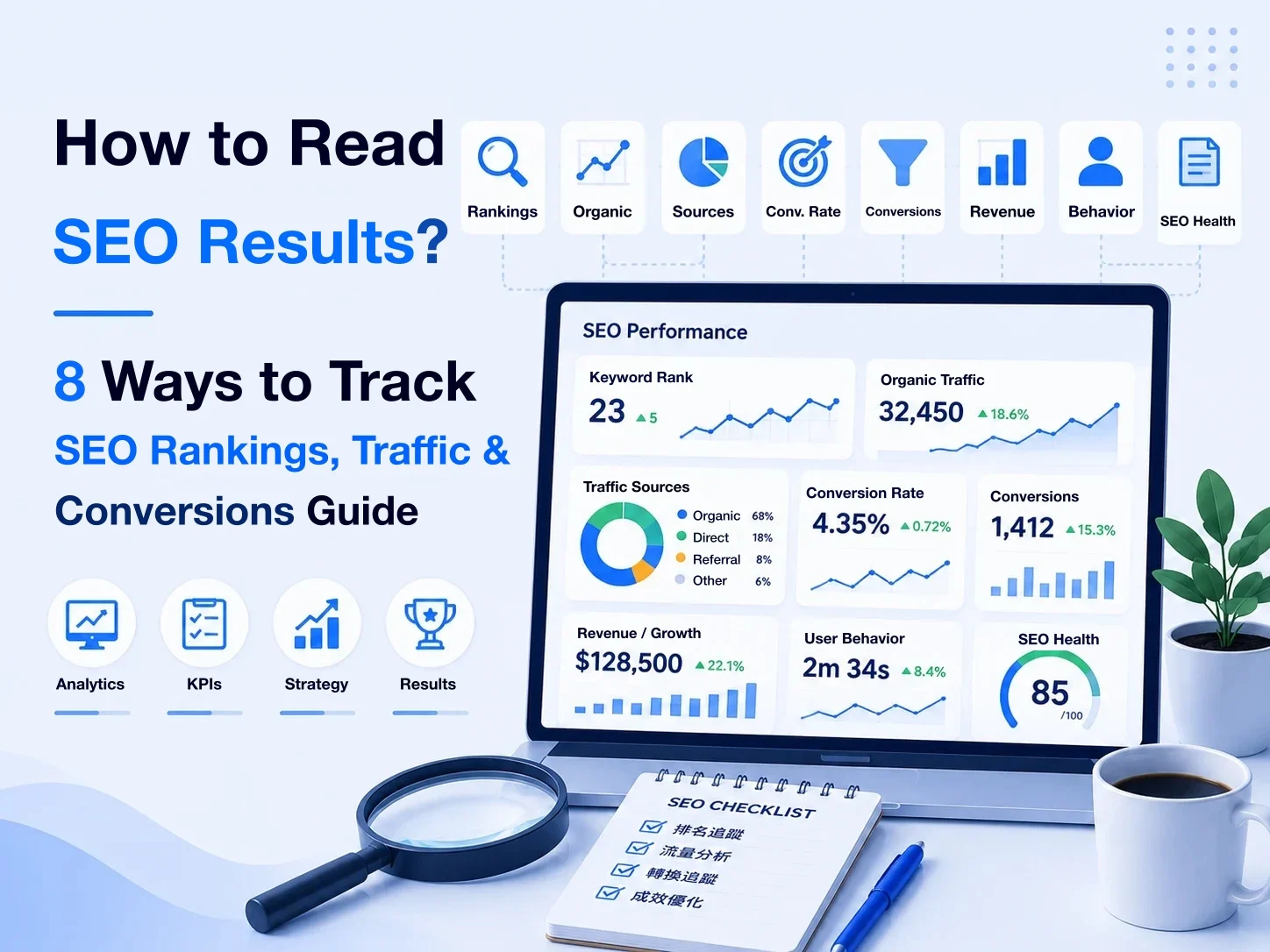
This article walks you through which metrics to look at for SEO results, and how to use Google Search Console, GA4, and conversion tracking to judge whether SEO is really creating value for your business.
Key takeaways
- SEO results can’t be judged by keyword rankings alone; measure the whole chain from visibility and traffic to conversions and business results.
- Search rankings are useful for watching search competitiveness and trends, but they don’t represent the final business result.
- Google Search Console is mainly used to analyze search impressions, clicks, click-through rate, queries, pages, and average position.
- GA4 is mainly used to understand what organic search users do after they arrive: landing pages, engagement, events, and key events.
- Growth in organic search traffic doesn’t necessarily mean SEO results are improving; you also need to check whether the traffic matches the target search intent.
- B2B businesses shouldn’t only track leads; ideally they should go further and track qualified leads, opportunities, customers, and revenue.
- SEO ROI should be measured by real business results; don’t treat the “ad-equivalent value” of organic search traffic as revenue.
- Analyze branded and non-brand search separately where appropriate, so you don’t attribute all growth in branded search to SEO.
- For SEO results, we recommend a fixed rhythm of day-to-day anomaly monitoring, monthly performance reviews, and quarterly strategy reviews.
- An SEO report shouldn’t just compile numbers; it should move from Data → Insight → Action and help the business decide where to optimize next.
How should you measure SEO results?

When many businesses measure SEO, the first metric they look at is
“What position is the keyword in?”
Keyword rankings certainly matter, but they’re only one part of SEO results.
Suppose a keyword already ranks in the top three but hardly anyone searches for it, or it brings in lots of traffic but no inquiries or conversions at all. Looking at the ranking alone, it’s hard to tell whether SEO is really creating value for the business.
So a more complete way to measure SEO results is:
Search impressions → clicks → organic search traffic → conversions → business results
Further reading: How to do website SEO
Layer 1: Search impressions
First, check whether the website is starting to appear in more relevant search results.
The main things to watch are:
- Search impressions
- Search queries
- Keyword rankings
- Average position
- Organic search visibility
This layer answers: “Are people who really need what we offer starting to find our website in search?”
For a website that has just started SEO, even if traffic hasn’t clearly increased yet, growth in relevant search queries and search impressions may mean search visibility is gradually being built.
Layer 2: Search clicks and organic traffic
Once you have impressions, the next step is to check whether users actually visit the website.
The main things to watch are:
- Clicks
- Click-through rate
- Organic search traffic
- Landing pages
- Users / sessions
This layer answers: “Are search impressions actually turning into website traffic?”
For example, if a page has high search impressions but a low click-through rate, you may need to look further into:
- Is the ranking still too low?
- Does the SEO title match the search intent?
- Is what appears in the search results compelling enough?
- Is this query really a good fit for this page?
So traffic itself is also an important signal for diagnosing SEO problems further.
Further resources: Google Search Console: Performance report
Layer 3: Conversions
For a business website, traffic usually isn’t the end goal.
What really needs to be tracked next is:
- Contact forms
- Quote requests
- Bookings
- Phone calls or other important interactions
- Sign-ups
- Orders
- Other key events
This layer answers: “Are the visitors SEO brings in completing the actions we really want them to take?”
If organic search traffic keeps growing but conversions don’t increase over a long period, you need to look further at whether there are problems with
traffic quality, search intent, landing pages, and conversion paths
.
Layer 4: Business results
Last comes the result the business should really care about.
For example:
- Leads
- Qualified leads
- Opportunities
- Customers
- Revenue
- Customer value
- SEO ROI
That’s because not every organic visitor, and not every form submission, has the same business value.
If SEO brings in lots of traffic and leads but those leads never become real opportunities, the business still needs to re-examine whether the search traffic it’s getting matches its target customers.
So a complete set of SEO KPIs shouldn’t only ask: “How many keywords reached page one this month?”
Instead, you should gradually build
Visibility → traffic → conversions → business results
as your measurement framework.
How to read SEO rankings
Keyword ranking is one of the most commonly tracked SEO metrics.
For example, a business might watch:
- What position is “SEO company” in right now?
- Has “website building” reached page one of Google?
- Has the ranking for “CNC machining” improved this month?
Rankings help us understand a page’s visibility for a specific search need, but to read SEO rankings correctly, there are a few important ideas to understand first.
Further resources: Google Search Console: Performance report
Don’t look only at rankings for single keywords
It’s easy for a business to pick a few important keywords and check every day whether they’re in position 3, 5, or 8.
But a page usually gets impressions from more than one search query.
For example, an article on “How to do website SEO” might appear at the same time for
- website SEO
- how to do SEO
- SEO optimization
- website SEO optimization
- SEO website optimization methods
and other search terms.
So tracking only one specified keyword may not fully reflect the search impressions the page is actually getting.
A more complete approach is to watch all of these at once:
- Rankings for the main target keywords
- Which search queries the page actually appears for
- Whether overall search impressions are increasing
- Whether clicks are increasing
- Whether organic search traffic is growing
Only then can you tell whether the page’s overall search visibility is really improving.
Average position isn’t a fixed position
In Google Search Console you’ll see Average Position.
But this number can’t be read directly as:
“My website is currently fixed at position 6.”
That’s because the same page might
- rank 3rd for Query A
- rank 8th for Query B
- rank 15th for Query C
And different users, devices, regions, and search contexts may also see different search results.
So average position is better suited to watching
the overall ranking trend over a period of time.
For example:
Average position of 15 over the previous 28 days → improved to 9 over the last 28 days
This is usually more useful for decision-making than tracking every day whether you’re “8th or 9th today.”
Rankings naturally fluctuate
SEO search rankings don’t stay fixed.
Rankings can fluctuate because of
- Changes to Google’s search systems
- Competitors updating their content
- New pages appearing
- Changes in search intent
- Changes to your own website’s content
- Seasonal changes in search demand
and other factors.
So 5th today → 7th tomorrow → 4th the day after
doesn’t necessarily mean something major has gone wrong with SEO.
It’s more reasonable to watch
the overall trend over weeks or months.
If an important page’s search rankings, search impressions, and clicks all decline over a long period, that’s when it becomes more meaningful to investigate the cause.
Ranking first doesn’t necessarily mean the highest business value
Suppose a business has two keywords:
Keyword A: ranks 1st and brings in 2,000 visits a month, but almost no inquiries.
Keyword B: ranks 5th and brings in only 300 visits a month, but steadily produces qualified leads.
From the business’s point of view, Keyword B may actually have higher SEO value.
So search rankings should be judged together with search intent, traffic, conversions, and business results.
You can’t conclude that a piece of SEO work is the most successful just because a keyword ranks first.
Look at branded and non-brand keywords separately
Another very important distinction in SEO analysis is between
branded keywords and non-brand keywords
For example, “TimTech” is a branded search.
Whereas
- website building company
- SEO company
- business website building
are non-brand search needs.
Growth in branded search may come from brand awareness, ads, offline events, or other marketing activities, so you can’t attribute all traffic growth from branded keywords directly to SEO.
If a business wants to assess whether SEO is opening up new organic search markets, non-brand search performance is usually especially worth watching.
Use rankings to find problems, not as the final KPI
One of the most valuable uses of search rankings is helping us judge:
- Which content is improving?
- Which pages are stuck on page two?
- Which important keywords have been declining over time?
- Which content is worth updating further?
For example, if an article with high business value has been stuck between positions 8 and 15 for a long time, it may be worth looking further into:
- Does it fully cover the search intent?
- Does the content need updating?
- Are there too few internal links?
- Are competing pages more complete?
- Does the page have technical SEO problems?
So search rankings should be treated as a diagnostic signal for SEO optimization, not as the final business result.
How to measure search impressions

SEO search rankings tell us how rankings change for specific search terms, but to understand the website’s overall search visibility, you need to look further at
search impressions, clicks, click-through rate, search queries, and landing pages.
This data can mainly be viewed in Google Search Console.
Further resources: Google Search Console: Performance report
Search impressions: how many times does the website appear in search results?
Impressions are the number of times your website’s content appears in Google search results.
For SEO, search impressions are an important early indicator.
For example, when a new article is first published, it may not bring in many clicks yet, but as it starts appearing for
- more search queries
- more related search needs
- higher search positions
its search impressions may gradually increase.
So for a website that’s just starting to build SEO, you can first watch: “Is the website getting more relevant search impressions?”
If search impressions keep increasing over time, it usually means the website is starting to gain visibility in more search situations.
But more search impressions don’t mean SEO has produced its final result; you still need to keep watching clicks, traffic, and conversions.
Clicks: how many people actually visit the website from search results?
Clicks are the number of times users actually click through to the website after seeing it in search results.
If: search impressions ↑, clicks ↑
it usually means that as search impressions grow, the website is also starting to bring in more organic search visitors.
But if: search impressions ↑, clicks don’t clearly increase
you need to look further at search rankings and click-through rate.
Sometimes a website has started appearing in lots of relevant search results but still ranks fairly low, so impressions have increased while actual clicks haven’t grown at the same pace.
This is also why you can’t look at just one SEO metric.
CTR: are search impressions turning into clicks?
CTR (click-through rate) helps us understand:
“After seeing the search result, what share of users actually click through to the website?”
You can think of click-through rate as: clicks ÷ search impressions.
For example:
- 10,000 search impressions
- produce 500 clicks
- so the click-through rate is 5%.
But click-through rate can’t be judged on its own, apart from search rankings and search queries.
That’s because search results higher up the page naturally tend to get more chances to be clicked.
So if a page has a low click-through rate, you can look further into:
- Average position
- Search queries
- SEO title
- How the result appears in search
- Whether the page really matches the search intent
rather than concluding the SEO title is badly written just because the click-through rate has dropped.
Search queries: what are users actually searching to find the website?
Search queries are very important data for analyzing SEO results.
That’s because the target keywords a business originally sets aren’t necessarily the same as the search terms users actually type when they find the website.
For example, you might originally create an article on
“How to find SEO keywords”
but it may actually get impressions through
- SEO keywords
- how to find SEO keywords
- SEO keyword analysis
- keyword research
- SEO keyword survey
and other queries.
Through search queries, you can go on to discover:
- Which search needs are growing?
- Which keywords have started to rank?
- Are there search needs you didn’t originally expect?
- Which queries get impressions but still rank fairly low?
- Which queries have business value but aren’t yet answered fully by your current content?
This data isn’t just for “checking the scorecard”; it can also become the basis for the next round of content optimization and keyword research.
Landing pages: which pages are actually getting search impressions?
Besides looking at search needs through queries, you should also analyze SEO results from the perspective of pages.
A business can watch:
- Which landing pages get the most search impressions?
- Which pages bring in the most clicks?
- Which important business pages are growing?
- Which older articles are starting to decline?
- Which pages get impressions but very few clicks?
- Which pages match a large number of different search queries?
This can help a business gradually shift from
“What position is which keyword in?”
to
“Which website content is building search value?”
This is also a better way to manage SEO content over the long term.
Don’t look only at growth in total impressions
Finally, there’s one more very important judgment to make:
Growth in search impressions doesn’t necessarily mean you’re getting more valuable search impressions.
For example, after a website adds lots of informational articles, its overall search impressions may increase quickly.
But if all the new impressions come from search needs with little connection to the business’s services, they may do little for business results.
So when analyzing search impressions, you still need to come back to
Search queries → search intent → landing page → business results
to confirm that what’s increasing is the search visibility the business really wants.
How to read your website’s organic search traffic
Google Search Console can tell us how the website performs in Google search results in terms of impressions and clicks, but to see what happens after users click through to the website, you need to look further with website analytics tools.
For most businesses, the most commonly used one is Google Analytics 4 (GA4).
With GA4, you can go on to understand:
- How much traffic does organic search bring in?
- Which landing pages do users arrive on?
- Do they keep browsing or interacting after arriving?
- Which organic search traffic ultimately produces conversions?
So Search Console and GA4 solve problems at different stages.
How are Search Console and GA4 different?
Google Search Console can be thought of simply as: “search performance before users reach the website”
It mainly shows:
- Search queries
- Search impressions
- Clicks
- Click-through rate
- Average position
- Users
- Sessions
- Landing pages
- Engagement
- Events
- Key events
- Traffic acquisition
The data from the two tools shouldn’t be treated as exactly the same.
For example, clicks in Search Console and sessions in GA4 are different ways of measuring to begin with, so differences in the numbers don’t necessarily mean tracking has gone wrong.
A more reasonable approach is to connect the two data sets into a complete SEO user journey:
Google search → click → landing page → engagement → conversion
Further resources: Google: Compare Search Console and Google Analytics data
Organic search traffic: how much website traffic does SEO actually bring in?
In GA4, you can look at organic search to see the website traffic it brings in.
For example, compare:
- Last 28 days vs. previous 28 days
- This year vs. the same period last year
- Different months
- Different landing pages
to judge whether organic search traffic keeps growing.
But just like search rankings and search impressions earlier:
Growth in organic search traffic is still not the final result in itself.
Suppose website traffic grows from 3,000 to 10,000 a month, but the additional 7,000 visits come mainly from informational searches with little connection to the business’s services; then business value may not have increased at the same pace.
So besides total traffic, you also need to go further and analyze where the traffic comes from.
Landing pages: which content actually brings in organic search traffic?
Landing page is a very important dimension when analyzing SEO results.
A business can watch:
- Which articles bring in the most organic search traffic?
- Which service pages are starting to get organic search visitors?
- Which landing pages keep growing?
- Which important pages are losing traffic?
- Which pages bring in the most conversions?
This can help a business judge the role different content plays in SEO.
For example:
- Informational articles: may be responsible for bringing in large amounts of top-of-funnel traffic.
- Service pages: may get less traffic, but with higher commercial intent.
- Case studies: may not be the biggest source of SEO traffic, but can help users build trust and complete conversions.
So different types of pages shouldn’t all be judged by the same standard.
Engagement: do users really engage after arriving?
Once you’re getting organic search traffic, you can also look further at whether users engage meaningfully with the website.
For example:
- Sessions
- Engagement rate
- Average engagement time
- Page / screen views
- Important events
These metrics can help you judge how users behave after arriving.
But also avoid another common mistake: concluding that SEO content quality is great just because the engagement rate is high.
Usage behavior naturally differs by search intent.
For example, if a user searches a very specific question, gets the answer quickly from the article, and leaves, that doesn’t necessarily mean the content has no value.
So engagement metrics should be used to support your judgment, not to decide SEO success or failure on their own.
Judge SEO traffic separately by the purpose of the content
If you lump all of the website’s organic search traffic together, it’s easy to lose real business judgment.
A more reasonable approach is to analyze by page type or search intent, for example:
- Informational content
- Commercial content
- Service pages
- Product pages
- Case studies
- Branded search landing pages
and then ask: “What job is this type of page supposed to do?”
Informational articles may be mainly responsible for building search impressions and professional trust.
For service pages, you may need to watch leads and conversions more.
That way you avoid judging the value of every SEO page by “whichever gets the most traffic.”
How to track SEO conversions
Once SEO brings in organic search traffic, the next step is to answer a more important question:
Are these visitors completing the actions the business really wants them to take?
That’s the purpose of conversion tracking.
For a business website, an SEO conversion isn’t necessarily a completed transaction; it may also be:
- Submitting a contact form
- Submitting a quote request
- Booking a consultation
- Making a phone call
- Adding you on LINE
- Signing up as a member
- Downloading important materials
- Completing an order
- Other actions with business value
So before you start measuring SEO conversions, the business should first define:
“What actions really count as a conversion for us?”
Don’t treat every event as a conversion
A website can track a great many user behaviors, for example:
- Button clicks
- Expanding an FAQ
- Scrolling the page
- Playing a video
- Viewing a form
- Submitting a form
All of these events may have analytical value, but that doesn’t mean every one of them should be treated as a primary conversion.
For example:
- Opening the booking form: can indicate the user has fairly strong intent to engage.
- Successfully submitting the booking form: is usually what actually completes a lead-generating conversion.
So a business should distinguish between
micro-conversions and primary conversions
- Micro-conversions help us understand whether users are moving toward business goals.
- Primary conversions mean the user has actually completed an important action the business wants.
Further resources: Google Analytics: About key events
How to read your SEO conversion rate
Besides the number of conversions, you can also look further at the conversion rate.
For example:
Organic search brings in 1,000 visitors, and 30 of them submit a quote request.
You can then judge what share of this organic search traffic turned into quote requests.
But conversion rate can’t be judged on its own.
For example:
An informational article might bring in lots of traffic but have a lower conversion rate.
A service page might get only a little traffic but have a higher conversion rate.
That doesn’t mean the former has no value.
Different search intents and stages of the customer journey naturally produce different conversion behavior.
So a more reasonable approach is:
Analyze conversions by page type, search intent, and user stage.
Track SEO conversions from the landing page
If you want to know what results SEO is actually producing, looking only at site-wide conversion numbers usually isn’t enough.
A business also needs to analyze further:
When users first arrive from organic search, which landing page do they start on?
For example:
A user searches “website building cost”
→ lands on the article about website building costs
→ views the business website solution
→ reads a case study
→ opens the booking form
→ completes the booking
If you only look at the final conversion page, you might conclude:
“The booking page produced the conversion.”
But in reality, what first brought this lead to the website was SEO content.
So when analyzing SEO conversions, you need to look at
organic landing page → user journey → conversion together.
The number of conversions isn’t the same as qualified opportunities
For B2B businesses, this point is especially important.
Suppose SEO brings in 20 quote requests in a month.
That looks like a big increase over last month’s 10.
But if only 2 of them match the business’s real target customer criteria and the other 18 are unsuitable requests, looking only at the number of conversions may overstate SEO results.
So a more mature way of measuring SEO should keep tracking further down the line:
Conversions → leads → qualified leads → opportunities → customers
This is also why SEO performance analysis ultimately can’t stop at GA4.
Once a business has a more complete CRM or sales pipeline, it can go further and connect search sources to actual closed deals.
Build an SEO conversion funnel that fits your own business
Different businesses don’t need to track exactly the same conversions.
For example, a B2B service business might build:
Organic search → landing page → booking / quote request → qualified lead → closed deal
For e-commerce, it might be:
Organic search → product page → add to cart → checkout → purchase
What really matters is:
Conversion tracking must reflect your own business’s customer journey.
Rather than listing an event as an SEO KPI just because GA4 can track it.
How to measure SEO ROI
Once a business can track the traffic, conversions, and leads that SEO brings in, it can go on to answer:
“Has what we invested in SEO ultimately produced enough business value?”
That’s the question SEO ROI (return on investment) is meant to measure.
But SEO ROI is usually more complex than simply calculating ad ROAS, because SEO investment and results often build up over the long term, and different content plays different roles in the customer journey.
The basic idea of SEO ROI
The most basic ROI can be understood as:
(Revenue from SEO − SEO cost) ÷ SEO cost × 100%
For example, a business invests NT900,000.
What should SEO costs include?
SEO cost isn’t necessarily just the service fee paid to an SEO company.
Depending on how the business actually does SEO, it may include:
- SEO consulting or service fees
- Content creation
- Website development and technical SEO
- SEO tools
- Design and image production
- Digital PR or content promotion
- Time spent by internal staff
Even if a business does SEO entirely with its in-house team, that doesn’t mean SEO cost is zero.
Because people and time are themselves an investment.
So when comparing SEO ROI, you should use the true total investment rather than counting only one of the costs.
B2B SEO shouldn’t only count form submissions
For B2B businesses, the value of a single lead can vary enormously.
For example, SEO bringing in 50 form submissions
doesn’t mean all 50 have the same value.
- Of these, perhaps only 15 are qualified leads
- which go on to become 5 opportunities
- and finally close as 2 customers
So a more complete way of measuring B2B SEO should track step by step:
Organic search traffic → leads → qualified leads → opportunities → customers → revenue
Only then can you tell whether SEO is bringing in a mere number of form submissions or customers with real business value.
Before you have closed-deal data, measure lead value first
Not every business can track SEO all the way to revenue from the start.
B2B services in particular may involve:
- A longer sales cycle
- Offline quotes
- Sales follow-up
- Multiple meetings
- Deals closed offline
In that case, you can first set up stage-by-stage measurement.
For example, a business knows that:
On average, every 10 qualified leads close as 2 customers.
The average value of each closed deal is NT$100,000.
It can then go on to estimate the expected value of a qualified lead.
This isn’t the same as actual revenue, but it can help a business set SEO KPIs closer to business value before the sales cycle has run its course.
Don’t use “ad-equivalent value” directly as SEO ROI
Some SEO reports convert organic search traffic into:
“If all this traffic were bought through Google Ads, how much would the ads cost?”
This kind of figure can be used as a reference, but it shouldn’t be treated directly as SEO revenue or ROI.
Because:
The ad-equivalent value of organic clicks ≠ the revenue the business actually earns.
Even if organic search brings in “estimated ad traffic” worth NT200,000 in revenue.
Look at SEO ROI over the long term, not month by month
There’s another important difference between SEO and paid ads:
Content and website assets may keep generating search impressions.
For example, this year a business invests resources in building:
- Pillar content
- Cluster content
- Technical SEO
- Internal links
- Landing pages
This content may keep bringing in organic search traffic and leads next year too.
So in the early stages of SEO, you may see a situation where investment is fairly high but revenue isn’t yet fully reflected.
As content and website authority gradually build up, the marginal cost of additional traffic later on may differ from the early stages.
So when a business measures SEO ROI, besides monthly data it should also look at: cumulative results by quarter and by year.
SEO ROI ultimately comes back to business results
SEO can measure many metrics:
search rankings, search impressions, clicks, traffic, and leads.
But if a business wants to answer:
“Is SEO worth continuing to invest in?”
it ultimately needs to connect step by step to:
qualified leads, customers, revenue, and customer value.
This is also an important step for SEO in moving from “marketing data” to “business decisions.”
Which SEO metrics should you look at in Google Search Console?
Google Search Console (GSC) is one of the most important tools for measuring SEO performance.
It lets a business see directly how its website actually performs in Google Search, including:
- Which search queries do users find the website through?
- How many search impressions does the website get?
- How many people click through to the website?
- How is the click-through rate performing?
- How is the average position changing?
- Which pages are getting search impressions?
If a business wants to set up basic SEO performance tracking, Google Search Console is almost an essential tool.
Further resources: Google Search Console: Performance report
Performance: start with the overall search trend
In the Search Console performance report, the most basic things to look at first are:
- Total clicks
- Total impressions
- Average CTR
- Average position
But don’t look only at the current numbers.
What matters more is comparing over time, for example:
Last 28 days vs. previous 28 days or last 3 months vs. the same period last year
This helps you judge whether the website’s search impressions and clicks show long-term growth.
If you just check the numbers every day, it’s easy to misjudge things because of normal search fluctuations.
Queries: find the search demand that actually brings impressions
Queries can tell a business:
What did users actually search for before they saw the website?
When analyzing, pay particular attention to:
- Which queries bring the most clicks?
- Which queries get a large number of search impressions?
- Which important queries are rising in rankings?
- Which queries get lots of impressions but very few clicks?
- Is new search demand appearing?
- Are you getting non-brand queries that are truly relevant to the business’s services?
Besides measuring SEO, this data can also feed back into:
keyword research, content optimization, and planning the next round of content.
Pages: which content is producing SEO value?
Besides queries, you should also switch to Pages to see how different URLs perform in search.
You can look at:
- Which pages bring the most organic clicks?
- Which pages’ search impressions are growing?
- Which important pages have been declining over the long term?
- Are new articles starting to get search impressions?
- Which pages get impressions but have low clicks?
If you find that a page has been declining over the long term, you can drill into that page and check:
Which queries exactly are declining?
Conversely, if an article is growing quickly, you can also analyze:
Which search demand is it getting impressions from?
Cross-analyzing queries and pages makes it easier to find the real SEO problems than simply looking at site-wide total traffic.
Country and Device: confirm where search performance comes from
Search Console can also analyze search performance by Country and Device.
For example, if a business mainly serves the Taiwan market, it can confirm whether search impressions mainly come from Taiwan.
If a business runs a multilingual website, it can also compare search performance across markets.
Device can help you understand search performance across
- Desktop
- Mobile
- Tablet
devices.
But these dimensions don’t need deep analysis in every SEO report.
It’s usually more meaningful to break them down further when you notice something unusual in a particular market, page, or device.
Indexing: when SEO isn’t working, also check whether pages can be indexed
If an important page gets no search impressions at all, that doesn’t necessarily mean the content quality is poor.
Sometimes the problem may be further upstream:
Can Google properly discover and index this page?
So besides performance, you should also check indexing status regularly.
For example:
- Have important pages been indexed by Google?
- Are there pages that shouldn’t be indexed?
- Is the sitemap being submitted properly?
- Are large numbers of unusual unindexed URLs appearing?
- Is the website’s crawling or indexing affected by technical SEO problems?
If a page hasn’t made it into Google’s index at all, then search rankings, clicks, and traffic are naturally out of the question.
Further resources: Google Search Console: Page indexing report
Don’t watch rankings in Search Console every day
Search Console makes it easy to fall into:
“Yesterday it was 8.2, today it’s 8.7. Did our ranking drop?”
But this usually has little value for decision-making.
A more reasonable approach is to set a fixed review rhythm, for example:
- Daily: check only for major anomalies
- Monthly: review the main SEO KPIs and page performance
- Quarterly: re-examine content, topic clusters, and the overall SEO strategy
Only then can Search Console go from being a “ranking monitor” to a real SEO decision-making tool.
Which SEO metrics should you look at in GA4?
Google Search Console is mainly used to see how a website performs in Google search results, while Google Analytics 4 (GA4) lets you go further and understand:
What users actually do after arriving at the website from organic search.
So when analyzing SEO performance, the most important thing in GA4 isn’t looking at “how much traffic” yet again, but connecting organic search with landing pages, engagement, events, and key events.
Organic Search: how much traffic does organic search bring?
First, you can use the acquisition reports to see overall organic search traffic performance.
Common metrics include:
- Users
- Sessions
- Engaged sessions
- Engagement rate
- Average engagement time
- Key events
When analyzing, you can compare:
- Last 28 days vs. previous 28 days
- This year vs. the same period last year
- Different months or quarters
This helps you judge whether organic search shows long-term growth.
But as mentioned earlier:
Growth in organic search traffic doesn’t mean growth in SEO business results.
So this is mainly for getting a sense of the overall trend; you still need to break it down further by landing page and conversion.
Landing pages: which pages actually bring SEO traffic?
Landing page is a very important dimension when analyzing SEO in GA4.
A business can look at:
- Which pages bring the most organic search traffic?
- Which articles are growing?
- Which service pages are starting to get organic search traffic?
- Which landing pages bring the most key events?
- Which pages get lots of traffic but almost no follow-up actions?
For example:
- Article A: 5,000 sessions, 2 quote requests
- Article B: 800 sessions, 10 quote requests
If you only look at traffic, Article A seems to perform better.
But if the goal is generating leads, Article B may have higher business value.
So landing page analysis should combine:
traffic + engagement + conversions
rather than just ranking pages by sessions.
Engagement: do users keep engaging after they arrive?
GA4’s engagement data can help a business understand how organic visitors behave after arriving.
For example:
- Sessions
- Engagement rate
- Average engagement time
This data can help you find out whether users actually engage with the content after arriving, even on pages that get search traffic.
But engagement shouldn’t be treated on its own as a content quality score.
Users with different search intents naturally behave differently.
So engagement is better used as a supporting metric for spotting anomalies and diagnosing pages further.
Events: what do users do on the website?
GA4 can use events to record important user behavior on the website.
For example:
- Viewing the booking form
- Clicking the contact button
- Downloading a document
- Starting checkout
- Submitting a form
- Completing a purchase
A business can use this to see whether organic search users start moving along the expected customer journey after arriving.
But not all events have the same value.
For example:
Viewing a form and successfully submitting a form
have completely different business meanings.
So event tracking should be designed around the business’s real conversion funnel, rather than tracking as many events as possible.
Key events: which actions truly represent important results?
In GA4, you can mark events that are especially important to the business as key events.
For example, a B2B business might set
- Successfully submitting a quote request
- Successfully booking a consultation
- Completing an important application
as key events.
E-commerce, on the other hand, might put more weight on:
- Purchases
That way, when analyzing organic search, you can go further and answer:
“How many important conversion actions does SEO bring?”
rather than only knowing:
“How many visitors does SEO bring?”
Look at acquisition and landing pages together
When analyzing SEO, it’s not advisable to open just one GA4 report and draw conclusions.
A more reasonable approach is to connect
Acquisition → Landing Page → Engagement → Key Events
and analyze them together.
For example:
Organic search traffic grows
→ find the landing pages driving most of the growth
→ look at engagement on these pages
→ check whether they produce key events
→ then go further and confirm lead quality and business results
Only then can you really know where SEO growth is happening and whether that growth has value.
Further resources: Google Analytics: Traffic acquisition report
Search Console and GA4 should be used together
Google Search Console and GA4 aren’t tools that replace each other.
You can think of them like this:
- Search Console: search queries → impressions → clicks
- GA4: landing page → engagement → events → key events
Then extend this into the business’s internal CRM or sales pipeline:
Leads → qualified leads → opportunities → customers → revenue
In the end, this forms a more complete SEO measurement funnel:
Search → traffic → behavior → conversions → business results
How often should you check SEO performance?
SEO data can change every day, but that doesn’t mean a business needs to adjust its SEO strategy every day.
If you focus too much on short-term fluctuations in search rankings, traffic, or CTR, it’s easy to make unnecessary changes because of normal search variation.
A more reasonable approach is to set different SEO review cycles for different purposes.
Daily: mainly check for major anomalies
Daily SEO monitoring doesn’t require analyzing every keyword every day.
What’s more worth watching are major anomalies, for example:
- A sudden, sharp drop in organic search traffic
- Important pages failing to load properly
- Indexing problems on the website
- Large numbers of pages accidentally set to noindex
- Problems with the sitemap or crawling
- A clear drop in search traffic after a website redesign
The main purpose of daily monitoring isn’t to adjust strategy, but to catch anomalies early that could affect SEO across the whole website.
If the data shows only normal small fluctuations, there’s usually no need to act right away.
Monthly: review SEO performance
For most businesses, a full SEO performance review once a month is a practical rhythm.
You can regularly look at:
- Search impressions
- Clicks
- Organic search traffic
- Search queries
- Keyword ranking trends
- Main landing pages
- Key events / conversions
- Leads
- Growth or decline of important pages
Besides looking at numbers, you should also answer:
“What happened this month?”
For example:
- Which content is starting to get search impressions?
- Which pages have grown clearly in traffic?
- Which important keywords have dropped in rankings?
- Is newly published content starting to be discovered by Google?
- Is organic search producing more conversions?
- Are new search queries appearing that are worth investing in further?
The real value of a monthly SEO report isn’t compiling numbers, but identifying the next actions.
Quarterly: re-examine your SEO strategy
Monthly reviews lean toward performance, while quarterly reviews should move up to the strategy level.
For example, re-confirm:
- Are topic clusters continuing to grow?
- Which content gaps haven’t been filled yet?
- Which older articles need content updates?
- Which important business pages are underperforming in SEO?
- Do internal links need adjusting?
- Does the keyword strategy still match market demand?
- Is SEO continuing to produce qualified leads?
- Does next quarter’s content roadmap need adjusting?
If a business does content marketing regularly, the quarterly review is also a good time to re-plan which content assets should be built first in the next stage.
Don’t keep changing content because of short-term ranking fluctuations
One of the most common problems in SEO is rushing to edit an article as soon as you see it drop a few positions.
For example:
Position 4 → position 7
doesn’t necessarily mean something is wrong with the content.
Rankings can naturally be affected by search demand, competing content, search systems, and other factors.
If you change these every time there’s a short-term fluctuation:
- SEO title
- H1
- Article structure
- Content sections
- Internal links
it actually becomes hard for a business to tell:
which change actually made a difference.
So unless there’s a clear technical SEO problem or a major anomaly, content optimization should usually be based on trends over a period of time and enough data.
New articles also need to give search engines time
After publishing a new article, there’s no need to decide within a few days:
“Is this article’s SEO working?”
Search engines need time to:
- Discover the page
- Crawl it
- Index it
- Understand the content
- Test and show the page for different search queries
Different websites also differ in authority, content topics, and level of competition, so there’s no fixed standard that applies to every article, such as “it must rank within so many days.”
A more reasonable approach is to keep watching whether
indexing → search impressions → queries → rankings → clicks
are gradually changing.
Setting a fixed rhythm matters more than checking rankings every day
A business doesn’t need to do a full SEO analysis every day.
A more practical way to manage it can be simplified to:
- Daily: anomaly monitoring
- Monthly: performance review
- Quarterly: strategy review
This lets you catch major problems in time while avoiding being led around by short-term data.
What should an SEO report include?
The purpose of an SEO report shouldn’t just be compiling the numbers from Google Search Console, GA4, and ranking tools into one document.
A truly valuable SEO report should answer three questions:
- What happened?
- Why did it happen?
- What should we do next?
So an SEO report suited to business decisions can be organized layer by layer, from
visibility → traffic → conversions → business results → action.
1. Visibility: is search visibility improving?
First, look at how the website performs overall in search results.
For example:
- Search impressions
- Clicks
- Average position
- Rankings for important keywords
- Brand / non-brand search
- Main search queries
This layer mainly answers: Is the website being seen for more important search demand?
But there’s no need to list hundreds of keywords in the report.
What matters more is showing:
- Core business keywords
- Important topic clusters
- Queries that have clearly grown or declined
- Newly emerging important search demand
so the business can quickly understand overall changes in search visibility.
2. Traffic: is SEO actually bringing traffic to the website?
The second layer looks at whether search impressions are turning into organic search traffic.
For example:
- Users
- Sessions
- Main landing pages
- Pages gaining traffic
- Pages losing traffic
- Engagement
Besides site-wide organic search traffic, you should also point out specifically which content the traffic growth mainly comes from.
For example, if organic search traffic grew 30% this month, the truly valuable information isn’t just “+30%,” but a further explanation of:
which pages and which search demand the growth mainly comes from, and whether this traffic fits the current SEO strategy.
3. Conversion: is the traffic producing important actions?
Next, you should connect organic search with conversions.
Depending on the business’s actual goals, this can include:
- Form submissions
- Quote requests
- Bookings
- Sign-ups
- Key events
- Orders
- Conversion rate
For example: organic search traffic +20%
But: organic leads −10%
In that case, what really needs attention isn’t “SEO traffic is great,” but:
Why did conversions fall even though traffic increased?
You may need to check further:
- Search intent
- Traffic quality
- Landing page
- CTA
- Conversion path
So an SEO report should let the business see the relationship between traffic and conversions.
4. Business Result: is SEO producing business results?
If the business already has a CRM, sales pipeline, or other follow-up tracking, the SEO report can go further and include:
- Leads
- Qualified leads
- Opportunities
- Customers
- Revenue
- Customer value
This layer is especially suited to B2B businesses.
Because: 10 leads aren’t necessarily better than 5 leads.
If the former includes only 1 qualified lead while 4 of the latter match the target customer criteria, the latter may actually have higher business value.
So the more mature a business’s SEO becomes, the more its reports should gradually move from
traffic reports toward business performance reports.
5. Important changes this period and why
A good SEO report can’t be just numbers.
It should also summarize what changes this period are worth noting.
For example:
- Search impressions for a topic cluster grew clearly.
- An article started getting a large number of new search queries.
- An important landing page dropped in rankings.
- Non-brand organic search traffic kept increasing.
- Organic leads rose clearly.
- One type of traffic increased, but conversions didn’t grow along with it.
Then go further and assess the likely causes.
That way decision-makers don’t have to dig through large amounts of data to find the problems themselves.
6. Next actions
An SEO report should end by producing next actions.
For example:
- Update an important article whose ranking has dropped.
- Strengthen a topic cluster.
- Optimize pages with high search impressions but low CTR.
- Strengthen internal links to an important landing page.
- Improve pages with high traffic but low conversions.
- Create new cluster content.
- Fix technical SEO problems.
If an SEO report just updates the numbers every month without producing any actions, the report itself has limited management value.
An SEO report doesn’t need to be as complex as possible
A business doesn’t necessarily need to build an SEO report dozens of pages long.
For most businesses, what matters more is letting decision-makers quickly understand:
- How is search performing?
- How are the business results?
- What important changes happened?
- What should we do next?
So a practical SEO report can be boiled down to:
Visibility
↓
Traffic
↓
Conversions
↓
Business results
↓
Insights & Actions
so that SEO data truly feeds into the business’s decision-making process.
Common mistakes in reading SEO performance

SEO can track a lot of data, but more data doesn’t necessarily mean more accurate judgments.
Where things really tend to go wrong usually isn’t “having no data,” but:
using the wrong metrics to judge SEO performance.
Here are several common mistakes businesses make when measuring SEO.
1. Looking only at keyword rankings
This is the most common way of judging SEO performance.
For example:
- How many keywords are on the first page?
- How many keywords rank in the top three?
- What position do the core keywords rank now?
Rankings certainly matter, but they reflect only part of search visibility.
If a keyword ranks first but:
- Has very low search volume
- Has a search intent unrelated to the business’s services
- Doesn’t bring meaningful traffic
- Doesn’t produce conversions
then that ranking still has limited business value.
So search rankings should be judged together with
search impressions → clicks → traffic → conversions → business results
rather than on their own.
2. Looking only at organic search traffic
Another common problem is:
“SEO traffic has grown, so SEO must be working.”
For example:
Organic search traffic grows from 5,000 a month to 15,000.
That’s certainly growth worth noting, but you still need to confirm:
- Which search queries is the traffic coming from?
- What are the main landing pages?
- Does the search intent match target customers?
- Is it producing more conversions?
- Has lead quality improved?
If the additional 10,000 visits mainly come from search demand with little relevance to the business’s services, the traffic growth may not translate into business results.
So: more traffic ≠ better SEO.
What really matters is getting more “valuable organic search traffic.”
3. Counting all branded search growth as SEO results
Suppose searches for a brand keyword like “TimTech”
increase clearly in search volume, clicks, and traffic.
That’s certainly a good sign, but the reason could be:
- Google Ads
- Social media
- Exhibitions or talks
- PR
- Customer referrals
- Offline marketing
- Growing brand awareness
When users first learn about a business through other channels and then come back to Google to search for the brand name, that also produces organic search traffic.
So when analyzing SEO performance, you should reasonably distinguish between
branded search and non-brand search
Especially when a business wants to judge whether SEO is opening up new search markets, non-brand search performance is usually the more useful reference.
4. Not distinguishing leads from qualified leads
Suppose an SEO report shows:
Organic search produced 30 leads this month.
At first glance this might look very successful.
But if among them:
- Many requests fall outside the scope of services
- The budget doesn’t fit at all
- They aren’t target customers
- They are job applications, partnership proposals, or other non-sales inquiries
then actual SEO performance may be very different from the surface numbers.
So B2B SEO should, as far as possible, keep tracking from
leads through to qualified leads → opportunities → customers
Otherwise it’s easy to end up with “lots of forms, but no real increase in business.”
5. Using the same KPIs for different search intents
Different content is meant to do different jobs in the first place.
Informational articles
may mainly be responsible for:
- Search visibility
- Organic search traffic
- Building professional trust
- Guiding users to explore further
Commercial landing pages
may care more about:
- Query traffic
- CTA clicks
- Leads
- Conversion rate
If you judge all SEO content only by “which page has the highest conversion rate,” you may underestimate the value of upper-funnel content.
Conversely, if a service page gets lots of traffic but produces no leads at all, you can’t conclude it’s performing well just because traffic grew.
So SEO KPIs should be set together with search intent and the page’s purpose.
6. Reporting data without explaining the causes
For example, an SEO report says:
- Search impressions +25%
- Clicks +18%
- Organic search traffic +20%
- Average position +2.3
There’s nothing wrong with these numbers themselves, but what decision-makers really need to know is why?
For example:
- Which topic clusters drove the growth?
- Which pages improved?
- Was it because of new content?
- Was it because older articles were updated?
- Which search queries are growing?
- Are some important pages declining?
An SEO report isn’t just data collection.
It also needs to go further and form:
Data → Insight → Action
Otherwise you’re just updating numbers every month, and it’s hard to really improve the SEO strategy.
7. Making big strategy changes because of short-term fluctuations
SEO data naturally fluctuates.
If a keyword goes from
position 4 → position 7
or organic search traffic dips slightly one week, and you immediately:
- Rewrite the article
- Change the SEO title
- Replace the H1
- Overhaul the website structure
- Change the entire content strategy
that’s usually unnecessary.
A more reasonable approach is to first confirm:
- Is it just a normal fluctuation?
- Has it kept declining for a while?
- Are several related metrics declining at the same time?
- Has the search intent changed?
- Have the competing results changed noticeably?
- Is there a technical SEO problem?
SEO optimization should be based on trends and evidence, not on numbers from a single point in time.
8. Looking only at SEO metrics without coming back to business goals
The last and most important mistake is:
All the SEO data looks great, but the business doesn’t know how this data relates to revenue.
If the main goal of a business’s SEO is winning B2B opportunities, it should ultimately work toward answering, step by step:
- Is SEO bringing in more target customers?
- Are qualified leads increasing?
- Are opportunities being created?
- Are customers being won?
- Which content actually affects business results?
SEO metrics can help us diagnose problems, but a business usually doesn’t invest in SEO to get a nice-looking Search Console report.
In the end, you still need to come back to whether SEO is helping the business achieve the business goals it originally set.
SEO performance checklist
A business doesn’t need to check all SEO data every day, but during a monthly or quarterly SEO review, it can use the checklist below to quickly confirm overall performance.
Search visibility
- Are search impressions continuing to grow?
- Are rankings for important keywords holding or improving?
- Is the website starting to appear for more related search queries?
- Is non-brand search growing?
- Is search visibility for important topic clusters improving?
Search clicks
- Are organic clicks growing?
- Is there any clear anomaly in CTR?
- Are there important pages with high search impressions but low clicks?
- Are important search queries starting to produce more clicks?
Organic search traffic
- Are users / sessions growing?
- Which landing pages bring the most organic search traffic?
- Which pages are growing?
- Which important pages keep declining?
- Does the new traffic match the target search intent?
Content performance
- Are new articles starting to get search impressions?
- Are existing important articles maintaining their search performance?
- Is there content that needs a content refresh?
- Are new search queries appearing that content could be strengthened for?
- Are there still important content gaps in the topic clusters?
- Do internal links need adjusting?
Technical SEO
- Are important pages being indexed properly?
- Are there any unusual crawling / indexing problems?
- Is the sitemap working properly?
- Are canonicals correct?
- Have any important pages been accidentally set to noindex?
- Have search anomalies appeared after a website redesign or feature change?
Conversions
- How many key events does organic search bring?
- Are forms, quote requests, bookings, or orders growing?
- Which organic landing pages bring the most conversions?
- Has the organic traffic conversion rate changed noticeably?
- Can high-traffic pages effectively guide users to the next step?
Business results
If the business has follow-up sales tracking, it can go further and confirm:
- Are organic leads growing?
- Are qualified leads growing?
- Are opportunities increasing?
- Are customers increasing?
- Is revenue growing?
- Is SEO winning customers that match the business’s goals?
Next actions
Finally, don’t stop at just checking the data.
Every SEO review should produce:
- What’s performing well?
- What needs further investigation?
- Which pages need optimization?
- Which content gaps should be filled first?
- What is the most important SEO work for the next stage?
The purpose of an SEO checklist isn’t to make every metric show growth, but to use a fixed review framework to keep finding the SEO optimization opportunities truly worth investing in.
SEO performance FAQ
How long does SEO take to show results?▼
There’s no fixed timeline that applies to every website.
The actual pace is affected by factors such as:
- The website’s current SEO foundation
- The existing state of the website and domain
- Keyword competition
- Search intent
- Content quality
- Technical SEO
- Competitors
- How fast content is created and updated
and other factors.
So it’s not advisable to use “after so many months of SEO, we’ll definitely rank first” as the standard for results.
A more reasonable approach is to look at, in order:
Indexing → Impressions → Queries → Ranking → Clicks → Traffic → Conversion
and confirm whether search visibility and business results are gradually being built.
What ranking position counts as effective SEO?▼
Conclusion: SEO performance can’t be judged by rankings and traffic alone
The purpose of measuring SEO performance isn’t to prove how many keywords are on the first page, but to confirm whether search impressions are gradually turning into real business results.
A business can start from
visibility → traffic → conversions → business results
to build a complete SEO measurement framework.
Google Search Console helps you understand search impressions, queries, clicks, and search rankings; GA4 goes further and tracks user behavior and conversions after users arrive. If the business has a CRM or sales tracking, it can keep connecting this to qualified leads, customers, and revenue.
SEO is a process that builds up over the long term, so rather than tracking ranking fluctuations every day, what matters more is setting a fixed performance review cycle and continually identifying problems and the next optimization direction.
Further reading: How much does SEO cost?