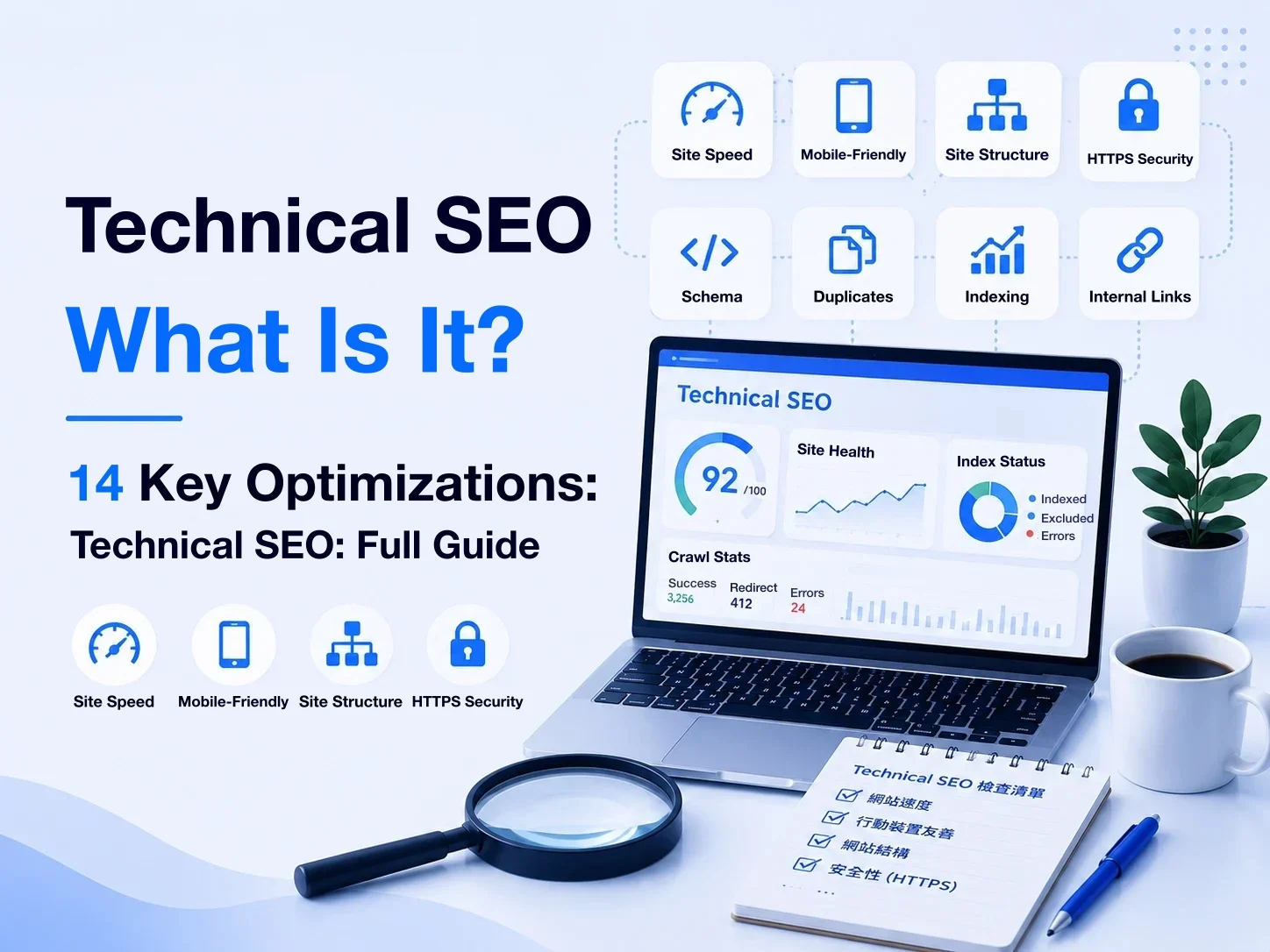
When a business starts doing SEO, the first things it usually thinks of are “keywords, articles, and rankings.”
But even if the content is well written, if search engines can’t properly discover, access, parse, and index the site’s content,
that content may still fail to show up properly in search results.
This is the problem technical SEO is there to solve.
Technical SEO isn’t about “how an article should be written.” It’s about whether the website itself has a sound technical foundation for search engines.
This article explains in full:
What technical SEO is, how search engines crawl and index a website, and how to understand and check key technical SEO items such as robots.txt, sitemaps, canonicals, redirects, JavaScript SEO, structured data, and Core Web Vitals.
You don’t need to become an engineer first.
But if a business wants SEO to become a long-term source of search traffic, it should at least understand whether its own website has the technical foundation search engines need to do their job.
Key takeaways
- Technical SEO makes sure search engines can correctly discover, crawl, render, and index a site’s content.
- Crawling, rendering, indexing, and ranking are separate stages; being crawlable doesn’t mean a page will be indexed or ranked.
- robots.txt mainly controls crawling;
noindexis the key way to control whether you want a page in the search index. - An XML sitemap should list the canonical URLs you want indexed, but submitting a sitemap doesn’t guarantee Google will index them.
- Canonicals, sitemaps, redirects, and internal links should point to the same canonical URL wherever possible.
- When a URL changes permanently, set up an appropriate redirect; a page that no longer exists and has no replacement can simply return 404 / 410.
- JavaScript sites can do SEO just fine; what matters is whether search engines can reliably get the main content and links.
- Structured data should describe information that actually exists on the page, and it doesn’t guarantee higher rankings or rich results.
- Core Web Vitals should focus on real user experience; there’s no need to blindly chase a PageSpeed Insights score of 100.
- If a redesign involves URL, structure, or technical changes, plan a proper SEO migration.
- Google Search Console lets you verify how Google actually crawls and indexes your site, which canonicals it picks, and what the site experience looks like.
- The goal of technical SEO isn’t to turn every checking tool green; it’s to stop the site’s technology from becoming an obstacle to search growth.
What is technical SEO?
Technical SEO is the optimization of a website’s technical architecture so that search engines can properly:
Discover
↓
Crawl
↓
Render
↓
Index
↓
Serve the content in search results
Put simply, technical SEO deals with:
Whether the site’s technical foundation lets search engines correctly fetch, understand, and process its content.
That makes it different from the SEO content writing we discussed earlier.
SEO content is concerned with: “What content should we provide?”
Technical SEO is closer to: “Can search engines correctly process that content?”
What problems does technical SEO mainly deal with?
Suppose a business has created a very thorough SEO article.
The content itself is fine, but the site might have issues like:
robots.txt blocking search engines from crawling
↓
Google can’t fetch the content properly, or the page is set to noindex
↓
Google can crawl it, but has been told not to add the page to the search index.
Or the same content exists at several different URLs
↓
The search engine has to decide which URL is the main version.
That’s when you may need a canonical URL
Or say a redesign changes /old-page to: /new-page
If the old URL simply disappears without an appropriate redirect, it can cause:
- Users landing on a 404
- Search signals built up by the old URL not being passed on properly
- Existing internal and external links breaking
All of these are problems technical SEO deals with.
Technical SEO isn’t a single setting
Technical SEO isn’t done just because you installed an SEO plugin or set up a sitemap.
It usually involves many layers of the website, such as:
- Crawling
- Indexing
- Rendering
- Robots.txt
- XML Sitemap
- Canonical
- HTTP Status Code
- Redirect
- URL Structure
- Internal Linking
- JavaScript
- Structured Data
- Mobile
- HTTPS
- Core Web Vitals
- International SEO
And these items can affect one another.
For example, even if a URL is listed in the sitemap, if the page itself is set to noindex
the signals contradict each other.
Or the canonical points to: https://example.com/page
but that URL itself redirects to: https://example.com/zh/page
In that case the canonical isn’t pointing to the final, indexable canonical URL.
So what really matters in technical SEO isn’t “whether every feature has been done.”
It’s whether the site’s technical signals are consistent as a whole.
A lot of technical SEO is about setting the “right defaults”
For a company website, one of the most efficient approaches to technical SEO isn’t to require every content editor to understand technical SEO. It’s to:
have the website platform itself set sensible default behavior.
For example, our platform currently does the following automatically:
- Generates canonicals from the public URL
- Outputs only published, indexable pages in the sitemap
- Generates hreflang for multilingual pages
- Returns 404 for content that doesn’t exist
- Can return 410 for important content that has been deleted
- Creates a permanent redirect after a slug is changed
- Generates matching structured data for public content
Content managers don’t need to relearn how canonicals, sitemaps, and hreflang should be set up every time they create an article.
These rules are better handled centrally by the website system.
That doesn’t mean all technical SEO should be fully automated, though.
For example:
- Should a given page be indexed at all?
- Which new page should an old URL redirect to?
These may still call for SEO, content, and business judgment.
The goal of technical SEO isn’t to “please search engines”
In the end, technical SEO still serves the site’s content and its users.
For example:
- Correct redirects → Users don’t land on broken pages because a URL changed.
- Clear site structure → Both users and search engines find content more easily.
- HTTPS → Provides a secure connection to the site.
- Good site performance → Improves the browsing experience.
- Correct structured data → Helps search engines understand the actual information on the page.
So technical SEO isn’t a set of “SEO tricks only Google can see.”
A more sensible way to understand it is:
Building a website that is technically healthy, has a clear information structure, and can be processed properly by search engines.
Why is technical SEO important?

When businesses invest in SEO, what they see most easily are keywords, articles, search rankings, and traffic.
But all of that work shares one prerequisite: “search engines must first be able to correctly fetch and process the site’s content.”
If a site has technical SEO problems, even great content may fail to deliver its search value because of incorrect technical settings.
Further reading: How to measure SEO performance
1. Make sure important content can be discovered by search engines
Google has to discover a page before crawling, indexing, and appearing in search are even possible.
Search engines can discover URLs in different ways, such as:
- Internal links on the site
- XML Sitemap
- Links from other websites
- Already-known URLs
So even after a page is published, if:
- No internal links point to it
- It doesn’t appear in the sitemap
- The site structure makes it hard for search engines to find
it can reduce how efficiently search engines discover and process the content.
One of the jobs of technical SEO is to build a clear site structure that search engines can discover.
2. Make sure search engines can crawl properly
Once it finds a URL, the search engine still has to actually access the page.
This involves:
- robots.txt
- HTTP Status Code
- Server Response
- Redirect
- Site stability
For example: robots.txt
If important content is blocked by mistake, it can stop search engines from crawling properly.
That’s why robots.txt, though it looks like just a small file in the site’s root directory, is actually a very important foundational setting in technical SEO.
3. Being crawled doesn’t mean being indexed
This is a concept businesses often mix up.
Google being able to crawl a page:
doesn’t mean the page will make it into Google’s index.
For example:
The page might be set to noindex
Or Google may finish crawling and still decide not to add the page to the index.
So “crawling ≠ indexing”
and “indexing ≠ a guaranteed ranking.”
Technical SEO can help search engines process a site correctly, but it can’t guarantee that “if every technical setting is correct, Google will definitely index or rank it.”
4. Help search engines identify the correct canonical URL
Company websites can easily end up, because of:
- Multiple languages
- URL parameters
- Categories
- Filters
- HTTP / HTTPS
- www / non-www
- Slug changes
with multiple similar URLs.
When that happens, search engines may need to decide which one is the main version.
Technical SEO can use:
- Canonical
- Redirect
- Sitemap
- Internal Linking
to build more consistent URL signals.
Our platform takes the same approach. For example, canonicals use the canonical public URL rather than an intermediate URL that will redirect again, and the sitemap likewise outputs the canonical public URLs.
It looks like a tiny technical detail, but the core idea is not letting your own site give search engines several different answers at once.
5. Preserve existing search assets during a redesign
Technical SEO matters especially during a redesign.
Suppose a URL that has already earned rankings and external links, /seo-guide
becomes /resources/seo-guide after the redesign.
If the old URL isn’t handled, users and search engines may land straight on a 404 Not Found
The more sensible approach is usually to map old pages to new ones and, where appropriate, set up permanent redirects.
So a redesign can’t just check “does the new site open properly?”
You also need to work out how the URLs and search assets the old site has built up will be migrated.
That’s why SEO migration is an important part of any redesign in its own right.
6. Lower SEO management costs as the site grows
When a small site has only a dozen or so pages, many SEO issues can be checked by hand.
But once the site starts to have:
- Hundreds of articles
- Lots of products
- Multiple languages
- Dynamic content
- Multiple categories
- Slug changes
- Deleted pages
relying on manual work for every technical SEO setting makes mistakes very likely.
So a mature platform should generally handle systematically anything that can be standardized.
For example, when a content slug is changed, our platform currently creates a permanent redirect from the old URL to the new one, and the sitemap is generated dynamically from actual publishing and indexing status instead of asking managers to maintain the XML by hand.
The biggest value of this approach isn’t “having more SEO features.”
It’s lowering the chance of technical SEO errors creeping in as the site is maintained over the long term.
7. Technical SEO is the foundation of content SEO, not a substitute for it
Finally, avoid the opposite extreme: “our technical SEO is excellent, so content doesn’t matter.”
Suppose:
- The sitemap is perfect
- Canonicals are correct
- Core Web Vitals are good
- Structured data is complete
- Every page can be crawled properly
If the site’s content doesn’t genuinely answer search needs, that still doesn’t mean the site will earn good rankings.
Conversely: excellent content + serious technical SEO problems
can also hold back how that content performs in search.
So the more sensible relationship is:
- Content SEO → Create content worth being found.
- Technical SEO → Make sure search engines can process that content correctly.
The two don’t replace each other; they are different foundations of an SEO strategy.
How do technical SEO, on-page SEO, and off-page SEO differ?
SEO involves a lot of work, so you’ll often see the three categories “technical SEO, on-page SEO, and off-page SEO.”
They aren’t three independent SEO methods; they deal with problems at different levels.
The simplest way to understand them:
- Technical SEO → Can search engines process the site correctly?
- On-page SEO → Is the page itself clear, valuable, and matched to search needs?
- Off-page SEO → Are there signals outside the site that help build awareness, credibility, and authority?
Technical SEO: the site’s technical foundation
Technical SEO mainly deals with how search engines access and process the site.
Common items include:
- Crawling
- Rendering
- Indexing
- robots.txt
- XML Sitemap
- Canonical
- Redirect
- HTTP Status Code
- JavaScript SEO
- Structured Data
- Core Web Vitals
- HTTPS
- International SEO
For example:
The site has a great article, but it has been mistakenly set to noindex.
That isn’t a problem with how the article was written; it’s a technical SEO problem.
Or a redesign changes many URLs without setting up correct redirects.
That’s technical SEO too.
On-page SEO: the page itself
On-page SEO focuses mainly on the content and optimizable elements within the site’s pages.
For example:
- Search intent
- SEO Title
- Meta Description
- H1, H2, H3
- Body content
- Keyword usage
- Images and alt text
- Internal Linking
- URL
- Content quality
Say a user searches for: “How do you write an SEO article?”
but most of the page is about: “Why do businesses need SEO?”
Even with technical SEO working perfectly, this page may still not satisfy the search intent well.
That’s a problem leaning more toward on-page SEO / content SEO to fix.
Off-page SEO: signals outside the site
Off-page SEO happens outside your own website.
The most common item is backlinks.
For example, other relevant websites cite your research, articles, or tools in their own content and link back to your site.
Beyond that, off-page SEO can also involve:
- Brand mentions
- Digital PR
- Industry media coverage
- Citations on third-party sites
- Valuable natural backlinks
But one point needs special attention here:
Off-page SEO ≠ buying lots of external links.
Buying, exchanging, or mass-building links to manipulate search rankings can fall under Google’s link spam policies.
That’s why it makes more sense for businesses to think of off-page SEO as building brand and content assets that other sites want to mention and cite,
rather than finding ways to get as many backlinks as possible.
The three actually affect one another
Although SEO can be split into these three types, in practice they aren’t completely separate.
For example:
A business publishes a great research article.
On-page SEO → Search demand, content, title, and headings are all handled well.
But technical SEO → the page has mistakenly been set to noindex.
Then the content may not appear in search results at all.
Conversely:
Technical SEO is working perfectly, but the content quality is poor.
That doesn’t mean: “the site’s technology is great, so rankings will follow.”
Or take an article with genuine original research and industry value: other sites may cite it, which in turn generates:
natural backlinks for off-page SEO.
So the three are related:
- Technical SEO → Builds a site foundation search engines can process properly.
- On-page SEO → Builds pages genuinely worth finding and reading.
- Off-page SEO → Accumulates brand, citation, and authority signals outside the site.
Does internal linking count as technical SEO or on-page SEO?
This is a question that often comes up when categorizing.
The answer is: it relates to both.
- From an on-page SEO perspective: internal links help readers find related content and build reading paths between articles.
- From a technical SEO perspective: internal links also affect how search engines discover the site’s pages and understand its information architecture.
So there’s no need to agonize over: “which single category does this item belong to?”
SEO categories mainly help us understand problems; they aren’t rigid technical boundaries.
Which kind of SEO should a business do first?
It’s not a fixed sequence of: Technical → On-page → Off-page
where you finish one completely before starting the next.
The more sensible step is to first check: are there any major technical problems blocking SEO?
For example:
- Important pages can’t be indexed
- robots.txt errors
- Lots of 404s
- Redirect errors
- Messy canonicals
- Main content not rendering properly
Problems like these should be fixed first.
Once the site has a basically healthy technical foundation, you can keep working on content, on-page SEO, and off-page SEO.
So technical SEO is more like the infrastructure of website SEO.
It isn’t something you do once and never touch again; it needs ongoing maintenance as the site adds features, grows its content, gets redesigned, changes domains, and adds languages.
How do search engines crawl, render, and index a website?

To understand technical SEO, you first need to understand how Google processes a website.
Many people think of Google sees the site → the site appears in search results as a single step.
In reality, there are several stages in between.
A simplified view looks like this:
Discovery (finding the URL)
↓
Crawling
↓
Rendering
↓
Indexing
↓
Serving (showing search results)
Each stage deals with different problems and maps to different technical SEO issues.
Further reading: Google Search Central: In-depth guide to how Google Search works
1. Discovery: Google finds the URL first
Before crawling, Google first needs to know: this URL exists.
Google can discover URLs in different ways, such as:
- Internal links on the site
- XML Sitemap
- Links from other sites pointing to yours
- URLs Google already knew about
For example, a business publishes a new article: /blog/technical-seo
If the homepage, article list, category pages, or other content link to it properly, Google can follow those links and discover the new URL.
An XML sitemap can also provide the important URLs the site wants search engines to know about.
So both internal links and sitemaps affect URL discovery.
But note: Google discovering a URL doesn’t mean it will crawl it, and crawling doesn’t mean indexing.
These concepts have to be kept separate.
2. Crawling: Googlebot fetches the page
Once Google discovers a URL, Googlebot may try to access it.
This process is called crawling.
When the web server receives the request, it returns:
- HTML
- CSS
- JavaScript
- Images
- HTTP Status Code
and other resources.
This is where technical SEO starts to involve:
- Whether robots.txt allows crawling
- Whether the site responds properly
- Whether the URL redirects
- Whether it returns 200, 404, 410, or 5xx
- Whether Googlebot can fetch the resources it needs
For example: /important-page actually exists, but robots.txt forbids Googlebot from crawling it.
Google may then be unable to fetch the page’s content properly.
So the crawling stage mainly answers:
Can the search engine get in and fetch this URL properly?
3. Rendering: how does Google see a JavaScript site?
Traditional HTML sites can usually deliver the main page content straight from the server.
But modern websites use a lot of JavaScript.
On some sites, the HTML returned on the first request contains very little content, and the actual:
- H1
- Body content
- Product data
- Internal links
only appear after the browser runs JavaScript.
This is where rendering comes in.
Google can run JavaScript and render pages, but that doesn’t mean businesses can ignore JavaScript SEO entirely.
What matters more is confirming: can Google properly fetch and render the main SEO content?
What’s the difference between SSR, SSG, and CSR?
You don’t need to understand every front-end technology here, just one core difference.
- Server-side Rendering (SSR) → The server first generates HTML containing the main content, then sends it to the browser.
- Static Generation (SSG)→ Pages are generated as HTML in advance, then served to users and search engines.
- Client-side Rendering (CSR)→ The initial HTML may contain only a basic shell, and the main content has to be generated by JavaScript in the browser.
None of these three approaches is “automatically better for SEO just because you use it.”
What you really need to confirm is: can Google reliably get the page’s main content and links?
How do we actually handle rendering?
The TimTech platform currently uses the Next.js App Router, and public pages are built with a mixed Server Component + Client Component architecture.
The main SEO content, such as:
- H1
- Body content
- Breadcrumb
- JSON-LD
is output mainly by Server Components.
Interactive features, such as:
- Menus
- Modals
- Forms
- Shopping cart
- Toasts
are the only parts handed to Client Components.
So even if a user disables JavaScript, the main text content is still in the HTML; JavaScript mainly handles interaction rather than leaving the whole body of SEO content to be generated in the browser.
This is a very practical technical SEO principle: don’t make important content depend entirely on client-side JavaScript to appear unless there’s a real need.
4. Indexing: Google decides how to add the content to its index
After Google crawls and processes a page’s content, the next possible stage is:
Indexing.
Google analyzes the page, for example its:
- Main content
- Title
- Images
- Links
- Structured Data
- Canonical
- Relationship to other content
and decides how to include the page in its search index.
It’s worth stressing again: successful crawling ≠ guaranteed indexing.
For example, if a page is set to: noindex
it explicitly tells search engines: don’t add this page to the search index.
Also, even if a site allows indexing, that doesn’t mean Google will add every page to its index.
So the question “We’ve already submitted the sitemap, so why hasn’t Google indexed it?”
itself wrongly treats sitemap → indexing as a guaranteed relationship.
A sitemap can help Google discover and understand URLs, but it can’t guarantee that pages will be indexed.
5. Serving: search results come last
Only after a page is in Google’s index, and a user searches, does Google use:
- The search query
- Search intent
- Page content
- Relevance
- Quality
- Its various search systems and signals
to decide which results should be shown, and in what order.
So: indexing ≠ ranking.
This is also an important boundary for technical SEO.
Technical SEO can help a site build a sound foundation for crawling, rendering, and indexing.
But you can’t conclude from that: once technical SEO is all done, Google will definitely rank the site first.
Actual search rankings still involve many more factors, such as content, relevance, quality, and site and external signals.
At which stage can technical SEO problems occur?
Here’s a quick way to think about it:
- Discovery problems → No internal links, poor site structure, important URLs missing from the sitemap.
- Crawling problems → Blocked by robots.txt, server errors, redirect issues.
- Rendering problems → Important content depends entirely on JavaScript, and Google can’t fetch it properly.
- Indexing problems → noindex, canonical errors, duplicate content, or other indexing issues.
- Serving / Ranking → Broader SEO issues such as how well content matches search needs, quality, and competition.
So when a business finds: “Google can’t find this page.”
it shouldn’t immediately conclude: “Is the article’s SEO writing just bad?”
It should first find out at which stage the problem actually occurs.
What does technical SEO include?

Technical SEO covers a lot of ground, but you don’t need to think of it as a pile of unrelated technical settings.
An easier way to understand it is to go back to the search engine process described earlier:
Can the search engine find the page?
↓
Can it crawl it properly?
↓
Can it fetch and understand the content?
↓
Should it be indexed?
↓
Which URL is the canonical version?
↓
Does the site send clear, consistent technical signals?
Seen this way, the common technical SEO work on a company website can be organized into the following 14 key points.
1. Whether search engines can crawl the site
The most basic first step in technical SEO is whether search engines can properly access important pages.
If Googlebot can’t fetch a page, everything that follows:
- Content quality
- SEO Title
- Structured Data
- Internal Linking
may fail to do its job.
So you need to check:
- Whether public pages respond properly
- Whether Googlebot is being blocked
- Whether the server is stable
- Whether important resources can be fetched
- Whether HTTP status codes are correct
A technical SEO audit usually starts by checking whether the site can actually be crawled properly as well.
2. Robots.txt
robots.txt is a file in the site’s root directory that tells search engine crawlers which paths on the site may or may not be crawled.
For example:
This asks general search engine crawlers not to crawl /admin/.
But there’s one very important concept:
robots.txt controls crawling; it isn’t a reliable way to control indexing.
If you really want a page kept out of the search index, you should usually use: noindex
rather than relying on robots.txt alone.
We’ll explain this difference separately later.
3. XML Sitemap
An XML sitemap can tell search engines which important URLs on the site you want discovered and crawled.
For example, a company website might include:
- Homepage
- Service pages
- Articles
- Products
- Case studies
- Language versions
These official public pages can be listed in the sitemap.
But a sitemap isn’t: “submit it and Google will definitely index everything.”
It’s mainly a mechanism for URL discovery and for hinting at information about the site.
Our platform also generates the sitemap dynamically from content that is actually published and allowed to be indexed, rather than putting every system URL into it.
4. Indexing and noindex
Some pages need to exist on a site, but that doesn’t mean they should all appear in Google search results.
For example:
- Admin pages
- Preview pages
- Certain system pages
- Search results pages
- Specific feature pages
In these cases you may need to use:
to tell search engines that support this directive not to add the page to the search index.
So:
Being crawlable and being allowed to be indexed are two different things.
5. Canonical URL
When the same or very similar content can be reached through different URLs, canonicals come into play.
For example: /product?id=123 and /products/example may show highly similar content.
Using:
you can give search engines a signal about which URL is the preferred main version.
But a canonical isn’t a redirect, and it doesn’t force Google to “only ever use this URL.”
It’s one of the important signals for canonicalization.
6. HTTP Status Code
An HTTP status code tells browsers and search engines: what happened with this URL request.
The ones technical SEO runs into most often are:
- 200 → The page is fine.
- 301 / 308 → Permanent redirect.
- 302 / 307 → Temporary redirect.
- 404 → Page not found.
- 410 → The resource has been removed.
- 5xx → A server error occurred.
Correct status codes help search engines understand: what state the URL is actually in right now.
7. Redirect
When a URL changes permanently, you usually need to consider setting up a permanent redirect.
For example:
/old-seo-guide
↓
/seo-guide
That way, users and search engines that visit the old URL are taken to the new canonical URL.
When the slug of an article, product, or category is changed, our platform automatically keeps the old URL and creates a permanent redirect, instead of letting the original URL turn into a 404.
But redirects shouldn’t be overused either.
For example: A → B → C → D
An overly long redirect chain like this suggests the site’s long-term URL management may need tidying up.
8. Site architecture and URL structure
A site’s URLs should make it easy for users and search engines to understand how the content is structured.
For example: /resources/seo/technical-seo
is usually, compared with: /page?id=93847&type=12,
easier to understand.
But technical SEO doesn’t require cramming lots of keywords into URLs.
What really matters is:
- Stable URLs
- A clear structure
- No large numbers of unnecessary versions
- Slugs that are easy to manage
- A proper migration strategy when URLs change
9. Internal Linking
Internal linking isn’t just content SEO.
It also affects how search engines discover the site’s pages and understand its information architecture.
For example:
Homepage
↓
↓
↓
↓
Ordinary HTML links like these let search engines follow the site’s structure to discover content.
So important pages shouldn’t become: orphan pages that no other page on the site links to.
10. JavaScript SEO
Modern websites make heavy use of:
- React
- Next.js
- Vue
- SPA
- JavaScript Framework
So you need to confirm whether search engines can properly get the main content and links on a JavaScript site.
What really deserves attention isn’t “using JavaScript is bad for SEO.”
It’s: whether important content relies too heavily on client-side rendering, and whether Google can reliably get the final content.
On our platform, public content is currently output as HTML mainly by Server Components, with interactive features handled by Client Components, which divides the work between functionality and indexable content.
11. Mobile Friendly
Google uses mobile-first indexing, so the mobile version of a site’s content is very important.
Businesses should check that:
- The site can be browsed normally on phones
- Main content hasn’t disappeared on the mobile version
- Internal links are still there
- There are no major differences in structured data and metadata
- Responsive design works properly
Technical SEO isn’t just “the mobile layout doesn’t look broken.”
You also need to confirm: whether the mobile version still provides all the important content.
12. HTTPS
A company website should use HTTPS to provide an encrypted connection.
Beyond security, you also need to avoid having both: http://example.com and https://example.com
as two browsable official versions of the site.
You should usually set up consistent HTTP → HTTPS redirects and canonical signals.
On our platform, custom domains also have TLS / SSL handled automatically by Vercel, with HTTP redirected to HTTPS.
13. Structured Data
Structured data uses a standardized format to help search engines understand the entities and information on a page more precisely.
Common examples include:
- Organization
- WebSite
- BreadcrumbList
- Article
- Product
- FAQPage
The common implementation format is JSON-LD.
But note: structured data ≠ guaranteed rich results ≠ adding schema directly raises your rankings.
More important is that the schema must match the content the page actually shows.
For example, when a product on our platform has no actual price and uses “request a quote” mode, we don’t make up an Offer price just to make the schema complete.
That matters more than “the more schema fields you fill in, the better.”
14. Core Web Vitals and site performance
Finally, there’s the item businesses most often equate with technical SEO: site speed.
Google’s Core Web Vitals currently consist mainly of:
- LCP (Largest Contentful Paint) → The loading experience of the main content.
- INP (Interaction to Next Paint) → How responsive the page is to user interaction.
- CLS (Cumulative Layout Shift) → The visual stability of the page.
Site performance is certainly worth optimizing.
But don’t treat: a PageSpeed Insights score of 100
as the ultimate goal of technical SEO.
What really deserves attention is whether the site provides a good real-world experience and has no serious performance problems.
Further reading: The complete guide to business website design
The core of technical SEO isn’t “ticking off” all 14 items
Seeing this list, it’s easy to turn technical SEO into yet another 14-item SEO checklist.
But what really matters is understanding how these settings relate to each other.
For example, the sitemap says this URL is important,
but noindex says not to index it.
Or the canonical points to URL A,
but URL A redirects to URL B.
Both mean the site itself is sending inconsistent technical signals.
So what technical SEO should really aim for is:
Making signals such as crawling, indexing, canonicals, redirects, sitemaps, and internal links consistent with one another, and aligned with the site’s actual content strategy.
What is robots.txt, and how do you set it up?
robots.txt is a text file in the site’s root directory that tells search engine crawlers which paths on the site may or may not be crawled.
For example:
This means: asking all search engine crawlers that follow the rules not to crawl the /admin/ path.
So what robots.txt mainly deals with is how search engines crawl the site,
not controlling whether a page will definitely appear in Google’s index.
These two concepts are very important.
What can robots.txt usually do?
A company website can use robots.txt to manage areas of the site it doesn’t want search engines crawling heavily.
For example:
- The website admin area
- System APIs
- Internal feature paths
- Certain technical resources search engines don’t need to access
You can also provide the sitemap location in robots.txt, for example:
Search engines can then get the sitemap location from here.
Our platform also generates robots.txt dynamically: by default it allows public content to be crawled while blocking system paths such as /admin/, /api/, /preview/, and /``_next/, and it provides the sitemap URL.
robots.txt can’t reliably be used to prevent indexing
This is one of the most common SEO misconceptions about robots.txt.
Suppose a business has a page: /private-page
and then sets:
What this does is ask search engines not to crawl this URL.
But it can’t simply be read as “Google will definitely never show this URL in search results.”
If Google learns about the URL from somewhere else, such as an external link, the URL can still be discovered.
So if you really want a publicly accessible page kept out of Google’s index, you should usually use:
rather than robots.txt alone.
Don’t let robots.txt and noindex fight each other
There’s another very important piece of technical SEO logic here.
Suppose the page itself is set to:
but robots.txt also sets:
This can cause problems.
The reason is that Google has to crawl a page before it can see the noindex directive on it.
If robots.txt already blocks Google from crawling, Google may not be able to read the noindex on the page.
So if the goal is “let Google access the page, but don’t add it to the index,”
the more sensible setup is allow crawling + noindex
rather than Disallow + noindex.
This is also why businesses need to understand crawling control and indexing control separately.
robots.txt isn’t a security mechanism either
Another common mistake is treating robots.txt as a way to protect private content.
For example:
doesn’t mean users can’t simply type in example.com/confidential/ to reach the page.
robots.txt is itself a public file that anyone can view.
So if the content is genuinely:
- Private data
- Member-only content
- Internal company information
- The admin area
- Sensitive documents
it should be protected with authentication, authorization, or other real access controls,
not by relying on robots.txt.
Don’t casually block the site’s important resources
Some sites, to “keep Google from crawling too much,”
block large amounts of CSS, JavaScript, or other site resources.
But search engines may need these resources to render the page correctly.
So you shouldn’t Disallow everything simply because “it isn’t article content.”
What you really need to check is whether Google needs these resources to correctly understand and render the page.
robots.txt should stay simple
For a typical company website, robots.txt usually doesn’t need to be very complex.
A sensible set of principles is:
- Public content with search value → Allow crawling.
- Admin, API, preview, or other system paths search engines don’t need to process → Restrict crawling as actually needed.
- Public pages you want kept out of the search index → Use an appropriate
noindex. - Content that truly must not be seen by unauthorized users → Use real access control.
Don’t mix these four situations together.
What problems can a misconfigured robots.txt cause?
The most serious case is accidentally blocking the entire live site.
For example:
means asking search engines not to crawl the entire site.
This setting sometimes appears in staging / test environments.
If it isn’t removed when the site goes live, it can cause serious SEO problems.
So whenever a site launches or is redesigned, robots.txt should be on the technical SEO checklist.
How does our platform currently handle it?
Our platform currently handles robots.txt with sensible system-generated defaults + additional rules each tenant can set
That’s the approach we take.
The system keeps the essential technical SEO rules, such as blocking the admin area and APIs; users can add their own Disallow / Allow rules, but they can’t override the system’s protective rules.
The point isn’t to restrict users, but to reduce the chance of a misconfigured robots.txt breaking the whole site’s technical SEO foundation
— that’s the risk we want to lower.
What is an XML sitemap? Do you really need one?
An XML sitemap is a list of the site’s URLs provided to search engines, helping them understand:
which important pages on the site you want discovered and crawled.
For example, a company website might have:
- Service pages
- Product pages
- News
- Blog articles
- Case studies
- Multilingual pages
All of these official, public URLs with search value can be included in the XML sitemap.
A common URL is: https://example.com/sitemap.xml
A sitemap’s main purpose is to help with URL discovery
As mentioned earlier, Google can use:
- Internal Linking
- External Links
- Known URLs
- XML Sitemap
to discover new URLs.
So one of a sitemap’s main values is:
Giving search engines a structured list of the site’s important URLs.
A sitemap is especially helpful when a site is large, updates content frequently, or has pages that aren’t easy to discover quickly through site navigation.
Having a sitemap doesn’t mean Google will index your pages
This is another very common misconception among businesses.
Putting a URL in the sitemap:
- ≠ Google will definitely crawl it
- ≠ Google will definitely index it
- ≠ Google will definitely rank it
What a sitemap provides is “these are the important URLs the site wants search engines to know about.”
But Google still decides for itself whether to crawl and index these pages, and how to handle them.
So if Search Console shows: Sitemap Submitted Successfully
you can’t take that to mean: “SEO indexing is done.”
You still need to check the actual Page Indexing status.
Which URLs should go in a sitemap?
A very practical principle is:
A sitemap should mainly contain the official URLs you want search engines to index.
For example:
Suitable to include
- The official homepage
- Service pages
- Published articles
- Official product pages
- Case studies
- Language versions you want indexed
Usually should not be included:
- The admin area
- Preview
- Drafts
- Deleted pages
noindexpages- Redirect URLs
- Non-canonical URLs
Because if the sitemap tells Google “this is an important official URL,”
but the page itself tells Google “don’t index this,”
the site is sending signals that contradict each other.
The sitemap and canonical should stay consistent
Suppose the site has https://example.com/product-a
but that page’s canonical is https://example.com/products/product-a
Then it makes more sense for the sitemap to list https://example.com/products/product-a
in other words, the canonical URL.
Likewise, if /old-page
already permanently redirects to /new-page
the sitemap should list /new-page directly
rather than keeping the old URL.
So a sitemap isn’t just “a list of every URL on the site.”
It should be a list of the official URLs the site wants search engines to process.
What is lastmod in a sitemap?
An XML sitemap can also provide <lastmod>
to indicate when the page last had a significant content update.
For example:
But lastmod shouldn’t turn into everything being updated to today every time the sitemap is regenerated.
Because then it loses its meaning as “when the content was actually updated.”
Our platform also generates lastmod from the content’s real updated``_at, instead of rewriting every page’s date to the current day each time the sitemap is requested.
It’s a small but important implementation detail: if you provide information, the information itself should be trustworthy.
How should a multilingual site handle its sitemap?
Besides listing the URLs of each language version, a multilingual site can also use hreflang
to describe the relationships between different language or regional versions.
For example:
/zh-TW/technical-seo/en/technical-seo/ja/technical-seo
These aren’t three unrelated pages; they may be different language versions of the same content.
Our platform outputs language version information in the sitemap, including the corresponding hreflang relationships.
International SEO is covered in more depth later.
Should the sitemap be maintained by hand?
For a modern CMS or dynamic site, I don’t recommend maintaining the sitemap manually.
Suppose a business has: 500 articles + 300 products + 3 languages
If every time you:
- Add an article
- Delete a product
- Change a slug
- Add a language
- Set noindex
you have to edit the sitemap by hand, mistakes are easy to make.
The more sensible approach is to have the website system generate the sitemap dynamically based on the actual state of the content.
Our platform currently uses:
- Whether content is published
- Whether indexing is allowed
- The official public URL
- Language versions
- When the content was actually updated
to generate the sitemap automatically.
Technical SEO work that can be clearly turned into rules like this is well suited to being handled by the system.
Do you really need a sitemap?
Strictly speaking, not every site needs a sitemap to be discovered and indexed by Google.
If a site:
- Is very small
- Has complete internal linking
- Has all its important pages easy to discover
Google may still discover its content just fine.
So a sitemap isn’t a case of “no sitemap, no SEO.”
But for a typical company website, creating a sitemap costs very little and gives search engines clearer URL information.
It’s especially worth creating for:
- Large sites
- New sites
- Sites with lots of content
- Sites that update frequently
- Multilingual sites
- Sites with complex internal linking
where it pays off even more.
So our practical recommendation is still simple:
A company website should create and maintain a correct XML sitemap.
The point isn’t that “you can’t rank without one,” but that it’s a low-cost, easily standardized piece of technical SEO groundwork that helps search engines discover important URLs.
What should you do after creating a sitemap?
Once the sitemap is created, you can submit it at:
Google Search Console → Sitemaps
Then you can check whether Google is able to read the sitemap properly.
But remember: the sitemap being read successfully and the site’s pages being indexed successfully are two different things.
To really judge indexing status, you need to look at the Page Indexing report together with URL Inspection.
What is a canonical, and when do you need to set one?
A canonical URL gives search engines a signal about:
which URL is the site’s preferred main version when multiple URLs have identical or highly similar content.
It’s usually set in the HTML like this:
This URL is usually called the canonical URL (the standard / main version URL).
Why does a site end up with multiple similar URLs?
Businesses don’t necessarily create duplicate content on purpose.
Often, the website system naturally generates different URLs.
For example:
URL parameters
/products/shoes/products/shoes?sort=price
Tracking parameters
/seo-guide/seo-guide?utm_source=newsletter
Different site structures
/product?id=123/products/product-a
www / non-www
https://www.example.com/pagehttps://example.com/page
HTTP / HTTPS
http://example.com/pagehttps://example.com/page
If these URLs serve identical or very similar content, canonicalization may come into play.
What is a self-referencing canonical?
Even if a page has no obvious duplicate versions, you can have the official page point to itself.
For example, if the current official URL is https://example.com/technical-seo
you set:
This is called a self-referencing canonical.
It lets the site state more clearly: “this is the official URL for this page.”
The TimTech platform takes this approach as well, generating canonicals automatically from each page’s official public URL.
A canonical isn’t a redirect
These two concepts are easy to confuse.
Suppose there are URL A and URL B.
Canonical
Users can still visit A.
But A tells search engines “B is my preferred main version.”
Redirect
When users visit A, they’re taken straight to B.
So if the old URL has been permanently replaced by a new one,
you should usually consider a permanent redirect.
If multiple URLs still need to exist for site functionality, but their content is highly similar,
a canonical may be the right fit.
The two can’t be treated as exactly the same tool.
A canonical is a hint, not an absolute directive
Another important point: Google may not necessarily use the canonical the site specifies.
Google weighs various signals to decide the main version, such as:
rel="canonical"- Redirect
- Sitemap
- Internal Linking
- HTTPS
- Page content
- Other canonicalization signals
So in Google Search Console you may see a user-declared canonical and a Google-selected canonical,
and the two aren’t necessarily the same.
If Google consistently picks a different canonical, you should check whether the site is sending contradictory signals.
Canonicals, sitemaps, and internal links should be consistent
Suppose the site specifies /new-page as the canonical.
But the sitemap still lists /old-page
and lots of internal links point to /old-page
while the canonical points to /new-page
At that point, the site itself is giving different answers.
Ideally:
Canonical
→ /new-page
Sitemap
→ /new-page
Internal Linking
→ /new-page
And if the old URL has been permanently replaced:
Redirect
→ /new-page
Keep the main signals as consistent as possible.
That matters more than simply “is there a canonical tag?”
A canonical shouldn’t point to a URL that still redirects
This is a detail from our platform implementation that’s well worth sharing.
Suppose the real official URL is https://example.com/zh-TW/about
but the canonical is written as https://example.com/about
and /about in turn redirects to /zh-TW/about
That creates canonical → redirect → final URL.
The cleaner approach is for the canonical to point directly to the final official URL.
So when our platform generates canonicals, it uses the tenant’s official public URL and locale path directly, rather than an intermediate URL that will redirect later.
The same principle applies to:
- Sitemap
- hreflang
- Structured Data URL
Have SEO signals point directly to the final official URL wherever possible.
How should canonicals be set on a multilingual site?
This is another area that’s often set up wrong.
For example:
- Traditional Chinese:
/zh-TW/technical-seo - English:
/en/technical-seo - Japanese:
/ja/technical-seo
If these three pages really are different language versions of the content, you usually shouldn’t canonicalize the English and Japanese versions to the Chinese one.
Otherwise you may effectively be telling search engines: the Chinese version is the main one.
The more sensible approach is usually a self-canonical for each language version,
with hreflang describing the relationships between the language versions.
Our platform likewise has the canonical point to the current language’s own official URL,
and separately generates hreflang + x-default.
We’ll go into this in more detail in the International SEO section later.
Canonicals can’t solve every duplicate content problem
Canonicals are important, but don’t hand every URL problem to the canonical.
For example:
- An old page has permanently moved → A redirect is usually a better fit.
- A page shouldn’t appear in search results → Consider
noindex. - Large numbers of meaningless parameter URLs → Needs to be addressed in the site architecture and how URLs are generated.
- Two articles have almost identical content → You should probably first ask why both need to exist.
So a canonical is one canonicalization tool, not a cure-all for a site’s duplicate content problems.
The most common canonical mistakes
Company websites should watch out for:
- Canonicals pointing to the wrong page
- Every page’s canonical pointing to the homepage
- Canonicals pointing to a 404
- Canonicals pointing to a redirect URL
- Sitemap and canonical not matching
- Internal links consistently pointing to non-canonical URLs
- All multilingual pages canonicalized to a single language
- Dynamic pages generating the wrong domain
- A staging domain written into production canonicals
What all these problems have in common is that the site isn’t telling search engines clearly and consistently which URL is the official version.
How do 301, 404, and 5xx affect SEO?
When a search engine crawls a URL, the site returns not only content but also an HTTP status code.
It tells browsers and search engines what the result of this URL request was.
The statuses technical SEO runs into most often are:
200: The page is fine301 / 308: Permanent redirect302 / 307: Temporary redirect404: Page not found410: Content removed5xx: A server error occurred
These status codes aren’t an “SEO score” in themselves, but they affect how search engines understand and handle URLs.
200: The page is fine, but that doesn’t mean it should be indexed
200 OK means: the server successfully returned this page.
Official public pages should normally return 200.
But 200 ≠ Google will definitely index it.
For example, even if a page returns 200, it may still:
- Be set to
noindex - Have a canonical pointing to another page
- Be judged by Google as duplicate content
- End up not being indexed
So what an HTTP status code deals with is the state of the URL request.
It doesn’t directly decide search rankings or indexing outcomes.
301 / 308: Permanent redirect
When a URL has changed permanently, you can use a permanent redirect.
For example, the original URL: /seo-guide-old
now has the official URL: /seo-guide
When users or search engines visit the old URL:
Old URL → Permanent Redirect → New URL
This makes it clear that: this resource has permanently moved to a new URL.
Common permanent redirect statuses include 301 and 308.
Both express a permanent redirect; the difference mainly concerns how the HTTP request method is handled.
For a typical SEO URL migration, what really matters is whether the site uses the correct permanent redirect and whether the destination makes sense.
When a URL changes, don’t just let the old URL disappear
Suppose a business has an article that has existed for two years:
/seo-guide becomes /resources/seo-guide after a redesign.
If you simply delete the old URL: /seo-guide → 404
then:
- The old URL in search results
- Backlinks from other sites
- Users’ bookmarks
- Links on the site that haven’t been updated yet
may all lead to a page that doesn’t exist.
If the new page really does replace the old content, the more sensible approach is usually:
Old URL → Permanent Redirect → New URL
This is a very important part of an SEO migration.
When the slug of an article, product, or category is changed, our platform automatically records the old slug and creates a 308 Permanent Redirect to the new official URL.
Old-to-new URL relationships that can be determined clearly like this are well suited to being handled automatically by the system.
302 / 307: Temporary redirect
If a URL change is only temporary, you can use a temporary redirect.
Common ones include 302 and 307.
For example, if a page temporarily needs to point to another URL for a campaign or maintenance, but the original URL is expected to come back, a temporary redirect may be used.
So don’t simply follow the rule: “always use 301 for redirects.”
Instead, first decide whether this URL change is permanent or temporary.
- If it’s a permanent move: → Permanent redirect.
- If it’s only a temporary redirect: → Temporary redirect.
404: A page not found isn’t necessarily an SEO problem
404 Not Found means the server can’t find a resource for this URL.
Many businesses see 404s in Search Console and think “the site has an SEO problem; every 404 has to be fixed.”
That’s not actually the case.
If a page:
- Never existed in the first place
- Is a URL the user mistyped
- Has had its content deleted
- Has no reasonable replacement page
then returning a 404 is perfectly reasonable.
What really needs fixing is important pages unexpectedly turning into 404s.
For example:
- Redirects missed during a site redesign
- Internal links pointing to URLs that don’t exist
- The sitemap still including deleted pages
- Valuable backlinks pointing to old URLs that have moved
These are the situations worth checking first.
Don’t redirect every 404 to the homepage
This is another common practice during site redesigns.
After finding lots of old URLs that no longer exist, a site simply sets:
All 404s → Homepage
It seems like “at least users won’t see an error page.”
But the problem is:
the original /old-product-a
may have nothing to do with the homepage’s content.
A sensible redirect should be: old content → the new content that truly corresponds to it.
If there’s no reasonable replacement page at all: letting it return a normal 404 or 410
is usually clearer.
So the core of redirects isn’t “never let a 404 appear.”
It’s “whether there’s really a reasonable correspondence between the old and new URLs.”
410: The content has been explicitly removed
410 Gone means: this resource may have existed before, but it has now been explicitly removed.
Its meaning is slightly different from 404:
- 404 → This resource can’t be found.
- 410 → This resource has been removed.
For deleted articles and products, our platform can return a genuine 410 Gone
instead of replacing it with a 200 OK page that merely looks like an error page.
This brings up another important issue: soft 404s.
What is a soft 404?
Suppose a user visits a page that doesn’t exist.
The screen shows “This page can’t be found.”
But the server actually returns 200 OK.
This can create a soft 404.
In other words, the content looks like it doesn’t exist, but the HTTP response tells search engines the page is fine.
So technical SEO shouldn’t just check “whether the screen shows a 404.”
You also need to confirm whether the HTTP status code the server actually returns is correct.
5xx: A server error occurred
5xx means a problem has occurred on the server side.
For example:
- 500 Internal Server Error
- 502 Bad Gateway
- 503 Service Unavailable
- 504 Gateway Timeout
An occasional, brief server error doesn’t mean the site’s SEO will immediately take a major hit.
But if Googlebot keeps running into 5xx errors over a long period or across lots of crawling, it means search engines can’t reliably get the site’s content.
What really needs fixing at that point is:
- Server stability
- Deployment issues
- API / database issues
- Timeouts
- Hosting infrastructure
not the SEO of your articles.
Watch out for redirect chains too
Suppose:
URL A
↓
URL B
↓
URL C
↓
URL D
This forms a redirect chain.
If URLs keep changing over a long period, this kind of situation builds up easily.
The better approach is: A → D
Have old URLs redirect directly to the final official version wherever possible.
Our platform’s slug redirect mechanism looks up the final destination to reduce the chance of creating redirect chains.
This is also why URL management isn’t just: “as long as there’s a redirect, it’s fine.”
You also need to check: where the redirect ultimately leads.
How can you decide on the right HTTP status code?
You can start with this simple principle:
- Content exists normally→
200 - Permanently moved to a new URL→
301 / 308 - Temporarily moved to another URL→
302 / 307 - Content doesn’t exist→
404 - Content has been explicitly and permanently removed→
410 - The server can’t process the request normally→
5xx
What really matters is:
An HTTP status code should reflect the true state of the URL.
Not finding ways to make every page return 200 for the sake of SEO.
Does site speed affect SEO?
Yes, but first we need to clear up a very common misconception:
Site speed and user experience are part of SEO, but a PageSpeed Insights score is not a “Google ranking score.”
So it can’t be simplified to:
- PageSpeed score of 60 → SEO is poor
- PageSpeed score of 100 → Rankings will definitely be better
What really deserves attention with site performance is whether pages are fast, stable, and offer a good interactive experience when users actually browse the site.
What are Core Web Vitals?
Google uses Core Web Vitals to measure several important aspects of a site’s user experience.
There are currently three main ones:
LCP (Largest Contentful Paint)
Measures how long it takes for the main content to load.
For example, in the hero section of a company website:
- Large images
- Main headings
- Banners
can become the page's LCP element.
Google recommends an LCP of 2.5 seconds or less for a good experience.
INP (Interaction to Next Paint)
Measures how quickly the page responds visually after a user interacts with it.
For example:
- Clicking a menu
- Opening a modal
- Using a filter
- Clicking a button
If heavy JavaScript work is blocking the browser, the page can still feel sluggish and laggy to use, even after it has finished loading.
Google recommends an INP of 200ms or less.
CLS (Cumulative Layout Shift)
Measures visual stability while the page is loading.
For example, a user is about to click a button when an image suddenly loads and pushes the whole screen down.
That is a layout shift.
Google recommends a CLS of 0.1 or less.
So Core Web Vitals can be summed up simply as:
- LCP → Loading
- INP → Interactivity
- CLS → Stability
A PageSpeed Insights score of 100 is not an SEO goal
PageSpeed Insights is very useful, but the most common mistake companies make is treating the Lighthouse Performance Score as an SEO KPI.
Say a site currently scores 92
and, chasing a score of 100,
the team starts:
- Removing third-party tools it actually needs
- Sacrificing image quality
- Stripping out important interactions
- Spending a lot of engineering time on very small differences
In the end it invests heavily without any noticeable improvement in real user experience or business results.
A more sensible priority is to fix the issues that actually affect user experience and Core Web Vitals first,
rather than chasing a perfect score in a testing tool.
Field data and lab data are not the same
This is another important concept when using PageSpeed Insights.
Website performance data falls roughly into two kinds:
- Lab Data → Tests run in a simulated environment.
- Field Data → Data generated by real users actually browsing the site.
PageSpeed Insights / Lighthouse help developers find performance problems, but real users may differ in:
- Devices
- Networks
- Regions
- Browsing behavior
So if a site has enough data, its Core Web Vitals real-user data (Field Data) is well worth looking at.
A company should not run one test on its own computer, get Performance 95,
and conclude that every user is having a great experience on the site.
LCP images are usually worth fixing first
Business websites very often use a large hero image.
And hero images easily become the LCP element.
If that image:
- Is too large a file
- Has unreasonable dimensions
- Has the wrong loading priority
- Uses an unsuitable format
- Has to wait for other resources before it starts loading
it can directly hurt LCP.
That is why our platform currently raises the loading priority of the first hero image on the home page, while other images keep lazy loading so they don't all download at once. The platform also uses the Next.js Image Optimizer to serve WebP / AVIF, responsive images, and size information.
The principle behind this is not "give every image priority."
It is:
Load the resources that truly shape the above-the-fold experience first, and defer the ones that aren't essential.
Much CLS can be prevented during development
Common sources of CLS include:
- Images without reserved dimensions
- Banners that are suddenly inserted after loading
- Font loading that makes text shift significantly
- Third-party widgets that change the layout
- Dynamic content that suddenly appears at the top of the page
For example, if an image provides its width / height up front,
the browser can reserve the space in advance.
Our platform's image handling also provides size information, reducing the chance of layout shifts after images load.
So many performance problems are not something you start solving by installing a "speed-up tool" after the site is finished.
They should be considered at the site architecture and component design stage.
JavaScript also affects website performance
Modern business websites easily end up adding:
- GA4
- GTM
- Meta Pixel
- Chat Widget
- Heatmap
- CRM Tracking
- Animation
- Third-party forms
- A/B Testing
Every additional script can add to the work the browser has to do.
So technical SEO and performance optimization can't stop at whether images are compressed.
You also need to check how much JavaScript the site actually loads, and whether all of it is really necessary.
This is also where INP needs particular attention.
Is site speed a Google ranking factor?
A more accurate way to understand it:
Google uses Core Web Vitals in its ranking systems, but Google also states clearly that good Core Web Vitals do not guarantee a page will rank higher.
That's because Google Search ranking considers many other signals as well.
For example:
Compare two articles:
- A: The content closely matches the search need, but speed is average
- B: The site is extremely fast, but the content doesn't answer the question
You can't conclude from this that B will definitely rank higher.
So companies shouldn't turn technical SEO into "the faster the site → the better the SEO, guaranteed."
The more reasonable view is: a site should provide a good page experience, but content relevance and quality remain the core of search strategy.
How far should you optimize site speed?
Companies don't need to chase "PageSpeed 100 across the entire site."
A more reasonable approach is:
- First confirm whether Core Web Vitals have any obvious problems.
- Identify the pages that actually affect users.
- Find the main resources or code causing the problems.
- Prioritize high-impact, low-cost improvements.
- Then assess whether deeper engineering optimization is worth the investment.
This is far more in line with a company's real cost-effectiveness
than pouring unlimited engineering time into SEO tool scores.
Do JavaScript websites affect SEO?
Using JavaScript technologies such as React, Next.js, or Vue does not in itself mean a site's SEO will be worse.
What you really need to confirm is:
Whether search engines can properly fetch, render, and understand the site's important content and links.
So the core question of JavaScript SEO is not: "Does the site use JavaScript?"
It is: "Which important content depends on JavaScript, and can search engines reliably get that content?"
Why do JavaScript websites need special SEO attention?
With a traditional website, when a search engine requests a page, the server usually returns HTML that already contains the main content.
For example:
When Googlebot fetches the HTML, it can see the main content right away.
But with some client-side rendering sites, the HTML returned the first time may contain only:
It then has to:
Download JavaScript → Execute JavaScript → Fetch data → Build the DOM
before the real content appears.
Google can process JavaScript, but this adds rendering
as one more step to consider.
What's the difference between CSR, SSR, and SSG?
From an SEO perspective, you can start with a simple understanding of three approaches.
CSR: Client-side Rendering
The server first provides a basic page structure.
The browser then runs JavaScript to generate the main content.
The flow looks roughly like:
HTML Shell → JavaScript → API / Data → Content
If your main SEO content relies entirely on CSR, you need to check carefully that search engines can render it properly.
SSR: Server-side Rendering
When a user or search engine requests a page, the server first generates HTML that contains the main content.
So the initial response can already include:
- H1
- Body text
- Product information
- Breadcrumb
- Internal Links
JavaScript then takes over the site's interactivity.
SSG: Static Site Generation
The page's HTML is created ahead of time, at build or another generation stage.
When a search engine or user visits the site, they get the already-built page content directly.
Is SSR / SSG always better than CSR?
You can't judge it that simply.
What really matters is whether the final site lets Google properly get its important content.
Google can render JavaScript, so CSR ≠ no SEO.
Likewise, SSR ≠ automatically better SEO.
If an SSR site has:
- Incorrect canonical settings
- Poor page content
- robots.txt blocking crawling
- Messy internal linking
it will still have SEO problems.
So rendering strategy is one of the foundations of technical SEO,
not a search ranking trick.
What content shouldn't rely entirely on client-side JavaScript?
For public pages with search value, you should especially confirm whether:
- H1
- Main body text
- Key product information
- Article content
- Breadcrumb
- Important Internal Links
- Metadata
- Structured Data
can be reliably fetched by search engines.
Purely interactive features, such as:
- Modal
- Shopping cart
- Toast
- Form interactions
- Menu toggles
usually don't all need server rendering for SEO.
This is also why modern websites so often use a server + client hybrid architecture.
How does our platform handle it?
The TimTech platform currently uses Next.js App Router.
The main content of public pages is handled mostly by Server Components, for example:
- H1
- Body text
- Breadcrumb
- JSON-LD
While:
- Menu
- Modal
- Toast
- Forms
- Shopping cart
and other interactive features are handled by Client Components.
Based on a review of the current implementation, even with JavaScript disabled the main text content is still present in the HTML.
The principle behind this is not "the less JavaScript, the better."
It is letting JavaScript handle what genuinely needs interaction, and not making important search content depend entirely on client-side rendering when there's no need to.
JavaScript internal links also need attention
Another common problem with JavaScript websites: something looks clickable on screen, but search engines don't necessarily see a normal link.
For example, if important navigation is only a JavaScript onclick event
with no real, parseable href, it can affect how search engines discover pages.
So the more sensible approach for important internal links is still to provide a normal:
Modern frameworks can use their own routing components, but they should still end up producing links that search engines can understand.
Our platform's main navigation, footer, and article and content links use Next.js <Link> or <a href> rather than relying only on JavaScript events for navigation.
Client-side navigation also needs correct page state
SPAs or client-side navigation can create another kind of problem.
When a user clicks, the site doesn't do a traditional full-page reload; instead JavaScript switches the route → updates the content.
That in itself is fine.
But you still need to make sure each URL has the correct:
- Metadata
- Canonical
- Content
- HTTP Behavior
- Structured Data
It can't be that the on-screen content changed, but the page information search engines see didn't change correctly.
So JavaScript SEO can't stop at checking "Can Google see the text?"
You also need to check whether every indexable URL truly represents a complete and correct page.
How do you check JavaScript SEO?
Companies don't necessarily need to study their website framework themselves.
The more practical check is what did Google actually get?
For example, you can use URL Inspection in Google Search Console to see a page's indexing and crawling status.
On the engineering side, you can further confirm:
- Whether the initial HTML contains the main content
- What's left when JavaScript is turned off
- Whether internal links have a normal href
- Whether metadata exists on the correct pages
- Whether Google's rendering shows errors
- Whether API or JavaScript resources are being blocked
That is far more meaningful than simply asking: "Is our site built on Next.js?"
What is structured data, and how does it help SEO?
Structured Data is a way of describing page content in a standardized format, making it easier for search engines to understand what the information on this page represents.
For example, a page mentions TimTech
Search engines can understand it from the text, but with structured data the site can state more explicitly that this is an Organization.
Likewise:
- An article → Article
- A product → Product
- Breadcrumbs → BreadcrumbList
- A website → WebSite
- FAQs → FAQPage
These schema types help search engines understand a page's content and entities.
What are Schema.org and JSON-LD?
When talking about structured data, you'll usually run into two terms:
- Schema.org → Defines which types and properties can be used to describe data.
- JSON-LD → A format for putting structured data into a website.
For example, an article might include:
This isn't writing a separate article for Google; it's describing, in a structured way, information that already exists on the page.
How does structured data help SEO?
Its main value is: helping Google understand page content more explicitly, and giving eligible content the chance to use specific search appearances.
For example, Google supports search features for different types of structured data.
But there are two very important concepts here:
Structured Data ≠ a direct ranking boost and Structured Data ≠ guaranteed Rich Results
Even if the schema is completely correct, Google still decides for itself whether and how to show it in search results.
So you shouldn't treat structured data as "an SEO trick that raises rankings once you add it."
Structured data must match the page's actual content
This is one of the most important principles of implementing structured data.
For example, if a product page doesn't actually show a price,
you shouldn't generate something arbitrary just to make the Product schema look complete:
Because 0
means the product is free.
It doesn't mean contact us for a quote.
Our platform has exactly this real-world situation.
If a product has an actual price, its Product structured data can generate the corresponding Offer.
But if a product uses quote-request mode
and has no real price, the platform won't generate a fake Offer just to fill out the schema.
This principle actually matters more than "the more complete the schema, the better."
Structured data should be consistent with what's on screen
Another important principle: don't describe content in structured data that users can't actually see or that doesn't exist on the page.
For example, if a page has no:
- Reviews
- Price
- FAQ
- Author
- Product stock
but you add this information to the JSON-LD just hoping for better search appearance, that isn't a reasonable approach.
The role of structured data should be describing the page's content,
not creating a separate set of content that only search engines can see.
Common structured data for business websites
Not every site needs every schema.
It should be decided based on the actual page content.
Our platform currently supports, by page type:
- Organization → Describes the company or organization.
- WebSite → Describes the website itself.
- BreadcrumbList → Describes the site's breadcrumb structure.
- Article → Used for article content.
- Product → Used for genuine product pages.
- FAQPage → Used for eligible FAQ content.
So the sensible approach isn't stuffing every schema into every page.
It's providing the structured data that matches what the page actually is.
Structured data is best generated automatically by the website system
If a business website has 300 articles + 500 products
asking content editors to write JSON-LD by hand every time they publish clearly isn't sustainable in the long run.
The more sensible approach is:
CMS Content
↓
Page type
↓
The system generates the corresponding structured data
For example, when an article is published, the system already knows its:
- Title
- Author
- Publish Date
- Modified Date
- Image
- Canonical URL
so it can use this existing data to generate Article structured data.
Our platform takes this approach too, automatically generating the corresponding JSON-LD from page data and CMS content.
This reduces the risk of the on-screen content being updated while the structured data is forgotten.
Structured data URLs should also use the official URL
This follows the same principle as canonical, covered earlier.
Suppose the official URL is: https://example.com/zh-TW/product-a
but the structured data uses: https://example.com/product-a
and the latter also redirects.
It may still be understood in the end, but there's really no need for the site to create this inconsistency.
So the better practice is for:
- Canonical
- Sitemap
- hreflang
- Structured Data URL
to all use the final, official public URL wherever possible.
Our platform follows this principle as well.
Be especially careful with FAQ schema
FAQPage used to be a very popular SEO structured data type.
But companies shouldn't, just because "FAQ schema can take up more space in search results,"
create FAQs in bulk.
Google has already limited where FAQ rich results are shown; they now mainly apply to eligible, well-known government and health websites.
So business articles can still include FAQs that are genuinely helpful.
But don't treat FAQ Schema as a sure way for an ordinary business website to get FAQ rich results.
This shows once again: the value of structured data is first and foremost describing content correctly, not chasing SERP effects.
How do you check structured data?
Once structured data is in place, you can use Google's Rich Results Test
to check whether Google-supported structured data has:
- Syntax errors
- Missing required fields
- Ineligible settings
- Rich result support issues
You can also view some structured data / search appearance reports in Search Console.
But passing the test still only means the technical format meets the relevant requirements.
It doesn't mean Google will definitely show a rich result.
How do you use Google Search Console to check technical SEO?

Google Search Console isn't just for checking keywords, impressions, clicks, and rankings.
For technical SEO, one of its more important uses is:
Confirming how Google actually crawls, indexes, and understands the site.
Because the site's code "looking correctly configured" doesn't mean Google's actual processing will match expectations.
So a technical SEO check can't stop at the site's admin; you also need to go back to Search Console to see what Google actually sees.
1. Page Indexing: Which pages are indexed?
Start by looking at: Indexing → Pages
Here you can see the site pages Google knows about, along with statuses such as:
- Indexed
- Not indexed
- Redirect
- 404
- Excluded by
noindex - Duplicate / Canonical
- Crawled but currently not indexed
- Discovered but currently not indexed
and others.
But when you see Not indexed , don't immediately assume "the site's SEO has a problem."
Because some pages shouldn't be indexed in the first place.
For example:
- Redirect URLs
- Deleted pages
noindexpages- Duplicate URLs
What you really need to confirm is:
Whether important, official pages that you want search traffic for are showing abnormal indexing problems.
2. URL Inspection: Check a specific page
If you find that an important page isn't showing up in Google Search, you can use URL Inspection to look at that specific URL.
For example: https://example.com/technical-seo
You can confirm:
- Whether Google knows about this URL
- Whether it's already indexed
- Last Crawl
- Whether crawling is allowed
- Whether indexing is allowed
- User-declared Canonical
- Google-selected Canonical
This is especially important for technical SEO.
For example, the site clearly sets Canonical → URL A
but Search Console shows Google-selected Canonical → URL B
That means it's worth digging further: why did Google decide B is the main version?
3. Sitemap: Can Google read it properly?
Under Indexing → Sitemaps you can submit a sitemap, for example: https://example.com/sitemap.xml
and confirm whether Google can read it properly.
If there's a problem with the sitemap, you can further check:
- Whether the sitemap URL works
- Whether the XML format is correct
- Whether it contains broken URLs
- Whether it contains redirect URLs
- Whether it contains
noindexpages - Whether it uses the official canonical URLs
But keep in mind: Sitemap Success ≠ all URLs are indexed.
The Sitemap report and the Page Indexing report should be read together.
4. Core Web Vitals: See the real user experience
Search Console also provides a Core Web Vitals report.
It helps companies see whether the site has:
- Poor URLs
- URLs need improvement
- Good URLs
judged by Core Web Vitals metrics such as:
- LCP
- INP
- CLS
to assess the actual user experience.
A very important point here: Search Console's Core Web Vitals use real user data, not the result of a single Lighthouse test.
So if a PageSpeed Insights lab test looks great but Search Console still shows many Poor URLs, it's worth investigating the problems real users are running into.
5. HTTPS: Confirm the site's secure connection status
Search Console can also help you see how Google judges the site's HTTPS status.
A normal business website should make sure its main official pages are served over HTTPS .
If the site exists at both http://example.com and https://example.com
you should also set up a consistent official version and redirects.
On our platform, TLS / SSL for custom domains is handled by Vercel, and HTTP also redirects to HTTPS.
So handling it at the implementation level is one thing; Search Console lets you verify it again from the site status Google actually sees .
6. Structured Data / Enhancements: Check search appearance issues
If the site uses Google-supported structured data, Search Console may provide related reports.
They can help you find:
- Structured Data Error
- Invalid Item
- Missing / Invalid Property
- Rich result issues
But again, don't take no rich result to mean the structured data is wrong.
Correct structured data only means the page meets one of the relevant technical conditions; whether and how it ultimately appears in search results is still up to Google.
7. Don't just look at the "error count" in Search Console
A technical SEO audit can easily turn into see red → fix everything.
But that isn't the most efficient approach.
For example:
A site has 500 404s , which looks like a lot.
But if they are all:
- Garbled URLs that never existed
- Broken links from external sites
- Pages that were reasonably deleted and have no replacement content
the priority may not be that high.
Conversely, if there's just 1 important service page set to noindex
it's only one, but the business impact could be huge.
So technical SEO priorities should be based on:
Problem × page importance × search impact
not simply which report has the most errors.
A recommended order for technical SEO checks in Search Console
Companies don't need to check every report every day.
You can start in this order:
- Page Indexing → Are important pages being indexed normally?
- URL Inspection → How does Google actually handle specific important pages?
- Sitemap → Can Google discover the official URLs properly?
- Core Web Vitals → Are there obvious real-user experience problems?
- HTTPS / Structured Data → Are there related technical anomalies?
This is far more efficient than aimlessly browsing every Search Console report.
What technical SEO problems are most likely during a website redesign?

A website redesign is a stage where technical SEO is especially prone to problems.
Because a redesign usually isn't just "giving the site a new design."
It may also change, at the same time:
- Site architecture
- URLs
- CMS
- Content
- Internal Linking
- Metadata
- Rendering
- Sitemap
- Domain
- Multilingual architecture
If these aren't handled together, you may find the new site launched fine, but the search traffic it had built up starts to drop.
So when a site with existing SEO traffic is redesigned, technical SEO should be treated as formal migration work, not something patched in after launch.
Further reading: What should you watch out for in a website redesign?
1. URLs change, but no redirects are set up
This is one of the most common problems in a website redesign.
For example, the old site had: /blog/seo-guide
The new site changes it to: /resources/seo-guide
If the old URL simply disappears, old URL → 404
then everything that pointed to the old URL:
- Google search results
- External Links
- Internal Links
- User bookmarks
will break.
If the new page genuinely replaces the old one, you should set up: old URL → Permanent Redirect → new URL
And the redirect should ideally point straight to the final URL, avoiding A → B → C
and similar unnecessary redirect chains.
2. Don't redirect every old URL to the home page
During a redesign, some teams deal with large numbers of old URLs quickly by simply sending all old URLs → Homepage
That isn't a good migration strategy.
For example: /products/machine-a
If the product no longer exists and the new site has no corresponding content, redirecting it to the home page doesn't really answer:
"Where has this old page moved to now?"
The more sensible approach is:
- There's genuinely corresponding new content → Redirect to the corresponding new page.
- There's no reasonable replacement content → Return a normal 404 / 410.
Redirects should establish a genuine old-to-new mapping between pieces of content,
not simply eliminate every 404.
3. Metadata gets lost during the redesign
During a redesign, it's easy to migrate only the content you can see on screen,
and forget the original page's:
- SEO Title
- Meta Description
- Canonical
- Open Graph
- Structured Data
- Alt Text
For example, the old site had already set a different SEO title for each service page.
but after the new site launched, every one of them became Company Name | Official Website
That isn't a design problem; it means the SEO metadata migration wasn't completed.
So before a redesign goes live, you should first inventory the old site's important SEO data, then confirm it has been migrated correctly to the new site.
4. Canonicals point to the wrong place on the new site
Once the site architecture changes, canonicals need to be rechecked as well.
Common mistakes include:
- Canonicals still pointing to the old domain
- Canonicals pointing to the staging domain
- Canonicals pointing to redirect URLs
- All language versions canonicalized to the same language
- New pages' canonicals pointing to URLs that don't exist
In particular, the staging domain carried over into the live site
is well worth checking during a site migration.
After launch, confirm: Canonical → official domain + final official URL
rather than only confirming that pages open normally.
5. Forgetting to remove noindex or test-environment restrictions
During development, to keep the test site from being indexed by Google, you might use noindex
or other crawling / indexing restrictions.
That's perfectly reasonable.
What's truly dangerous is forgetting to remove them after launch.
The result is a site that looks like:
- It browses normally
- The domain works
- SSL works
- Every feature works
but its important pages are still telling search engines not to index them.
So your launch checklist should always include rechecking robots.txt, robots meta, and the actual indexing settings.
6. The sitemap isn't updated for the new site
After a redesign, the sitemap should reflect the new live site.
For example, it shouldn't keep including:
- Old URLs
- Redirect URLs
- 404 URLs
- Staging URLs
noindexURLs
At the same time, the new:
- Service pages
- Articles
- Products
- Language versions
should also appear in the sitemap as expected.
If the sitemap is generated automatically by the CMS from live content, these problems are usually easier to control.
Our platform generates the sitemap dynamically from content that is published and allowed to be indexed, and uses the official canonical URLs.
7. Internal linking still points to old URLs
Even if you've already set up Old URL → Redirect → New URL
the site's internal links still shouldn't rely on redirects in the long run.
For example, article A still links to: /old-seo-guide
It may eventually redirect to: /seo-guide
but the cleaner approach is still: update the internal link directly to /seo-guide.
So after a site migration is done, you should crawl the site again and check for:
- Broken Links
- Redirect Links
- Old URLs
- Orphan Pages
to make sure the site's own internal linking already uses the new official URLs.
8. Site architecture changes make important pages deeper
Sometimes a redesign doesn't delete any content, and the URLs don't change either.
But the site's navigation structure changes dramatically.
For example, it used to be: Home → Service page
After the redesign it becomes: Home → Solutions → Industry → Category → Service page
Important pages become harder for users and search engines to find.
So a migration isn't just URL mapping.
You also need to recheck the site's information architecture and internal linking.
In particular, important pages that had search traffic and business value shouldn't suddenly become hard-to-find, isolated content after a redesign.
9. JavaScript / rendering architecture changes
A site might move from WordPress
to React / Next.js / Headless CMS
or the other way around.
Even if the design and content are exactly the same, the way search engines get the content may have changed.
You need to reconfirm:
- Whether the H1 is present in the main content
- Whether the body text can be fetched properly
- Whether internal links can be crawled
- Whether metadata is generated correctly
- Whether structured data is present
- Whether HTTP status codes are correct
So:
"Google could index the old site" doesn't let you conclude "the new site has the same content, so it'll definitely be fine."
After the rendering architecture changes, it still needs to be validated again.
10. Multilingual URL structure changes
Redesigns of international websites need particular care.
For example, the old site used:
/tw/page/jp/page
and it changes to:
/zh-TW/page/ja/page
Beyond redirects, this also involves:
- Canonical
- hreflang
- x-default
- Sitemap
- Internal Linking
If you just move the pages over without rebuilding the relationships between language versions, international SEO problems can arise.
Build a URL mapping before the redesign
If the existing site already has SEO traffic, we don't recommend:
Finish the new site → launch → discover 404s → only then start adding redirects.
The more sensible approach is to organize this before launch:
Old URL
↓
New URL
↓
Action
For example:
| Old URL | New URL | Action |
|---|---|---|
/old-service | /services/service-a | Permanent Redirect |
/seo-guide | /resources/seo-guide | Permanent Redirect |
/old-campaign | No replacement content | 404 / 410 |
This URL mapping can serve as the core reference for the migration.
How far can our platform currently take this?
Based on the platform's current implementation, the system can already handle:
- Permanent redirects after article, product, and category slug changes
- A general Redirect Manager for managing custom old URL → new URL redirect rules
- Automatic sitemap updates
- Canonical
- hreflang
- Metadata
- Structured Data
- 404 / 410
So beyond the system automatically handling content slug changes, site administrators can also use the Redirect Manager to manage redirects for other URLs.
This is especially important for redesigns.
For example, when a company migrates from an old site to the new platform, it can first build a URL mapping of old site URL → new site URL , then set up permanent redirects for the old URLs that need to be kept.
Even so, although the platform has a Redirect Manager, if the existing site has built up a lot of search traffic, we still don't recommend simply moving the site over.
The more complete process should still be old site URL audit → URL mapping → redirect setup → new site launch → Search Console / crawl validation
Because the Redirect Manager solves "how to carry out redirects," while which old URLs should point to which new URLs still has to be judged based on the actual content and its SEO value.
What are the common technical SEO mistakes?

Technical SEO problems are often not "no SEO was done at all," but rather:
The site already has settings such as a sitemap, canonicals, robots.txt, and structured data, but those settings conflict with one another.
So the point of a technical SEO audit isn't simply confirming "Does this feature exist?"
It's confirming "Is it set up correctly, and is it consistent with the site's other SEO signals?"
Below are the technical SEO problems most common on business websites, and the ones most worth checking first.
1. Robots.txt accidentally blocks important pages
One of the most serious situations is when important content on the live site is blocked by robots.txt.
For example:
If this rule appears on the live site, it's effectively asking search engines not to crawl the entire site.
Another situation is less obvious:
but /products/ happens to be the company's most important product content.
So whenever a site launches, is redesigned, or has its robots.txt adjusted,
you should reconfirm afterwards that important pages are still allowed to be crawled.
2. Pages accidentally set to noindex
Another common problem is an important page that browses normally but is set to noindex.
Users usually can't notice this problem at all.
The site:
- Opens normally
- Looks normal
- Works normally
- Its sitemap may also be fine
But search engines receive an instruction not to add this page to the index .
Especially when moving from staging to production, check whether the noindex used during testing has been properly removed.
3. The sitemap includes URLs that shouldn't be indexed
A sitemap should mainly provide the official URLs the site wants search engines to process.
So if the sitemap contains many:
noindexURLs- Redirect URLs
- 404 URLs
- Preview URLs
- Non-canonical URLs
that means the sitemap is inconsistent with the site's other technical SEO signals.
For example, Sitemap: this is an important URL
but Meta Robots: don't index
That's an unnecessary contradiction.
4. Incorrect canonical settings
Canonical errors in automated settings can easily affect a large number of pages.
Common problems include:
- All canonicals pointing to the home page
- Canonicals pointing to 404s
- Canonicals pointing to redirect URLs
- Canonicals using the wrong domain
- Canonicals pointing to staging
- All multilingual pages canonicalized to a single language
- Sitemap and canonicals not matching
So it isn't enough to confirm that the HTML "has a canonical tag."
You also need to confirm where it actually points.
5. No redirect after a URL changes
After a site changes its:
- Slugs
- Categories
- Site architecture
- Domain
if the old URLs had already built up:
- search traffic
- Backlinks
- Internal Links
- user bookmarks
simply turning them into 404s can cause an unnecessary loss of search equity.
If there's a clear correspondence between old and new content, you should set up an appropriate permanent redirect.
So a URL shouldn't be treated as a text field you can change at will.
It is itself one of the search assets a site builds up over time.
6. Redirect Chain
Having redirects doesn't mean they're necessarily handled well.
For example:
/page-a
↓
/page-b
↓
/page-c
↓
/page-d
This means that after several rounds of URL changes, new redirects kept getting chained onto the old rules.
A cleaner result should be, as far as possible, /page-a → /page-d
So during a URL migration, you should also regularly check whether redirects ultimately point straight to the official URL.
7. Broken Internal Links
If a site has a large number of Internal Link → 404
it doesn't just hurt the user experience; it also means the site's own content structure has lost its consistency.
Common causes include:
- Articles deleted
- Slug changes
- Products taken down
- Categories reorganized
- Site redesigns
- URLs pasted incorrectly by hand
So even if old URLs already have redirects, we recommend gradually updating the site's own internal links to the final official URL.
Don't rely on redirects long-term to patch up your internal site structure.
8. Soft 404
Soft 404 is an issue that's easy to overlook.
For example, the page displays "This content could not be found."
but the server actually returns: 200 OK
This can send search engines a contradictory signal: the page says the content doesn't exist, but HTTP says the page is fine.
So handling 404s isn't just about designing a nice-looking 404 page.
More importantly, the server must return the correct HTTP status code.
9. Important JavaScript content can't be retrieved properly
The common Technical SEO problem with JavaScript sites isn't "using React."
It's that important content depends entirely on client-side JavaScript, and search engines can't reliably retrieve it.
For example:
- H1
- Body content
- Product information
- Internal Links
don't appear in the initial content, and rendering then fails.
So for JavaScript sites, you should actually confirm what content search engines end up retrieving.
rather than just looking at the browser and thinking "I can see it, so Google should be able to see it too."
10. Structured Data doesn't match the page content
One of the most common Structured Data mistakes is creating data that doesn't exist on the page just for the sake of Schema.
For example:
- Generating an Offer with no price
- Generating a Review with no reviews
- Generating FAQPage with no FAQ
- The product has been taken down, but Structured Data still says it's in stock
You can't judge whether this kind of issue is correct by "Schema Validation Passed."
Because a correct technical format ≠ correct data.
Structured Data must ultimately reflect what users actually see.
11. Chasing only a PageSpeed score of 100
Another common Technical SEO misconception is pouring all engineering resources into PageSpeed Insights.
Site performance matters.
But Technical SEO also includes:
- Crawling
- Indexing
- Canonical
- Redirect
- Sitemap
- Internal Linking
- Structured Data
- Rendering
If an important service page is set to noindex:
even if PageSpeed is: 100
the real SEO problem still hasn't been solved.
So Technical SEO priorities should be set by actual search impact
not by: whichever tool's score is easiest to see.
12. Redesigning a site without SEO Migration
Finally, one of the issues with the biggest impact on business websites: a redesign that handles only design and content, and not SEO Migration.
The result can be:
- Large numbers of old URLs returning 404
- Missing redirects
- Lost metadata
- Wrong canonicals
- Sitemap not updated
- Internal links pointing to old URLs
- Wrong hreflang
- Structured Data gone
- Rendering architecture changed
So if the site already has search traffic:
SEO Migration should be part of the official scope of a site redesign.
rather than something you start fixing after launch, once you notice traffic dropping.
How should you prioritize Technical SEO issues?
Businesses don't need to tackle every issue at once as soon as they spot it.
A more sensible first question is: "Does this issue prevent important pages from being crawled or indexed?"
If yes: → Top priority.
Next, check: Does it cause widespread errors in important URLs, canonicals, redirects, or site architecture?
If yes: → Handle it first.
Only then: optimizations with smaller gains that don't directly block search engines from processing the site.
So one important service page mistakenly set to noindex
may deserve priority over 500 old 404 URLs with no value at all .
Technical SEO Checklist: What should a business website check?
Technical SEO covers many technical details, but businesses don't need to check every item every day.
A more practical approach is to go through a fixed checklist when a site launches, during a redesign, during an SEO audit, or when you notice indexing anomalies.
The following can serve as a basic Technical SEO checklist for business websites.
Crawling and Indexing
- Google can crawl important public pages normally
- robots.txt doesn't mistakenly block important content
- The live site has no leftover erroneous
noindex - Pages that don't need search visibility have appropriate index controls
- Important pages can be inspected normally in Google Search Console
- No important pages have long-standing indexing problems
There are really only two core questions:
"Can Google retrieve the important content?" and "Is the truly important content allowed to be indexed?"
XML Sitemap
- The site has a valid XML Sitemap
- The sitemap has been submitted to Google Search Console
- It includes only official public URLs
- It doesn't include
noindexURLs - It doesn't include redirect URLs
- It doesn't include 404 / 410 URLs
- Sitemap URLs are consistent with canonicals
lastmodreflects when important content was actually updated- Multilingual sites handle each language version correctly
For business websites on a CMS, the sitemap is best maintained automatically by the system based on actual content status, rather than by editing XML by hand.
Canonical and URL
- Every important page has a sensible canonical
- Canonicals use the official domain
- Canonicals don't point to the staging domain
- Canonicals don't point to 404s
- Canonicals don't point to redirect URLs
- Sitemap, internal linking, and canonical URLs are consistent
- HTTP / HTTPS is unified
- www / non-www is unified
- The URL structure is clear and easy to maintain long-term
The real goal isn't: "Every page has a canonical tag." It's "The site is consistent about which URL is official."
Redirect and HTTP Status
- Normal pages return
200 - Permanent moves use
301 / 308 - Temporary moves use an appropriate temporary redirect
- Non-existent pages correctly return
404 - Content that's clearly removed can use
410where appropriate - No widespread Soft 404s
- No important pages persistently returning
5xx - No unnecessary redirect chains
- Old URLs aren't all indiscriminately redirected to the homepage
Besides automatic redirects on slug changes, our platform now also has a general-purpose Redirect Manager for managing other old URL → new URL redirects.
Site architecture and Internal Linking
- Important pages can be discovered through normal internal links
- No important Orphan Pages
- Navigation and footer use links search engines can parse
- No widespread Broken Internal Links
- Internal links don't point to redirect URLs long-term
- Site hierarchy is unnecessarily deep
- Anchor text reasonably describes the target content
Internal linking isn't just content SEO; it's also an important foundation for how search engines understand a site's information architecture.
JavaScript SEO
- Google can retrieve the page's main content
- The H1 and main body render normally
- Important internal links don't rely solely on JavaScript events
- Metadata can be retrieved normally
- Structured Data is present
- Client-side navigation doesn't cause URL and content state to get out of sync
- JavaScript / API failures don't make the main search content disappear entirely
The point isn't:
"A site can't use JavaScript." It's "Important search content must be reliably retrievable by search engines."
Structured Data
- The Schema type matches the actual page type
- Structured Data matches what users see
- No fabricated prices, ratings, or other data
- URLs use the official canonical URL
- Structured Data has no major validation errors
- Checked with the Rich Results Test
More Schema isn't better.
Accuracy matters more than quantity.
Site performance and Core Web Vitals
- Check LCP
- Check INP
- Check CLS
- Hero / LCP image has a sensible loading strategy
- Image sizes and formats are optimized
- Non-essential images use Lazy Loading
- Images reserve dimensions to reduce Layout Shift
- No excessive unnecessary JavaScript
- Core Web Vitals evaluated with real user data
- A PageSpeed score of 100 isn't treated as the only goal
The core of performance optimization is still: "improving the real user experience."
Mobile, HTTPS, and multilingual
- The mobile version browses normally
- The mobile version isn't missing important content
- Main internal links still exist on mobile
- The site uses HTTPS throughout
- HTTP correctly redirects to HTTPS
- Each language version has its own canonical
- hreflang points to the correct language version
- hreflang uses official URLs
- The
x-defaultsetting matches the site's language strategy
Site redesign / SEO Migration
If you're redesigning an existing site, also confirm:
- The old site was crawled before launch and its URL list preserved
- An Old URL → New URL mapping has been created
- Important old URLs have correct permanent redirects
- Important metadata such as SEO title and description has been migrated
- Canonicals have been switched to the new official URLs
- The sitemap has been updated
- Internal links have been updated
- robots.txt / noindex have no leftover test-environment settings
- Structured Data has been revalidated
- Multilingual hreflang has been rechecked
- Important URLs verified in Search Console after launch
The point of a checklist isn't to "tick every box"
Finally, one thing to keep in mind:
A Technical SEO checklist is an inspection tool, not an SEO scorecard.
Different sites differ in:
- Scale
- Architecture
- Business model
- CMS
- Languages
- Search strategy
— they're all different.
A 20-page corporate brand site and an ecommerce platform with tens of thousands of products naturally need different depths of Technical SEO.
So the more sensible principle remains:
First make sure important content can be discovered, crawled, rendered, and indexed by search engines, then address the technical issues that truly affect search and user experience.
The goal of Technical SEO isn't to turn every SEO audit tool green.
It's to keep the site itself from becoming an obstacle to search growth.
Technical SEO FAQ
Does technical SEO always require engineers?▼
Not necessarily, but some Technical SEO issues do require engineering skills. For example:
- Deciding which pages should be indexed
- Planning the redirect mapping
- Checking Search Console
- Planning the site architecture
SEO specialists or site managers can take part in these. But when it involves:
- Server Rendering
- HTTP Status Code
- JavaScript Rendering
- Automatic sitemap generation
- Canonical system logic
- Structured Data automation
- Performance optimization
- engineering usually needs to handle it.
The mainstream approach isn't to have SEO staff solve every technical problem themselves, but for the SEO / content side to define the requirements → the engineering side to implement them correctly.
Conclusion: good content also needs a good technical foundation
Technical SEO seems to involve a lot of technical jargon
but in the end all of these items come back to the same thing:
Making sure search engines can correctly discover, access, understand, and index the content that truly matters on your site.
When businesses do SEO, content is still a very important core.
You need to understand:
- What are users searching for?
- What problem do they really want to solve?
- Can your content provide a more valuable answer than other search results?
Technical SEO doesn't replace that work.
It deals with a different question: once a business has built good content, does the site itself have the right technical foundation for that content to take part in search properly?
So Technical SEO is a technical foundation that needs ongoing maintenance along with the site.
If this foundation is built well, businesses don't need to deal with underlying issues like canonicals, sitemaps, and Structured Data all over again every time they publish an article.
and can put more time into what really matters: understanding search needs, creating expert content, improving the user experience, and continuously building up the site's search value.