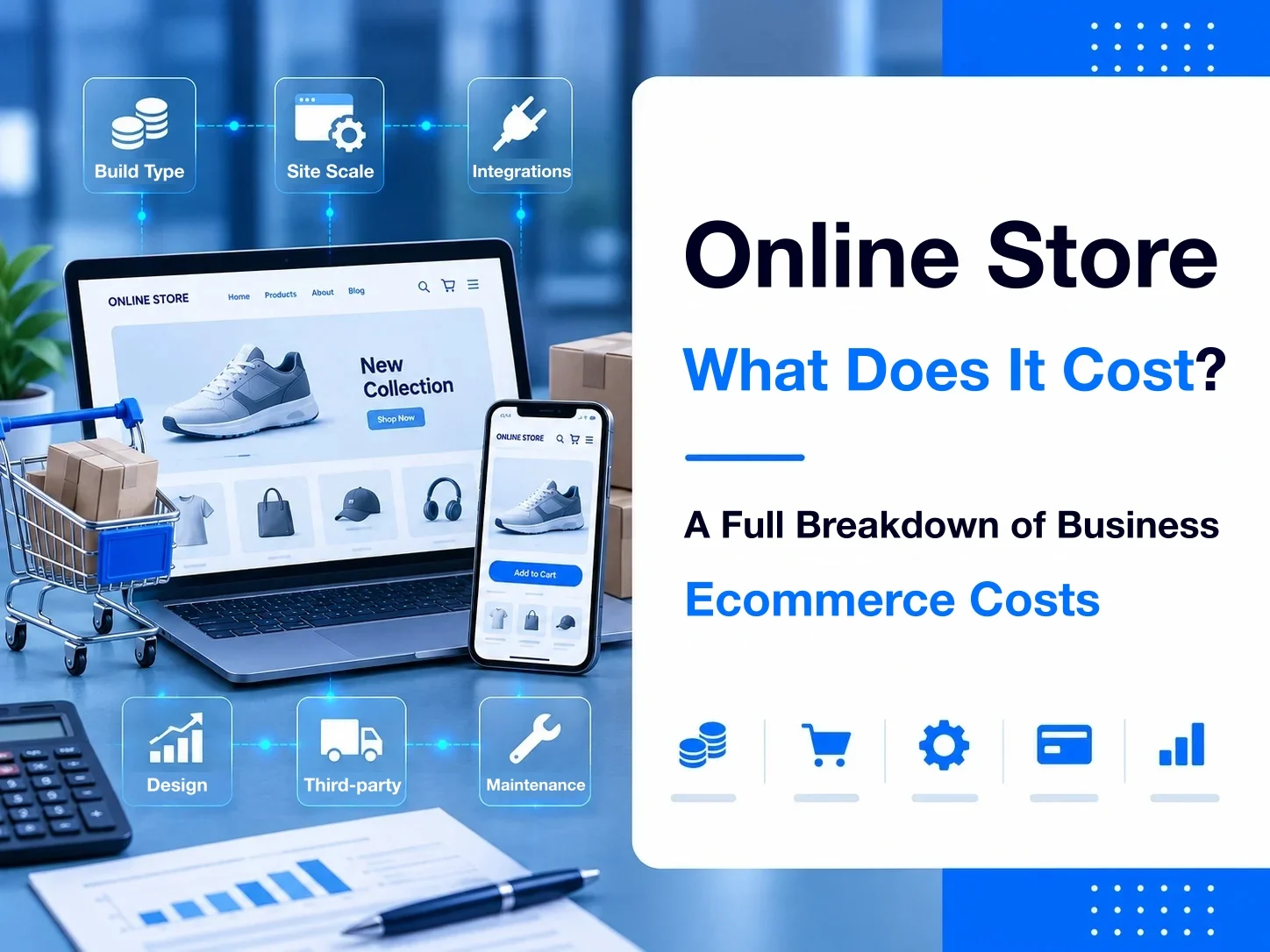
An online shop can cost anywhere from tens of thousands to hundreds of thousands of New Taiwan dollars or more. Two projects can both be called an ecommerce site, yet a catalog with standard products, a cart, payments, and orders is a completely different scale from a company shop that needs multi-variant pricing, quote requests, B2B customer tiers, or even an ERP connection.
When you estimate the cost of an online shop, the useful question is not “how much does an ecommerce site cost?” It is which products and checkout flows the site actually has to carry.
This article starts from the build approaches you will usually see, then breaks down build fees, platform and third-party services, ongoing maintenance, and the features that move a quote the most, so you can form a realistic budget before you ask for proposals.
Further reading: The complete guide to building an ecommerce site
Key points
- The cost of an online shop varies widely with the build approach and how complex the requirements are.
- Standard ecommerce features can usually be delivered on a mature platform, which keeps the build cost down.
- Multi-variant pricing, quote requests, B2B customer tiers, and system integration usually raise project complexity by a lot.
- Beyond the initial build fee, plan for ongoing costs: the platform, payments, shipping, third-party services, and maintenance.
- When you compare quotes, confirm that the features and the scope of delivery match. Do not compare the total price alone.
- Map the real transaction flow first, then choose a build approach and a budget.
How much does an online shop cost?
From public quotes in the Taiwan market, an online shop can start around NT300,000. If the project needs highly custom features and connections to company systems, the amount can be higher still.
PRO360 summarized customer quotes on its platform for 2024–2026 and grouped shopping sites by template, third-party platform, semi-custom, and fully custom builds. The overall range is about NT300,000 or more.
That range is only a market reference. It does not tell you what your own site should cost.
A more practical step is to split ecommerce needs into three levels:
| Type of need | Typical needs | Cost profile |
|---|---|---|
| Standard ecommerce | Products, basic variants, cart, members, payments and shipping, orders | Most features already exist in mature products, so build cost is easier to control |
| Advanced company ecommerce | Many variants, special pricing, quote requests, customer tiers, special order flows | Needs more requirements work, setup, and feature changes |
| Highly integrated ecommerce | Special commercial flows, ERP / CRM / POS, data sync, and other system connections | Higher cost for systems analysis, development, testing, and long-term maintenance |
If you sell standard products with fixed variants, a mature ecommerce platform usually does not need a large custom build.
If the real flow is this:
Choose several options → price by variant and quantity → submit a quote request → sales confirms → the customer confirms → an order is created → data enters internal systems
The storefront can still look like a “shopping site,” but the commercial logic behind it is already different.
The real gap in online-shop cost is often not how polished the site looks or how many pages it has. It is how much of the transaction flow and commercial logic the site has to carry.
That is why two ecommerce sites in the same market can cost tens of thousands, or several hundred thousand, or more. Next we break down which requirements create that spread.
Why can ecommerce site prices differ so much?
On the surface, the price gap looks like platform, design, or feature count. What usually stretches the cost is how complex the transaction flow and commercial logic are.
Two companies can both need product pages, members, and orders, and still have completely different requirements.
The first company’s flow is:
Choose a product → add it to the cart → pay online → create the order
The second company’s flow is:
Choose a product → set several variants → the system calculates the price → upload a file → submit the request → a person confirms → the customer confirms → pay → create the order
Both storefronts look like ecommerce sites. The second case has more data, conditions, steps, and admin work, so planning, building, and testing cost more.
The more standard features you can use as they are, the easier the cost is to control
Mature ecommerce platforms already include product management, a cart, members, orders, payments, and shipping.
If your way of selling fits those standard features, the work stays in site planning, design, platform setup, product import, and third-party setup. You usually do not rebuild the whole transaction system.
The question worth asking is not “how many features does the site have?” It is:
How much of what you need can use an existing product, and how much must be changed because of your own process?
Special commercial rules raise planning and build cost
Complexity rises once the site has to apply your own commercial rules.
For example:
- Different quantities have different prices
- Different variant combinations change the selling price
- Certain customers have their own prices
- A product must be quoted before it can be bought
- An order needs a manual review before it is accepted
- Different customers see different products and permissions
These are not an extra page or button. They turn rules that sales or internal staff used to judge into logic the system can run.
The more specific the need, the more work usually goes into mapping the flow, planning the features, and testing.
System integration raises complexity further
If the shop must exchange data with an ERP, CRM, POS, inventory system, or another system you already run, the cost usually rises again.
Connecting systems is more than “hooking up an API.” You also need to confirm:
- Which system is the source of truth?
- Which data must sync?
- One way or both ways?
- When does it sync?
- How do fields map?
- What happens when a sync fails?
- How do orders and statuses line up across systems?
Even if the storefront does not gain many screens, the integration work behind it can still grow a lot.
More customization is not automatically better
When you plan an ecommerce site, you do not need to customize every feature in the name of flexibility.
If a mature platform already handles products, members, orders, and payments, using those features is usually easier to maintain than rebuilding them, and it lowers project cost.
Customization is worth the spend where a standard product cannot support the flow reasonably, and that flow actually affects how you sell or how customers experience the site.
When you read an ecommerce quote, do not stop at “how many pages and how many features.” Also confirm:
Which needs are standard features, which ones are your own commercial process, and which ones must connect to other systems.
Once those three layers are separate, it is easier to see why ecommerce sites can differ in price by several times, or more.
Next we can break down the six factors that most affect the cost of an online shop.
Six factors that affect the cost of an online shop

Once you see why ecommerce prices spread, you can look at the items that actually move a quote.
For most companies, these six factors affect ecommerce build cost most directly.
1. Build approach and platform
The first factor is which way you build the site.
On a mature SaaS ecommerce platform, products, cart, members, and orders are usually already in the product. You mainly pay for the plan, setup, and the site build.
On a self-hosted stack such as WordPress / WooCommerce, the cost can include the site build, hosting, plugins, technical maintenance, and later updates.
If a specialist team has to plan a special transaction flow or a system connection, you also pay for requirements analysis, system planning, and feature build.
The platform price is only one part. What matters more is how much you need to do beyond the features that already exist.
If you're still unsure about the differences between various platform types, you can refer to "How to Choose an E-Commerce Platform? Common E-Commerce Platforms Comparison and Selection Guide."
2. Site design and page scope
An ecommerce site is still a customer-facing website, so UI / UX and brand design affect the fee.
Adjusting content and brand on an existing template is a different design workload from planning the home page, categories, product pages, member area, and checkout from scratch.
Page count affects cost, but “how many pages” is not enough to judge it.
On an ecommerce site, product lists, product detail, cart, and checkout often involve different states and steps. Interaction and flow complexity usually matter more than a raw page count.
Further reading: The complete guide to company website design
3. Product count and variant complexity
Product count affects data cleanup and import. The variant structure of the products often matters more.
One hundred products with simple variants can often be imported in a shared format. A small catalog can still be harder to plan if every product has many variant combinations, option limits, and different pricing rules.
Common factors include:
- Category depth
- Number of variants
- How variants combine
- Whether a variant changes the price
- Whether stock is tracked per variant
- Whether a large data import is required
- Whether customers upload custom files
When you ask for a quote, share more than “how many products.” Real product and variant examples make the workload much easier to estimate.
4. Ecommerce features and the transaction flow
This is usually one of the items that moves a company ecommerce budget the most.
A standard product sale may only need:
Product → cart → checkout → payment → order
A company may also need:
- Dynamic price calculation
- Quote requests and quotations
- Customer tiers
- B2B contract prices
- Dealer ordering
- Order review
- File upload and confirmation
- Special payment or delivery flows
These are usually not “install one more feature.” You have to confirm how the conditions work together.
The closer the flow is to your own way of operating, the higher the cost of requirements analysis and the system build usually becomes.
Further reading: What features does an e-commerce website need?
5. Third-party services and system connections
A typical ecommerce site may need payments, shipping, and e-invoicing. A company shop may also need an ERP, CRM, POS, inventory system, or other internal systems.
Integrations differ a lot in complexity.
A mature payment service often has a standard connection. A system you already run may involve a private API, a special data format, two-way sync, and exception handling.
When you estimate this kind of work, “can it connect?” is not enough. You also need to confirm:
Which data is connected, how it syncs, and what happens when something goes wrong.
Third-party services may also charge platform fees, usage fees, or transaction fees. Those charges are usually outside the site build fee.
6. Content, product data, and import work
The cost people most often underestimate is site content and product data.
An ecommerce site may need to handle:
- Brand and company content
- Product names and descriptions
- Product images
- Product categories
- Variants and prices
- SEO data
- FAQ
- Migration of existing members or product data
If the data is already clean, the build team can import it, and the work stays relatively simple.
If product data is scattered across Excel, an old site, an ERP, and different people, you may also need cleanup, a shared format, and content entry.
When you compare quotes, confirm who prepares the content and product data, who enters it, and how much import work the quote includes.
Taken together, the price of an online shop is not set by one factor. It is:
Build approach × design scope × product complexity × transaction flow × system integration × data import
Those pieces together become the project cost.
Once those factors are clear, the next comparison is how the fee structure differs across SaaS, a self-hosted system, a professional web agency, and a highly custom build.
How is the cost calculated for each way of building an ecommerce site?

Fee structures differ by approach. Some plans are mostly a platform subscription. Others leave hosting, plugins, and maintenance to you. If the work includes process design and custom features, more of the fee sits in requirements, the build, and later maintenance.
When you compare prices, do not look only at the first “site build fee.” Include the costs that keep coming after launch.
Further reading: What website-building platforms are there?
SaaS ecommerce platforms
SaaS ecommerce platforms are usually billed monthly or yearly. You do not stand up a full ecommerce system yourself. You use the platform’s products, cart, members, orders, payments, and shipping.
The main costs may include:
- Monthly or yearly fees
- Template or site design fees
- Paid add-ons
- Payment and transaction fees
- Third-party service fees
- Product and content setup
- Extra consulting or onboarding
These plans are easier to estimate at the start, and you do not own most of the underlying system maintenance.
Still check feature limits, transaction fees, and upgrade rules. As products, orders, or features grow, the long-term cost can differ from the first months.
A SaaS platform fits companies whose transaction flow is standard and who want to keep the initial system build and maintenance lighter.
Further reading: A fee and 3-year cost comparison of store builders
Self-hosted options such as WordPress / WooCommerce
With WordPress and WooCommerce, the software itself is only part of the cost.
The actual cost may include:
- Domain and hosting
- Site design and build
- Paid themes
- Ecommerce and other plugins
- Payment, shipping, and invoice connections
- Performance and security
- Backups
- System and plugin updates
- Technical maintenance
This approach usually gives you more control of the site, and existing plugins can add many features. Someone still has to maintain the system.
When a site depends on many third-party plugins, license fees are only the start. Also count version updates, compatibility, performance, and security over time.
Do not price a self-hosted site as “WordPress is free and WooCommerce is free.” What you need to estimate is the technical and maintenance capacity required to keep the whole site running.
Further reference: WooCommerce official site
A professional web agency / company ecommerce
If you want a specialist team to handle requirements, design, feature setup, and later maintenance, the work is usually quoted as a project.
The cost may include:
- Requirements and transaction-flow planning
- Site structure
- UI / UX design
- Front end and admin build
- Ecommerce feature setup
- Product and content entry
- Third-party connections
- Testing and launch
- Training
- Later maintenance
Prices vary more here than on standard SaaS, because scope and deliverables differ from one company to another.
Some quotes cover only the website. Others include early consulting, content entry, baseline SEO setup, and maintenance after launch.
When you compare agency quotes, do not compare the total alone. Confirm what work that price actually includes.
Heavy customization and system integration
When you need a special transaction flow, or a deep connection to systems you already run, the project moves from “building a website” toward “implementing a system.”
For example:
- A complex variant and pricing engine
- B2B customers and permissions
- Special quotation and order flows
- ERP / CRM / POS integration
- Inventory or price sync
- Data integration across sites or channels
These projects usually cannot be priced by page count or feature count alone. Requirements analysis and a technical assessment come first.
Beyond the first build, plan for later system versions, API changes, data exceptions, and who owns maintenance. Long-term cost is usually higher than a standard ecommerce site.
A simple way to read the cost structure:
- SaaS: mostly platform fees
- Self-hosted: build + infrastructure + technical maintenance
- Company ecommerce: planning + design + onboarding + feature build
- Highly integrated: systems analysis + custom logic + data integration + long-term maintenance
The cheapest quote is not always the lowest total cost. Compare this: once the site meets the need, which costs do you still carry after it is live?
That leads to a cost people often skip: besides the first build fee, which costs keep running after an ecommerce site is live?
Besides the build fee, what else does an ecommerce site cost?

When companies budget an ecommerce site, they often focus on the first build fee. After launch, platform, payment, shipping, maintenance, and marketing costs usually continue.
When you compare options, estimate the initial build and the total cost of ownership (TCO) over the next few years.
Platform, hosting, and domain fees
Each build approach has a different base cost.
A SaaS ecommerce platform usually has a monthly or yearly fee. A self-hosted site needs hosting, a domain, a CDN, backups, or other base services.
Each line may look small. Together they are a fixed cost of running the site, so include them when you compare options.
Payment and transaction fees
If the site takes cards, ATM transfers, mobile payments, or other online payments, you usually connect a third-party payment service.
Besides the connection itself, live transactions can also create:
- Transaction fees
- Fees for specific payment methods
- Withdrawal or other service fees
- Extra transaction fees charged by the platform
Payment services and platforms bill differently, and rates can change. For a formal plan, use the provider’s current official pricing.
For a company with higher volume, even a small percentage gap can become a real cost over time.
Shipping and e-invoicing
Shops that sell physical goods also need home delivery, convenience-store pickup, or other shipping methods.
If the site creates shipping labels, syncs delivery status, or connects an e-invoicing service, that can add third-party fees and integration cost.
“We support payments, shipping, and e-invoicing” is not only a yes or no on the site. Also confirm:
Who provides the service, how it is billed, and whether the site quote already includes the connection.
Third-party tools and feature services
A company ecommerce site may also use extra services, for example:
- Email or SMS notifications
- LINE notifications
- CRM
- AI customer service
- Search
- Member marketing tools
- Analytics and tracking
- Backup or security services
Some of these sit inside the platform plan. Others are a separate subscription.
More features do not always mean a higher first build fee. Some of the cost simply becomes an ongoing software subscription.
Site maintenance and feature updates
Launch does not mean the technical work is finished.
Platform versions, third-party APIs, payment and shipping services, browsers, and the security environment keep changing, so you still need to plan for maintenance.
Typical items include:
- System updates
- Fixing errors
- Backup and restore
- Security maintenance
- Adjusting third-party connections
- Small content or feature changes
Maintenance differs a lot. Some of it is inside a platform yearly fee. Some companies use an annual maintenance contract. Others quote extra work as it comes up.
Before you sign, confirm the build fee and also how long the warranty lasts, what maintenance includes, and how work outside that scope is billed.
Further reading: The complete guide to website build cost
Later feature expansion
Ecommerce needs usually change as the business grows.
A site may launch with basic orders, then later add member tiers, quote requests, dealer ordering, an ERP connection, or a new payment method.
If the system cannot be extended, you may have to rebuild features, or rebuild the site.
Do not estimate cost only as:
“How much does it cost to finish this now?”
Also ask:
“When we add features later, can this architecture still be used?”
That is one of the important differences between company ecommerce and a short-term store launch.
SEO, ads, and later customer-acquisition cost
A finished site is a place where transactions can happen. It does not by itself bring customers in.
You may still need to invest in:
- SEO
- Google Ads
- Social ads
- Content marketing
- EDM
- Remarketing
- Other ways of finding customers
These are not always part of the “site build fee.” If the point of the shop is revenue, plan acquisition budget separately from the build budget.
The real cost of an ecommerce site can be read as:
Initial build + platform and base services + transaction costs + third-party services + maintenance and expansion + customer acquisition
Comparing only the first build price makes it easy to underestimate what it takes to run the site.
Further reference: Google Search Central ecommerce SEO guide / How do you do website SEO?
Which company-ecommerce needs raise the budget most often?

Standard products, cart, members, and orders are usually available in mature ecommerce products. What usually raises the budget is transaction rules and operating flows that are specific to the company.
The needs below are common reasons company ecommerce projects cost more.
Multi-variant products and complex pricing
A typical product may only have simple variants such as size and color, each with a fixed price.
In some industries the options affect each other. Size, material, quantity, processing, and other choices all change the final price.
The site is then handling more than “product variants.” It is running a pricing model.
For example:
Product → size → material → processing → quantity → the system calculates the price
If options constrain each other — a material can only pair with certain processing — the system has to handle those conditions too.
More variants do not automatically mean higher cost. What raises cost is how many conditions and pricing rules sit between the variants.
Quote requests and quotations
Not every company product should show a fixed price and check out online.
For B2B, manufacturing, processing, or made-to-order goods, the common flow is:
The customer chooses the product and variants → submits a quote request → sales confirms the need → sends a quotation → the customer confirms → an order is created
Supporting that flow can mean quote-request management, quotation versions, statuses, notifications, and turning a quote into an order.
The point is not an extra “request a quote” button. It is turning a process that used to live in email, LINE, Excel, or manual work into a flow the site can manage.
B2B customer tiers and contract prices
A typical B2C shop shows the same products and prices to every shopper. Company sales often change the terms by who the customer is.
For example:
- Retail customers and dealers see different prices
- Dealers have different discounts
- Only certain customers can see certain products
- Prices appear only after login
- Customers have different payment terms
- Customers have different minimum order quantities
The member system is then more than login and order history. It also controls products, prices, and who may transact.
The more customer tiers and commercial rules you have, the more data structure and permission logic you usually need.
Special orders and review flows
A standard shop often creates the order as soon as payment succeeds. Company sales do not always work that way.
Some products need a file, stock, production conditions, or a delivery date confirmed before the order can be accepted.
The flow may become:
Submit the order → a person reviews it → change the content or the amount → the customer confirms again → pay → the order is formally created
If orders also have different statuses and owners, the admin needs a matching management flow.
If you want to move an existing manual process onto the site, list the steps that are actually required. Do not ask the system to copy every current habit on day one.
Connections to ERP, CRM, POS, and similar systems
When the shop must exchange data with other company systems, complexity usually rises again.
Common integrations include:
- Product data
- Customer data
- Prices
- Inventory
- Orders
- Payment status
- Shipment status
For example, a website order creates an ERP order automatically, or an ERP inventory update syncs back to the site.
Besides writing the connection, you also handle the source of data, sync frequency, field mapping, errors, and permissions.
Whether it can be done also depends on whether the existing system offers an API you can actually use.
If you need system integration, raise it at the start of the project. Do not add it when the site is almost finished.
You do not have to put every process on the website
One principle matters a lot for cost control:
Something can be digitized without having to be fully custom-built.
Some internal processes are very complex. Rebuilding the site to match every current habit can cost a lot and still cover only a few situations.
A more reasonable start is to confirm:
Which flows directly affect whether a customer buys, and how efficiently you operate, and only then decide what is worth putting into the system.
If customers often need sales to requote because the variants are too complex, variant selection and quoting may be worth improving first. An internal step that happens only a few times a year does not have to be custom-built at the start.
A higher ecommerce budget is not the problem by itself. The question is whether the extra features improve the transaction flow, reduce manual work, or create real commercial value.
How should a company judge its ecommerce budget?

After seeing market price ranges, the question companies hit first is which budget level their own needs belong to.
Setting a price first and then forcing every need into that budget is the weaker path. First judge how much commercial process the site has to handle.
You can assess it from five angles:
Product complexity × transaction flow × feature needs × system integration × content import
Level 1: standard ecommerce needs
If you sell standardized products and the way customers buy is close to ordinary online shopping, start with mature ecommerce features.
For example:
- Products and categories
- Basic product variants
- Cart
- Members
- Online payment
- Shipping
- E-invoicing
- Order management
The point of this kind of project is usually not to rebuild the transaction system. It is to set up and launch existing features around your brand, products, and way of selling.
The budget is then driven mainly by design, product count, content setup, and the platform and service scope you choose.
Level 2: advanced company ecommerce
If standard ecommerce features cannot fully support the real transaction flow, you are in advanced company ecommerce.
For example:
- Multi-variant products
- Special pricing
- Quote requests and quotations
- B2B customer tiers
- Contract prices
- Dealer ordering
- File upload
- Order review
- Special payment flows
This kind of site turns part of a manual process into system logic, so early requirements work, flow design, and feature testing all increase.
Do not estimate the budget only by “how many pages the site has.” Base it on the transaction flows and commercial rules the site has to handle.
Level 3: highly integrated company ecommerce
If the shop also has to exchange data with systems the company already runs, system integration enters the project.
For example:
- ERP
- CRM
- POS
- Inventory systems
- Member systems
- Other internal company systems
Besides the site itself, you need to confirm APIs, data structures, how sync works, error handling, and later maintenance. That usually needs its own technical assessment.
Treat it as a project that is a website + a transaction system + system integration, not only the production of a shopping site.
If the budget is unclear, organize the needs before you lock the features
The first time you plan an ecommerce site, you may not be able to list every feature.
A long feature list is less useful than answering a few questions first:
- What do you sell?
- What variants do the products have?
- How is the price decided?
- How does a customer place an order?
- Can they pay immediately?
- Which steps need a person to confirm?
- After an order exists, how does the company handle it?
- Does data need to move to other systems?
Once the real transaction flow is clear, a web agency can judge which needs can use existing features, which ones need separate planning, and which features do not belong in the first phase.
When you prepare an ecommerce budget, a simple rule helps:
Use a mature product for standard features. Spend planning and build budget on the special flows that actually affect transactions and operations.
That cuts development you do not need, and leaves room to extend the site as operations grow.
What should you watch when comparing ecommerce quotes?

Quotes from different agencies can differ a lot. A higher or lower price does not by itself say which option fits.
Both can be called an “ecommerce site.” One quote may cover only the site and basic shopping. Another may include requirements, content setup, third-party connections, testing, and later maintenance.
When a quote arrives, confirm that the scope of delivery is the same before you compare the price.
Is the feature scope written clearly?
First, check whether the features in the quote are specific.
Labels such as “member system,” “order system,” or “payment connection” do not tell you what is actually included.
A member feature might be only registration and login. It might also include:
- Member profile management
- Order history
- Member tiers
- Contract prices
- Different customer permissions
- Sign-in with a third-party account
The more important the need, the more the quote or the specification should state the actual scope, so both sides do not mean different things by the same feature name.
Who builds the products and content?
Some quotes provide only the system and a template, and you prepare and publish every product. Others include a set amount of product and content setup.
Confirm:
- Who organizes the product data?
- Who provides the product images?
- Who publishes the products?
- Does it include categories and variant setup?
- Does it include migrating data from the current site?
- How is work beyond the agreed quantity billed?
For a company with many products, organizing and importing the data can be a sizable piece of work on its own.
Are payments, shipping, and third-party services included?
A line that says “payments supported” does not mean every fee is included.
Separate:
The agency’s connection fee and the fees charged by the third-party provider itself
Payments, shipping, e-invoicing, SMS, and other services may also have application fees, yearly fees, usage fees, or transaction fees.
Before you sign, confirm which fees are inside the project quote and which ones you pay directly to the provider.
How are custom needs and scope changes priced?
Once an ecommerce project is underway, new ideas show up easily.
You might start with ordinary members and later want dealer prices. You might start with immediate checkout and later want a review before payment.
Those can look like “a process tweak.” They can still affect the data structure, the storefront, the admin, and order logic.
The quote and the contract should separate:
- Bug fixes
- Changes inside the original scope
- New features or changes to the requirements
And they should say how work outside the original scope is assessed and quoted.
That avoids discovering halfway through that the two sides meant different things by “a change.”
How is the site maintained after it is finished?
After launch you may still need system updates, changes to third-party services, error fixes, and feature adjustments.
Confirm:
- Is there a warranty period?
- What does the warranty cover?
- Is there annual maintenance?
- What does maintenance include?
- Are changes at third-party services included?
- How are new features billed?
A lower first build price is not always cheaper over time if every later change is billed extra.
Are rights to use the site and the data clear?
Also confirm which important assets and accounts you control after the site is finished.
For example:
- The domain
- The site admin
- Product and order data
- Analytics tools such as GA4
- Google Search Console
- Payment and other third-party accounts
The domain, analytics, and third-party services should in principle use the company’s own accounts, or at least leave the company with the admin rights it needs.
Do not compare totals. Compare the same scope
Suppose two quotes are NT200,000. On price alone, the first looks cheaper.
If the NT200,000 option also includes requirements, content import, special flows, and later service, they are not the same product.
如果兩家公司都要完成我真正需要的這套交易流程,最後各自包含哪些工作?
Align the needs and the scope of delivery first. Only then does the price comparison mean something.
A good ecommerce quote does not have to spell out every technical detail. It should at least make clear what will be finished, what is inside the project, what is not, and how a later change in needs will be handled.
Common questions about the cost of an online shop
What is the minimum cost to build an online shop?▼
There is no fixed minimum price for an online shop, because the build approach and the scope of service vary widely.
If you use a ready-made SaaS ecommerce platform and set it up yourself, the initial spend is usually lower. If a web agency helps with brand design, product setup, payment and shipping configuration, and a full launch, the project fee goes up. If the work also includes special pricing, quote requests, B2B customer tiers, or system integration, you can no longer judge it by asking only “what is the cheapest online shop?” Confirm the transaction flow you need, then compare options that match it.
Does an ecommerce site have to cost several hundred thousand New Taiwan dollars?▼
Not necessarily.
If the products and the transaction flow are standard, and a mature ecommerce platform already covers the need, you do not have to spend a large budget on custom development. If you have complex product variants, a special transaction flow, or connections to systems such as an ERP, the build cost can still rise even when the site has few pages.
The budget depends mainly on how much of your own transaction and operating need the site has to solve.
Start the ecommerce budget from the need, not from the price
An online shop can cost from tens of thousands of New Taiwan dollars to several hundred thousand or more. The spread is not only page count or visual design. It is the complexity of variants, the transaction flow, feature needs, data import, and system integration.
For a company, finding “the cheapest shopping site” matters less than writing down the transaction flow:
What you sell, how the price is set, how a customer orders, which steps need a person, and which systems the site must exchange data with.
Once that is clear, you can judge which features can use a mature product, and which flows are worth planning and building.