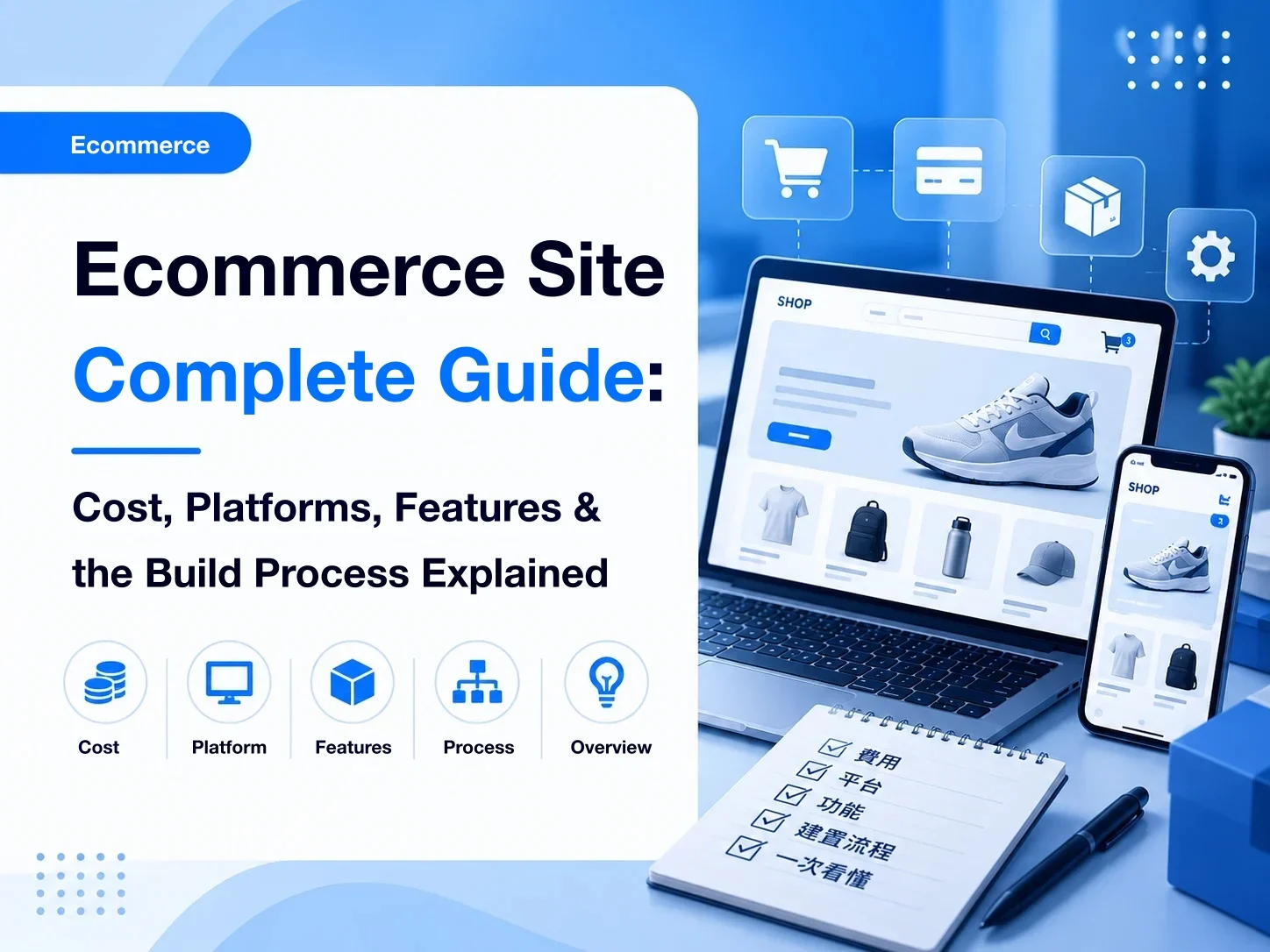
Putting products on sale online is no longer difficult. SaaS ecommerce platforms, WordPress with WooCommerce, a specialist web agency, and a custom system are all ways to build.
What is usually hard is not “how do we build the site,” but what kind of ecommerce site the company actually needs.
Selling ordinary products may only need product management, a cart, payments, shipping, and orders. Once products have complex options, prices that differ by customer, quote requests, dealer ordering, or a link to an existing ERP or another system, the transaction behind the site is a different process.
Before you build, do not stop at which platform is cheaper or which lists more features. Sort out your products, customers, and how a sale actually happens, then choose the structure and the way to build.
This article walks through how an ecommerce site gets built, the features it needs, how to choose a platform, what it costs, and the order of the work, so you have a plan before you commit a budget.
If you're still unsure about the differences between various platform types, you can refer to "How to Choose an E-Commerce Platform? Common E-Commerce Platforms Comparison and Selection Guide."
Further reading: What website platforms are there?
Key points
- An ecommerce site has to carry products, customers, and the way a sale happens. Adding a cart is not the whole job.
- Before you build, confirm product options, how prices are set, who the customers are, how an order moves, and whether other systems must connect.
- SaaS, a self-hosted system, and a company ecommerce build each fit different situations. No single option fits every company.
- Cost and schedule depend mainly on features, the sales process, how many products you have, and how complex the third-party connections are.
- Standard product sales do not need heavy custom work. Complex options, B2B, quotes, and system connections need a fuller plan.
- Going live is the start. SEO, ads, and ongoing improvement are what turn the site into a steady source of customers and orders.
What is an ecommerce site?
An ecommerce site can show products, take a transaction, and handle orders. A typical company site presents the brand, services, and contact details. An ecommerce site goes further and lets the customer complete part or all of a purchase on the site.
The most common path is:
Browse products → choose options → add to cart → fill in the order → pay → shipping → order complete
A complete ecommerce site is usually more than product pages. It also covers product management, accounts, a cart, orders, payments, shipping, and the admin.
Not every company's sales process looks like that.
Retail products often have a fixed price, so a shopper can add them to the cart and check out. For manufacturing, print, or other B2B businesses, a product may have many option combinations, the price may depend on quantity and options, and an order may only be possible after a quote and a confirmed brief.
In that case the path can become:
Choose a product → set the options → show a price or submit a quote request → confirm the brief → place the order
Some companies also add dealer pricing, customer tiers, quote management, file upload, or a link to an existing ERP, CRM, or similar system.
So the point of an ecommerce site is not “does it have a cart.” It is how you move the company's products, customers, and sales process online.
Because every company sells differently, the first step before a platform or a build method is to be clear about what you actually need.
Online store vs ecommerce website: is there a difference?
People often use "online store" and "ecommerce website" to mean the same thing: a site where customers browse products, pick options, and pay. The difference is mostly about context.
An online store usually means a retail site for consumers, with fixed products and prices. The flow is simple: browse, add to cart, check out. "Ecommerce website" is a broader term. Besides retail, it can cover B2B ordering, quote requests, and dealer orders.
So before you get stuck on the label, answer three questions:
- Who are your customers: consumers, businesses, or both?
- How are prices set: fixed, tiered by customer, or calculated from options or by quote?
- How does an order happen: immediate payment, or only after quantity, specs, and lead time are confirmed?
If the answers are consumers, fixed prices, and immediate payment, a store builder is usually the fastest and cheapest way to launch. If any of them is more complicated, it's worth looking at a business-grade ecommerce setup.
What should a company settle before building an ecommerce site?

When companies plan an ecommerce site, the first question is often “which platform?” or “which features?”
A better order is: clarify how a sale actually happens, then decide which features the site needs, and only then choose how to build and which platform to use.
Two ecommerce sites can sell in completely different ways. The questions below are a practical place to start.
How will products and options be managed?
Start with how complex the products are.
If the options are fixed, such as size, color, or quantity, a typical ecommerce platform can usually handle them.
Some products combine material, size, finishing, quantity, and other options, and those choices depend on each other. That is no longer a few variants. It is a buying flow you have to design.
Early on, write down:
- What categories and options do the products have?
- Do options combine, or limit each other?
- Do choices change the price?
- Do customers need to upload a file or provide extra information?
- Will products and options keep growing?
The more complex the product structure, the more it shapes the features and how the admin is run.
Is the price fixed, tiered, or quoted?
Typical B2C stores use a fixed price. A company's real pricing is often more involved.
The same product can cost differently by quantity, membership, dealer tier, options, or custom work. Some products cannot show a fixed price at all until the brief is confirmed.
The site may use different modes:
- Fixed price → buy now
- Options or quantity change the price → calculate it on the spot
- Cannot be priced directly → submit a quote request → a person quotes
That choice shapes the product page, the cart, accounts, and the order flow, so settle it at the start of the plan.
Can the customer check out, or must the order be confirmed first?
Not every ecommerce site has to use “add to cart, then pay.”
Highly standard products can usually be paid for online. Custom production, file checks, stock checks, or a manual quote may need an order or a quote request first, and the company confirms it before the next step.
A print product, for example, might be:
Choose options → upload a file → submit the order → approve the artwork → confirm payment → production
What you need to pin down is: from choosing a product to a confirmed sale, which steps are required?
The site should follow that process. Do not force a sensible way of selling into a standard cart just because the platform already has one.
Are customers B2C, B2B, or both?
Who buys also shapes the site.
B2C usually cares about browsing, promotions, a fast checkout, and the shopper's experience. B2B may need company accounts, prices by customer, dealer permissions, quotes, bulk buying, or repeat orders.
If you serve both, decide whether the two groups share the same products, prices, and buying path.
“We need an ecommerce site” is not specific enough. You have to know who the site serves, and how each kind of customer completes a sale.
Do you need payments, shipping, and e-invoicing?
If the site is meant to complete a sale online, you also need to settle payment, delivery, and invoicing.
For example:
- Credit card, ATM, bank transfer, or another payment method?
- Home delivery, convenience-store pickup, or the company's own delivery?
- How is shipping calculated?
- Do you need e-invoicing?
- How does the order status update after a successful payment?
- How do cancellation, refunds, and returns work?
These look like operations questions for after launch. They also shape the system and the third-party connections, so do not leave them until the site is nearly done.
Do you need to connect an ERP, CRM, or another system you already run?
If the company already runs an ERP, CRM, POS, inventory, or another internal system, decide how the ecommerce site relates to it.
After an order is placed, should it enter the ERP automatically? Does stock need to stay in sync? Should account data go into the CRM? Do stores or channels share the same data?
Not every piece of data has to sync in real time. Do confirm:
Which data the ecommerce site owns, which data the existing system owns, and what the two must exchange.
That avoids discovering, after the site is finished, that orders, stock, or customer records still have to be re-entered by hand.
For a company, the real first step is not picking a platform. It is mapping product → customer → price → transaction → order → what happens next.
Once those needs are clear, you can answer the next question: which way of building fits this sales process?
Further reading: What features does an e-commerce website need?
What are the ways to build an ecommerce site?

After products, customers, and the sales process are clear, the next step is how to build.
Companies usually choose among a SaaS ecommerce platform, an open-source or self-hosted ecommerce system, and a company ecommerce build done by a specialist team. None is simply better. They differ in how fast you can start, how flexible the features are, who maintains the site, and how far it can grow.
SaaS ecommerce platforms
A SaaS ecommerce platform is usually the fastest way to start. After a monthly or yearly fee, you use the products, cart, accounts, orders, payments, and shipping the platform already provides.
Typical advantages:
- You can start quickly
- The technical bar at the beginning is lower
- Common ecommerce features are already connected
- Hosting, security, and system updates are usually handled by the platform
- You do not have to maintain a full site system yourself
If products and the sales process are fairly standard, a SaaS platform usually lowers the initial build cost and the maintenance load.
The features are usually limited by the platform's existing structure. If you need special product options, pricing, a quote flow, account permissions, or a link to internal systems, check whether the platform supports them, or whether an add-on can.
A SaaS ecommerce platform tends to fit:
Companies whose needs are fairly standard, who want an ecommerce site up quickly, and who do not need a heavily custom sales process.
Further reading:a breakdown of SHOPLINE's plans and fees
Open-source or self-hosted ecommerce systems
Another option is to run an existing ecommerce system yourself, such as WooCommerce.
Compared with SaaS, you usually have more control. You choose the host, the theme, the plugins, and the third-party services, and you can customize to a point.
Features and structure are less tied to one SaaS platform. The company also takes on more technical and maintenance work: hosting, updates, security, plugin compatibility, performance, and backups.
As plugins and custom features pile up, later maintenance can get harder too.
An open-source or self-hosted setup tends to fit:
Companies that want more control of the site, and that have the technical capacity to maintain it, or a technical team they work with over time.
A specialist web agency, or a company ecommerce build
If the need goes past a standard ecommerce flow — complex product options, live pricing, quotes, B2B customer tiers, a special order process, or a link to systems you already run — a specialist team may need to plan it with you.
The work is usually more than “build a cart.” It starts with how the company sells today, then decides which steps should move online, and how the site, the admin, and the existing systems should split the work.
Selling a product can look like this in a typical store:
Choose a product → add to cart → pay → order placed
A company ecommerce flow can look like this:
Choose a product → set several options → the system prices it, or a quote is requested → sales confirms → the customer confirms → the order is placed → internal work begins
In that case the site is only one part of the overall setup.
Compared with a standard SaaS platform, this usually costs more up front and takes longer to plan and build. It can follow the company's existing way of selling more closely, and it leaves more room for later expansion and system connections.
It tends to fit:
Companies that already have a clear way of selling, and whose needs a standard ecommerce platform cannot fully support.
When you choose how to build, do not simply pick the lowest price. Go back to the needs you listed and judge whether today's features are enough, whether you will need to expand, and how much maintenance you are willing to carry.
The next practical question, whichever way you build, is: what features does a complete ecommerce site actually need?
What features does an ecommerce site need?

Which features you need depends on the products, the customers, and how a sale happens. More features are not automatically better. The set has to carry the customer from browsing to a completed sale, and carry the company through what happens to the order afterward.
In general, start the plan with the core features below.
Further reading: What features does a company website need?
Products and options
Product management is the base: name, images, price, category, stock, and description.
If a product has sizes, colors, materials, or other choices, you also need product options.
For some companies, options are more than a simple list. A printed piece may involve size, paper, finishing, and quantity at once, and those choices change the price.
The more complex the options, the more you have to think about the buying experience on the public site, and whether the admin can manage them without friction.
Cart and checkout
A standard ecommerce site usually has a cart so the customer can hold products, change quantities, and move into checkout.
Checkout collects the buyer, the delivery details, the payment method, and the shipping method.
The path looks simple. In practice, cut steps that are not needed, so the customer can see:
What they are buying → what it costs → how they pay → how they receive it
If the company does not sell by direct purchase, the cart may be replaced by a quote request or another flow.
Accounts and customers
Accounts can store basic customer details, past orders, and information used often, so a repeat purchase does not mean typing everything again.
For a B2B company, accounts may also extend to:
- Company accounts
- Customer tiers
- Products or prices reserved for certain customers
- Dealer permissions
- Purchase history
- Repeat orders
An account is not only “sign in.” It can be how the company manages different trading terms for different customers.
Orders
After a customer buys or submits a request, the company needs to see and handle the order in the admin.
Basic order management usually covers the order contents, customer details, payment status, shipping status, and order status.
If the company also proofs artwork, produces, picks stock, ships, or has sales confirm the order, those stages can be added to match the real process.
This is easy to miss in company ecommerce: a smooth order on the public site is only the first step. The admin also has to let staff handle the order.
Payments, shipping, and e-invoicing
A site that completes the sale online usually also connects to a payment provider and a shipping provider.
Payments cover cards, ATM, and other methods. Shipping covers home delivery, convenience-store pickup, or another method the company needs.
If the company needs e-invoices, include that flow in the plan.
These services are usually not built inside the site alone. They connect through a third party, so before you build, confirm the provider, the fees, API support, and how operations will actually run.
Marketing and content
Beyond completing a sale, an ecommerce site usually also has to support how you keep winning customers.
For example:
- Promo codes and campaigns
- SEO settings
- Content and article management
- GA4 and ad conversion tracking
- LINE or another support channel
For a company, the site should not only “take orders.” You also need to think about how customers find it, and how orders keep coming after that.
Quotes and other company-specific needs
If a product cannot be sold at a fixed price, you may need a quote request or a quoting flow.
For example:
The customer chooses the product and options → submits the brief → the company confirms → sends a quote → the customer confirms → the order is placed
You may also see:
- Live pricing across many options
- Bulk buying
- Prices by customer tier
- Dealer ordering
- File upload
- A sales review
- Connections to ERP, CRM, or POS
Not every ecommerce site needs these. They are often where a standard store and a company ecommerce site start to diverge.
A better way to plan features is not to start from a generic “ecommerce feature list.” Go back to the real path:
How the customer finds the product → how they choose → how the price is confirmed → how the sale is placed → how the company handles the order → where the data goes next
Once that path is clear, the features you actually need usually become obvious.
After the features are settled, you can judge which ecommerce platform can actually carry them.
How should you choose an ecommerce platform?
Once you know which features the site needs, then compare platforms.
Companies often compare monthly fees, feature counts, or how well known the platform is. Those answers tell you what the platform offers. They do not always tell you whether it fits how you sell.
Start from the real need, and check whether the platform can support how you operate now and later.
How complex the products and options are
First, check whether the platform can hold your product structure.
If products only have basic options such as size and color, most platforms can handle them. Large option combinations, choices that depend on each other, custom content, or options that change the price need a closer look at the platform's limits.
If the way you sell the product is part of the advantage, do not flatten that method just to fit a platform's limits.
Does the sales process fit?
Besides the product itself, check whether the platform can support how a sale is actually closed.
A standard store is usually:
Choose a product → add to cart → check out → pay → order placed
A company may need:
Choose options → live price or a quote request → a person confirms → the customer confirms → the order is placed
If the flow includes quotes, approval, B2B purchasing, or another special step, check whether the platform supports it natively or needs extra development.
Payments, shipping, and third-party services
Platforms do not all support the same payment methods, shipping methods, e-invoicing, or other third-party services.
Check whether the services you actually use can connect. Do not judge only by how many features the platform lists.
If you already have a shipping partner, a specific payment method, or an e-invoicing system, confirm how they connect and what they cost extra before you choose a platform.
SEO and content management
If the ecommerce site is also meant to win customers from organic search, include SEO and content management in the evaluation.
If organic search is an important source of customers, also check that product pages can present product information correctly, including structured data, so search engines can read price, availability, and options.
For example:
- Can you set the SEO title and meta description?
- Can the URL structure be managed sensibly?
- Are basic SEO settings such as canonical and a sitemap supported?
- Are product categories and content pages easy to create?
- Is there article or content management?
- How are performance and the mobile experience?
If you want organic search to compound over time, the site cannot only answer “can we sell today.” It also has to let content and search visibility keep accumulating.
Further reading: Google's ecommerce SEO guide, How do you do website SEO?
Room to expand, and to connect other systems
As the company grows, what the ecommerce site has to do usually changes with it.
At the start you may only need products and orders. Later you may add customer tiers, dealers, POS, CRM, ERP, or other internal systems.
When you choose a platform, look at today's needs and also at whether there is a reasonable way to expand later.
That does not mean building every feature on day one. It means avoiding a setup that works now, but has to be rebuilt as soon as the need grows a little.
How it is maintained, and the total cost of ownership
Finally, do not compare only the first year's build fee.
The long-term cost of an ecommerce site can include:
- Platform fees, monthly or yearly
- Payment and transaction fees
- Plugins or third-party services
- Hosting and infrastructure
- Feature development
- System maintenance
- Version updates
- Later expansion
Some options cost less at the start and more as features and transaction volume grow. Others cost more up front and buy more control of the process, and more room to expand.
Compare the total cost of ownership (TCO), not only the price of the first year.
The rule for choosing a platform can be put in one line:
Do not look for the platform with the most features. Look for the one that supports how you sell today, and still leaves reasonable room to grow.
If today's need is still standard product sales, a mature SaaS ecommerce platform can usually cover most of it. Once the process includes complex options, quotes, B2B permissions, or system connections, include the platform's limits and the later cost of expanding in the evaluation.
After the platform direction is clear, the question companies ask next is usually: what does it cost to build an ecommerce site?
What does an ecommerce site cost?

Ecommerce costs vary widely. A standardized platform and a company ecommerce site planned by a specialist team can have completely different cost structures.
Asking “how much is an ecommerce site” matters less than confirming how far the company needs to go, which needs are standard features, and which need extra planning or development.
In general, the cost is driven by the factors below.
Further reading: What does an online store cost?
How you build it
Different ways of building have different cost structures.
A SaaS ecommerce platform is usually priced as a monthly or yearly fee, and the plan determines the features. A self-hosted system also means hosting, plugins, maintenance, and technical management, on top of the build.
If a specialist team builds a company ecommerce site, the quote usually follows the size of the site, the features, and the sales process.
They can all be called “building an ecommerce site,” and the service you are actually buying can be completely different.
The size of the site and the catalog
How many pages, how many product categories, and how many products you load at the start all change the amount of work.
A few dozen products in a consistent format are relatively straightforward to load. A large catalog, deep categories, many options, or existing data that has to be cleaned and moved takes longer.
A quote should confirm not only “how many products,” but whether the product data is already organized, and who loads the content and the data.
Features and the sales process
How complex the features are is usually one of the largest drivers of cost.
A standard store may only need:
Product → cart → checkout → payments and shipping → order
If the company also needs:
- Products with many options
- Live pricing
- Quote requests and quotes
- B2B customer tiers
- Dealer ordering
- A special order process
- File upload and confirmation
you need more requirements work, system setup, or feature development.
What usually moves the cost is not the page count. It is how complex the sales process and the data logic are.
Design and content
A full brand look, UI and UX planning, product-page design, image production, or copywriting also adds to the project cost.
If the brand guidelines, site assets, and product data are already in order, the build is more straightforward.
When you compare quotes, check whether design, content cleanup, product setup, and launch support are included. Do not compare only the final total.
Third-party services and system connections
Payments, shipping, e-invoicing, SMS, LINE, CRM, ERP, and other third-party services can add cost.
Some of that is a one-time connection fee. Some of it is an ongoing platform fee, usage fee, or transaction fee.
If an existing company system is involved, you also have to confirm both APIs, data formats, how sync works, and how errors are handled. That integration is usually harder than a standard feature.
Later maintenance and running costs
An ecommerce site still has to be run after launch, so the budget should not stop at the first build fee.
Later costs can include:
- Platform or hosting fees
- System maintenance
- Third-party service fees
- Payment transaction fees
- Feature expansion
- SEO and content
- Ads and other marketing
Compare options as build cost plus the cost of keeping it running, not as a hunt for the lowest opening quote.
Standard product sales can often start on a mature ecommerce platform with a lower initial outlay. Special sales processes, B2B features, or system connections shift the cost toward requirements work and the system build.
That is why, before you ask for a quote, it helps to have the products, the features, and the sales process written down. The clearer the need, the easier it is to get quotes you can actually compare.
Which price ranges the different ways of building tend to fall into, and what to watch in a quote, is covered in our article on ecommerce site cost.
How does an ecommerce site get built?

An ecommerce site involves products, transactions, payment, and orders, so the build is usually more involved than a typical company site.
A fuller approach does not start by designing pages. It starts with the business need and the sales process, then moves into site planning, design, the system build, and testing.
Further reading: How a website gets built
1. Confirm the need and the sales process
The first step is to be clear about the problem the site has to solve.
That includes which products you sell, who the customers are, how a product is chosen, how the price is set, how the customer pays, and what the company does after an order is placed.
You can write the main path as:
Customer arrives → finds a product → chooses options → confirms the price → submits an order or a quote request → pays → the order is handled → ships or is delivered
If B2B, quotes, products with many options, or a special order process are involved, confirm them at this stage. Do not add them after development has started.
2. Plan the site structure and the features
Once the sales process is settled, you can list the pages and features the site needs.
The structure may include:
- Home
- Product categories
- Product detail
- Cart
- Checkout
- Account
- Order lookup
- FAQ
- Contact or support
- Brand and content pages
At the same time, confirm product management, accounts, orders, payments, shipping, invoicing, and any special features.
The point of this stage is a clear scope, so requirements do not keep growing during the build and pull the budget and the schedule off course.
3. Plan the UI, UX, and the content
Only then do you design the screens and how the site is used.
Design for an ecommerce site is not only whether it looks good. It has to let someone complete:
Find the product → understand it → choose the options → confirm the price → complete the sale
Categories, search and filters, product information, calls to action, option selection, and checkout should all aim to lower the effort of understanding and using the site.
You also need the assets: product images, descriptions, brand content, and an FAQ.
Further reading: Shopping website design: 7 essentials from product page to checkout
4. Build the site and the system
Once the structure, the design, and the features are confirmed, the system build can start.
What happens here depends on the approach you chose.
On a SaaS ecommerce platform, the work is usually platform setup, theme adjustments, and turning features on. A company ecommerce build may include the public interface, admin features, a special sales process, and connections to other systems.
This is where it starts to show whether the earlier requirements were clear. The more complete the plan, the easier development and acceptance usually are to control.
5. Load products and site data
After the basic system is in place, the real products and content go into the site.
That includes:
- Product names and descriptions
- Product images
- Categories
- Options
- Prices
- Stock
- SEO data
- Other site content
If there are many products, set a single data format first and load them in bulk or by another batch method. Creating them one by one by hand costs a lot of time.
6. Connect payments, shipping, and third-party services
If the site has to complete a sale online, the next step is payments, shipping, e-invoicing, and other third-party services.
Test the full path, for example:
Payment succeeds → order status updates → invoice is issued → the order ships → the customer is notified
If ERP, CRM, POS, or another internal system must connect, also check that the data exchange matches the plan.
7. Test fully, then go live
Before launch, do not only check the screens. Simulate a customer completing a real transaction.
At a minimum, confirm:
- Desktop and mobile both work
- Products and options are correct
- Prices calculate correctly
- The cart and checkout work
- Payments and shipping work
- Order status is correct
- Email, LINE, or other notifications work
- The admin receives and can handle the order
- GA4 and ad conversion tracking work
If there are quote requests, quotes, or other special flows, build a test case for each.
8. Keep running and improving after launch
Going live does not mean the project is over.
Watch what people actually do from browsing a product to completing a sale. See where they drop off, and which features need to improve.
You can also keep working on SEO, content, Google Ads, and other ways of winning customers, so the site moves from “a transaction is possible” to a channel that keeps bringing customers and orders.
A complete ecommerce build can be summarized as:
Need and sales process → site and feature plan → UI, UX, and content → system build → data load → third-party connections → testing → launch → ongoing improvement
The process itself is not complicated. What usually moves the schedule is the size and complexity of the need at each stage. The next question is: from planning to launch, how long does an ecommerce site usually take?
How long does each stage of an ecommerce build take?
Timelines depend on how many products you have, how your orders work, and what you need to integrate. These typical ranges are a useful starting point for planning:
| Approach | Typical timeline | Where the time goes |
|---|---|---|
| Store builder with a template | About 2–4 weeks | Product setup, payment and shipping applications, layout |
| Store builder with custom design | About 1–2 months | Brand design, homepage and product pages, content |
| Business ecommerce (option-based pricing, quotes, customer tiers) | About 2–4 months | Requirements interviews, pricing rules, flow testing |
| Business ecommerce with ERP or other integrations | About 3–6 months | Field mapping, sync rules, testing on both systems |
What slows projects down most often isn't development. It's product data and order rules that aren't ready yet. Having your categories, options, pricing rules, images, and copy prepared before kickoff can shorten the whole project considerably.
How long does an ecommerce site take?
There is no fixed answer for how long it takes from planning to launch. What usually moves the schedule is not how many pages the site has. It is how complex the products, the sales process, the features, and the third-party connections are.
On a mature SaaS ecommerce platform, if the product data, site assets, and sales process are already ready, the basic setup can usually be finished faster. Replanning the structure, designing a branded interface, or adding special features and system connections makes the build take clearly longer.
How complex the products and options are
Few products, simple options, and data that is already organized usually load faster.
A large catalog, deep categories, complex options, or several ways of pricing need more time to organize the data, build the option logic, and test a real purchase.
If the company organizes categories, options, prices, images, and descriptions before the project starts, waiting during the build goes down.
Features and the sales process
Standard products, a cart, accounts, and orders can usually be turned on quickly with an existing ecommerce system.
What tends to add time is a special process, for example:
- Products with many options
- Live pricing
- Quote requests and quotes
- Prices by customer tier
- Dealer ordering
- File upload and review
- Special order statuses
Those needs are not only the feature itself. They also need confirmation, process design, the build, and testing. The more complex they are, the more time the project should reserve.
Third-party services and system connections
Mature services such as payments, shipping, and e-invoicing usually have a standard way to connect. ERP, CRM, POS, or a system the company already runs depend on both systems and their APIs, and that affects the schedule.
How fields map, which system is the source of truth, and what happens when a sync fails all need to be confirmed in advance.
If an outside system is involved, confirm the technical conditions at the start of the project. Do not start that conversation when the site is nearly finished.
How fast the company prepares its own material
In practice, delay does not always happen in development. Content and data that are not ready are a common cause.
Product photos not yet shot, options still being organized, copy not approved, a payment account not yet applied for, or no internal agreement on the sales process can all stop the later work.
When you estimate the schedule, include the web agency's build time and the company's own time to prepare and confirm the data.
Asking for a fixed number of days to launch at the start is less useful than finishing a requirements review, then splitting the project into:
Confirm the need → plan and design → build the system → load the data → connect and test → accept and launch
and setting a deliverable and a confirmation point for each stage.
That makes the schedule easier to follow, and it lowers the chance of discovering halfway through that the need was different and the work has to be redone.
As products and the way you sell get more complex, a company ecommerce site starts to differ from a typical online shop. The next section covers what is actually different.
How is company ecommerce different from a typical online shop?
A typical online shop and company ecommerce share the same core purpose: the customer can choose a product and complete a transaction online.
The real difference is that a company's products, prices, customers, and order process are usually more complex than ordinary retail.
A typical online shop often works like this:
Browse products → choose options → add to cart → check out and pay → order placed
Prices are relatively fixed, and shoppers see roughly the same terms, so mature standard ecommerce features cover most of the need.
Company ecommerce may have to handle more commercial rules.
Product options can be more complex
Retail products may only have a few options, such as size and color. A company's products may involve material, size, finishing, quantity, or other custom conditions.
Those options can affect each other. They are not always a few independent choices.
Some options may only pair with a specific material, or size and quantity may produce different prices. The site is then handling more than “product options.” It is handling the full logic of how a product is chosen.
The price is not always public, or fixed
B2C stores usually show the selling price. A B2B sale may price differently by customer, quantity, options, or the terms of the relationship.
You may see:
- A fixed price
- Pricing by quantity or options
- Prices by membership tier
- Dealer prices
- A person quotes after the brief is submitted
That is why some company ecommerce sites do not treat “check out now” as the only way to close a sale.
Customers may have different roles and permissions
On a typical shop, an account mainly stores personal details, orders, and purchase history.
In company ecommerce, an account may stand for a different company, a dealer, or a partner, so you may also need:
- Different customer tiers
- Prices reserved for them
- Products reserved for them
- Purchasing permissions
- Past quotes and orders
- Repeat orders
The account system can become part of how the company manages customers and the sales process.
There may be more steps before an order is placed
Ordinary retail often places the order once payment is done. A company sale does not always work that way.
A custom product, for example, may need:
Choose options → submit the brief → sales confirms → quote → the customer confirms → pay → the order is placed
It may also need a file check, a stock check, an approval, or another internal step.
The site should follow how the company actually closes a sale. Not every transaction has to use the same cart flow.
The site may need to connect to internal systems
Once the ecommerce site starts taking real orders, the company faces another question: where does the data go next?
If an order still has to be retyped into an ERP, CRM, POS, or another system, the front of the process is digital and the internal work can still be full of repetition.
Larger companies may then look at connecting orders, customers, products, or stock.
That does not mean every company should connect a large number of systems on day one. Confirm which data truly needs to move, then decide a reasonable scope.
Company ecommerce is about moving the commercial process online
A typical online shop and company ecommerce are not two unrelated kinds of site. As the company's needs grow, the ecommerce system has to carry more of the commercial process.
A simple way to see it:
- A typical online shop: product → cart → payment → order
- Company ecommerce: product and complex options → price or a quote → who the customer is → order → internal work → system connections
If you only sell standard products, do not add system complexity for the sake of “company ecommerce.” If the current process already includes a lot of manual quotes, option checks, customer tiers, or retyping data, it is worth reviewing those together when you build the ecommerce site.
That is the main rule when a company plans an ecommerce site: more features are not automatically better. What matters is whether the site actually improves how you sell and how you operate.
Client example: how 9i-in moved print quoting online
Print prices change with size, paper, quantity, and finishing, which doesn't fit the fixed options of a typical online store. Quotes used to be worked out by hand.
9i-in is an online printing service. TimTech built them an ecommerce site that calculates prices automatically from the options a customer picks, so customers see a price and can order right away instead of going back and forth for a quote. After launch, 9i-in's online revenue grew fivefold month over month.
The takeaway: when products and pricing rules are complex, an ecommerce site does more than add a sales channel. It turns a manual quoting process into one customers can complete on their own.
→ Read the full case study: 9i-in online printing
More on building an ecommerce site
Pick up where you are in the process:
- Choosing a platform: How to choose an ecommerce platform
- Estimating cost: SHOPLINE pricing and a 3-year cost comparison of 6 platforms, What an ecommerce website costs
- Knowing the limits: The drawbacks of store builders
- Listing features: Ecommerce website features to plan for
- Designing the store: Online store design, from product page to checkout
Common questions about building an ecommerce site
How is an ecommerce site different from a typical company website?▼
A typical company website presents the brand, shows products and services, supports content marketing, and collects leads. An ecommerce site adds products, prices, accounts, orders, and a sales process.
In short, the main conversion on a company website may be a form, a booking, or a contact. An ecommerce site also has to handle quote requests, orders, payment, or order management.
If the company needs both a brand presence and online sales, the two can live on the same site. They do not have to be built separately.
Does an ecommerce site have to take payment online?▼
Not necessarily.
Whether you need online payments depends on how the company already sells. If the price is fixed and you want the customer to complete the purchase, cards, ATM, and similar methods are usually a good fit.
If the product needs a person to confirm it, a custom quote, or a review of the brief first, you can also do this: Submit an order or a quote request → a person confirms → pay by transfer or another method.
Payments are part of the sales process. They are not a feature every ecommerce site must have.
Start the plan from the sales process
There are many ways to build an ecommerce site. A SaaS platform, a self-hosted system, and a company ecommerce setup planned by a specialist team can all sell online.
What matters is not picking the platform with the most features. It is being clear about your own products, customers, prices, and sales process.
If products and the way you sell are fairly standard, a mature ecommerce platform is often enough. Once complex options, quotes, B2B customer tiers, a special order process, or connections to existing systems enter the picture, you need to look at the platform's limits and how far it can grow.
Before you commit a budget, you can start with a few basic questions:
- Who are our customers?
- How are products and options chosen?
- How is the price set?
- How does the customer complete the sale?
- After an order is placed, how does the company handle it?
- Will we need to exchange data with other systems later?
Write that process down, then decide the features, the platform, and how to build. That usually cuts the cost of later changes and rebuilds.
For a company, an ecommerce site is not only putting products on the web. It is turning the existing sales process into a digital process that runs more efficiently, and that you can keep running.
If you're planning an ecommerce site but aren't sure whether a store builder or a business-grade build is the better fit, take a look at TimTech's website building service. We start by mapping your products, pricing, and how orders happen, then help you choose the right way to build.